Contributing
Contributors are one of the many roles that exist in the bitsCrunch network. This role allows participants to stake BCUT token to participate in some simple content enrichment/annotation to more advanced contributions like contributing with code or AI model or tooling to the network.
How to Guides
- Become a Contributor
- Contribute Proposal
- Proposal Review (coming soon)
- Undelegate (coming soon)
Become a Contributor Staking BCUT Token
- Buy BCUT from CEX or DEX, refer to this for more information https://bitscrunch.org/bcut
- Goto bitsCrunch network interface, https://app.bitscrunch.com/
- Connect your wallet (supported: Metamask, not tested for other wallets)
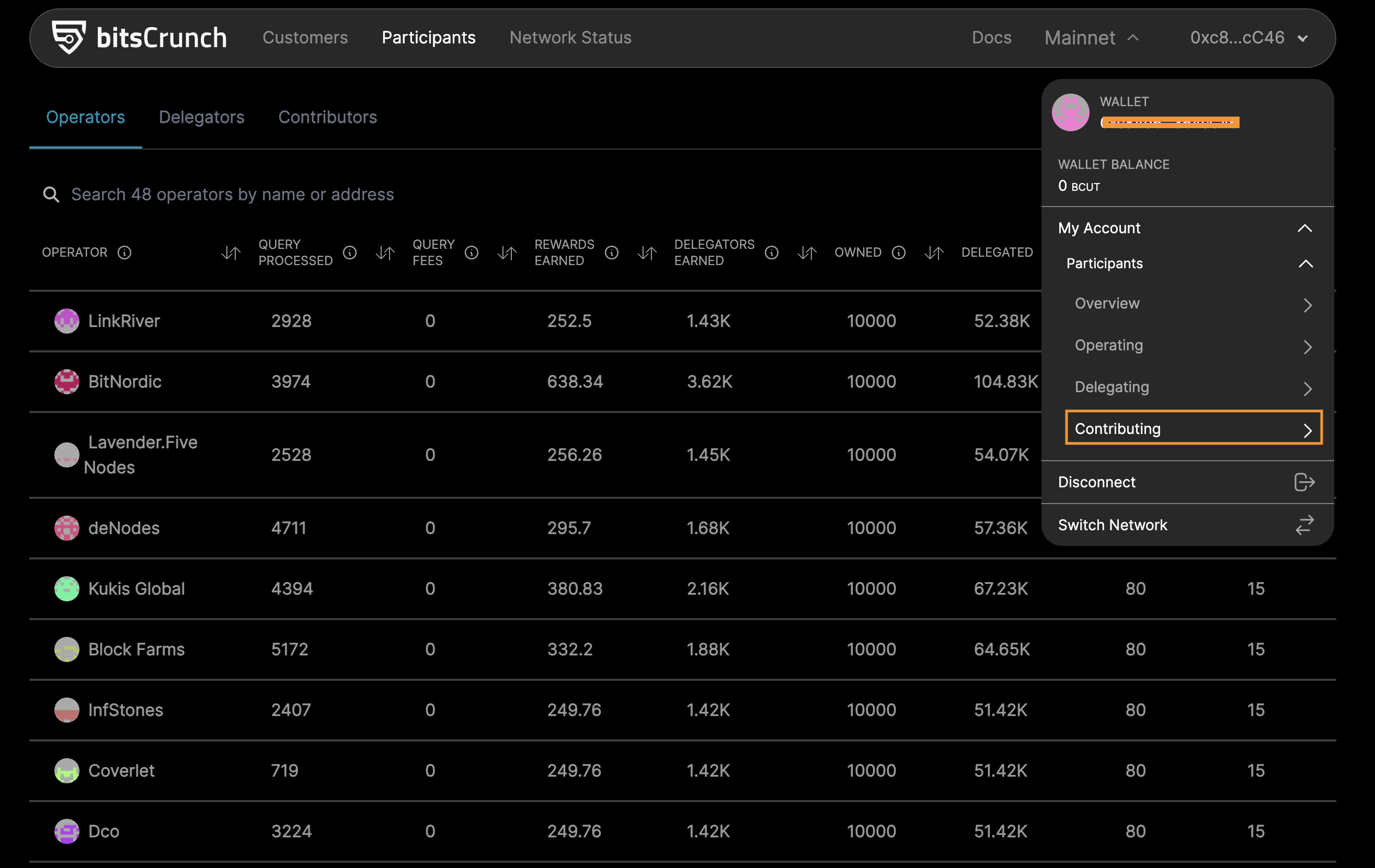
- Select the "Contributing" from the MyAccount menu
- Contributing page will appear if the connected wallet is not an active operator
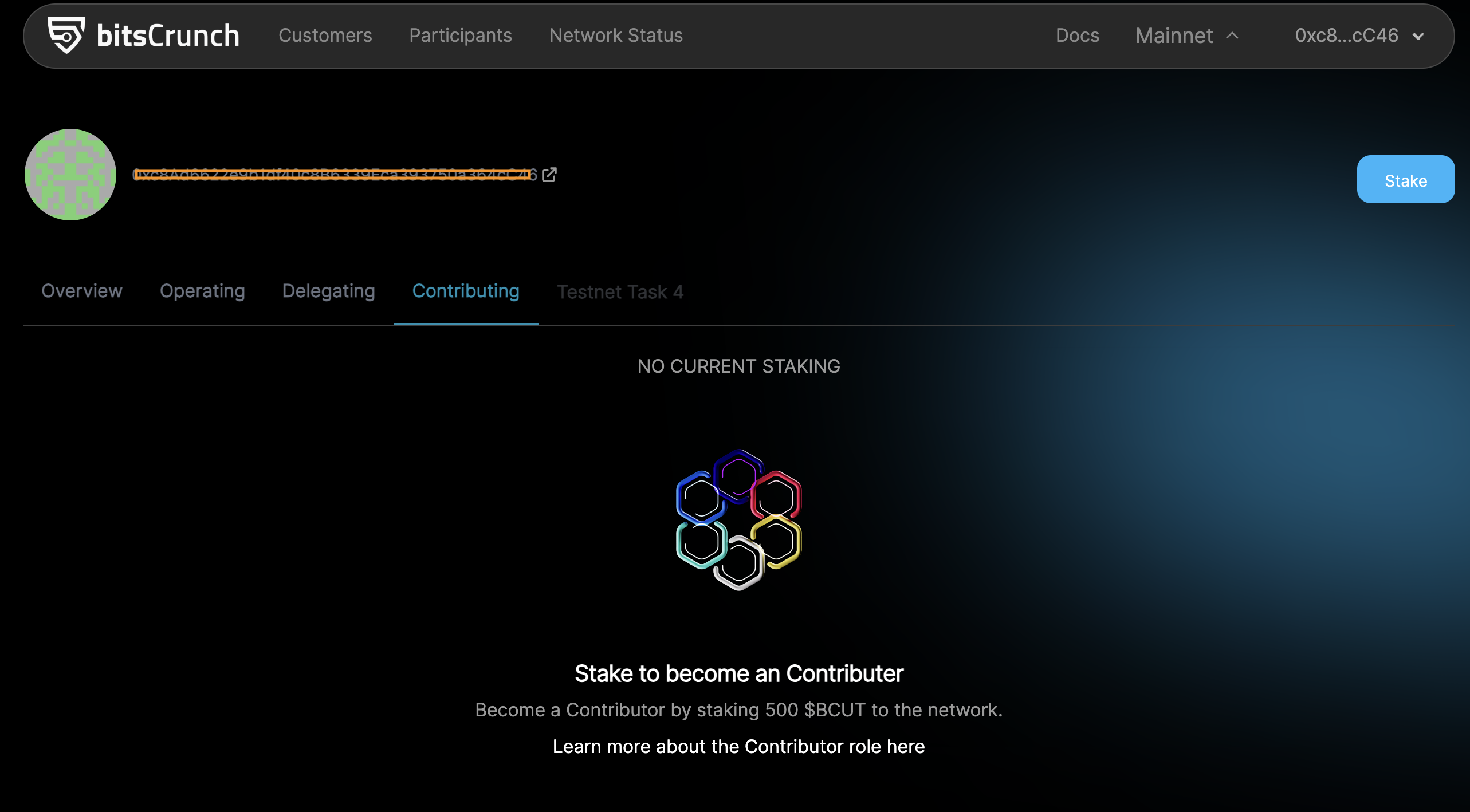
- Click the "Stake" button and proceed staking
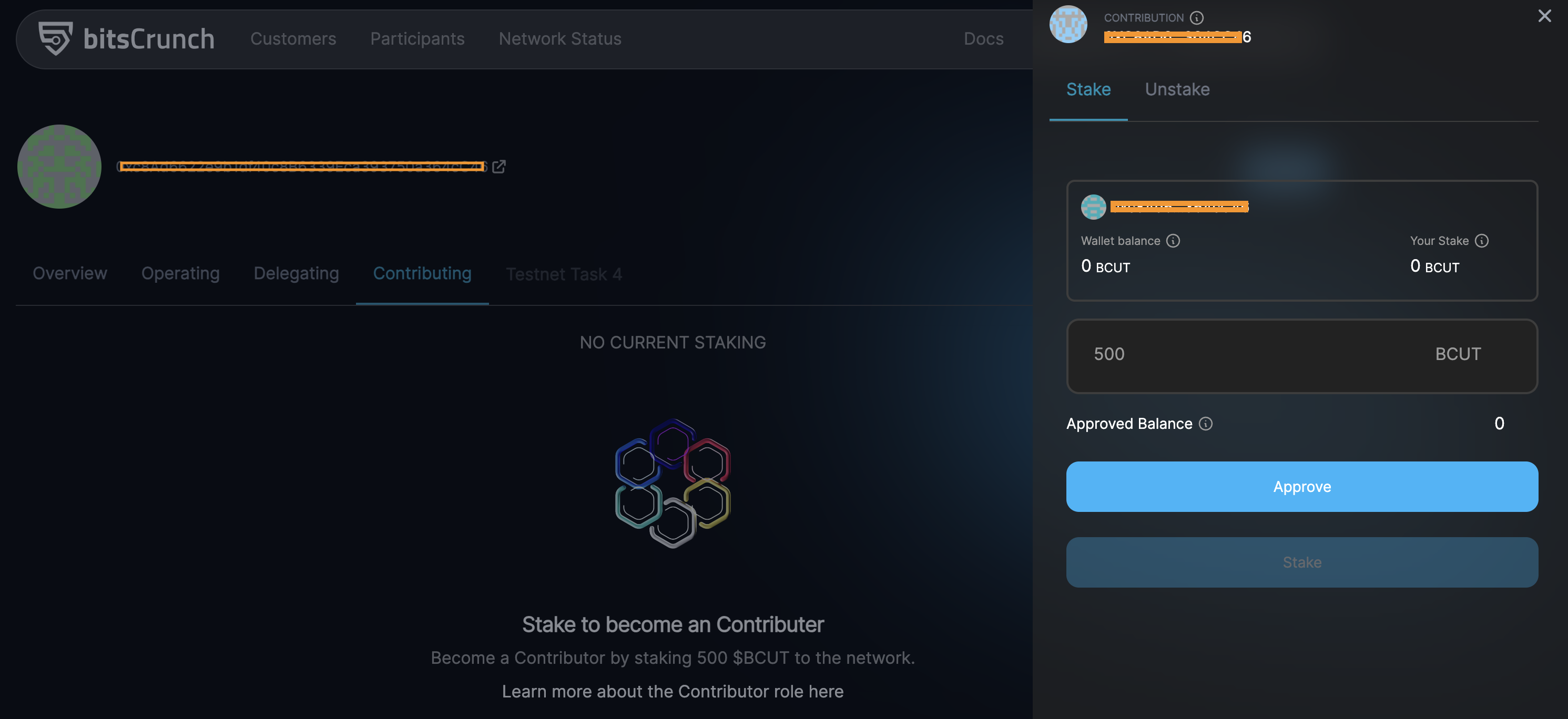
- Accept the Metamask popup for token approval
- After which the Stake button is enabled, now click that to stake BCUT tokens
- Once the transaction successful, Balance will get updated
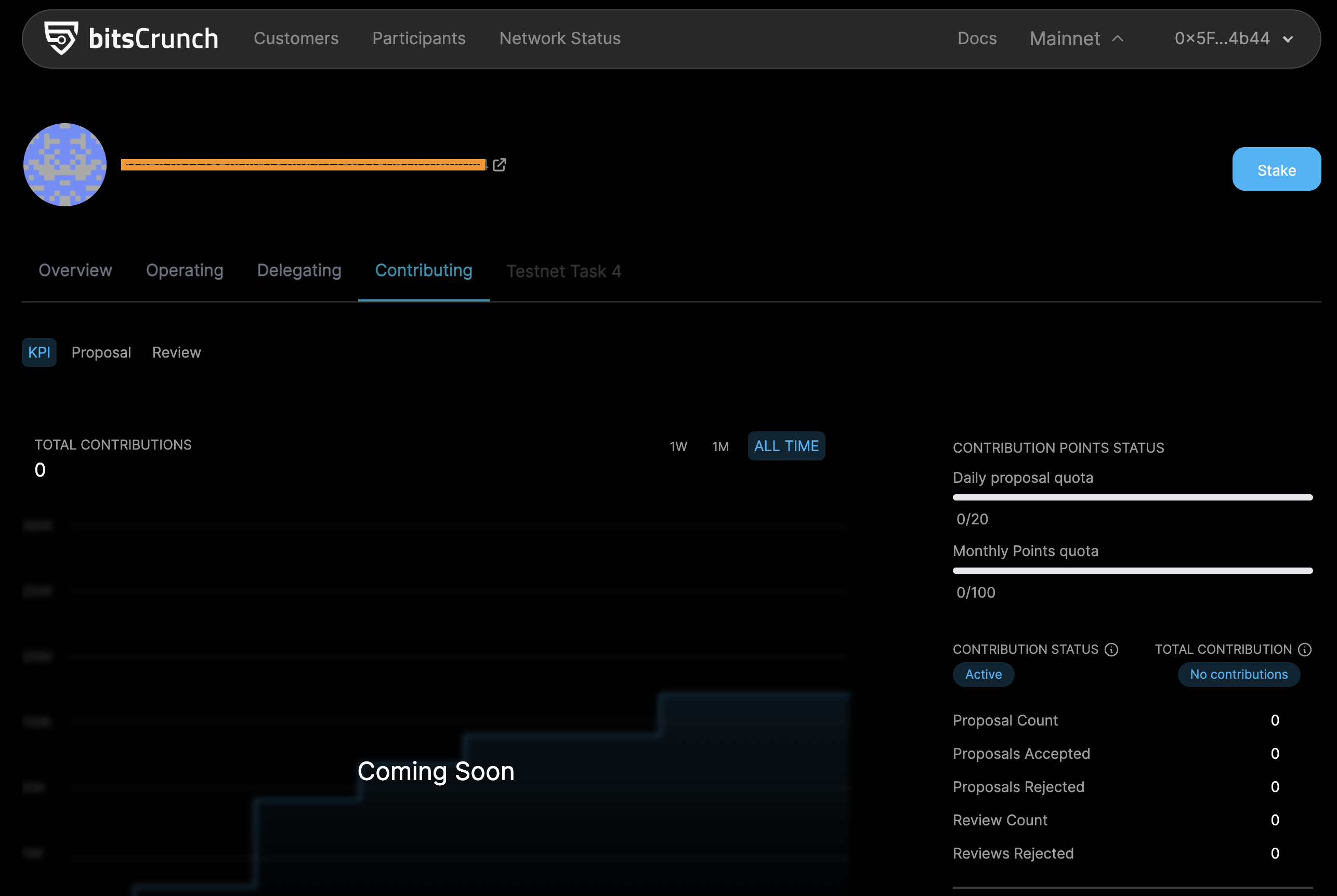
- After successful staking contributing page will be loaded with the current contribution information of the connected wallet
Become a Contributor Staking bitsCrunch Genesis Pass NFT
- Acquire NFT tokens for staking.
- Go to bitsCrunch network interface, https://app.bitscrunch.com/
- Connect your wallet
- Select the "Overview" from the MyAccount menu
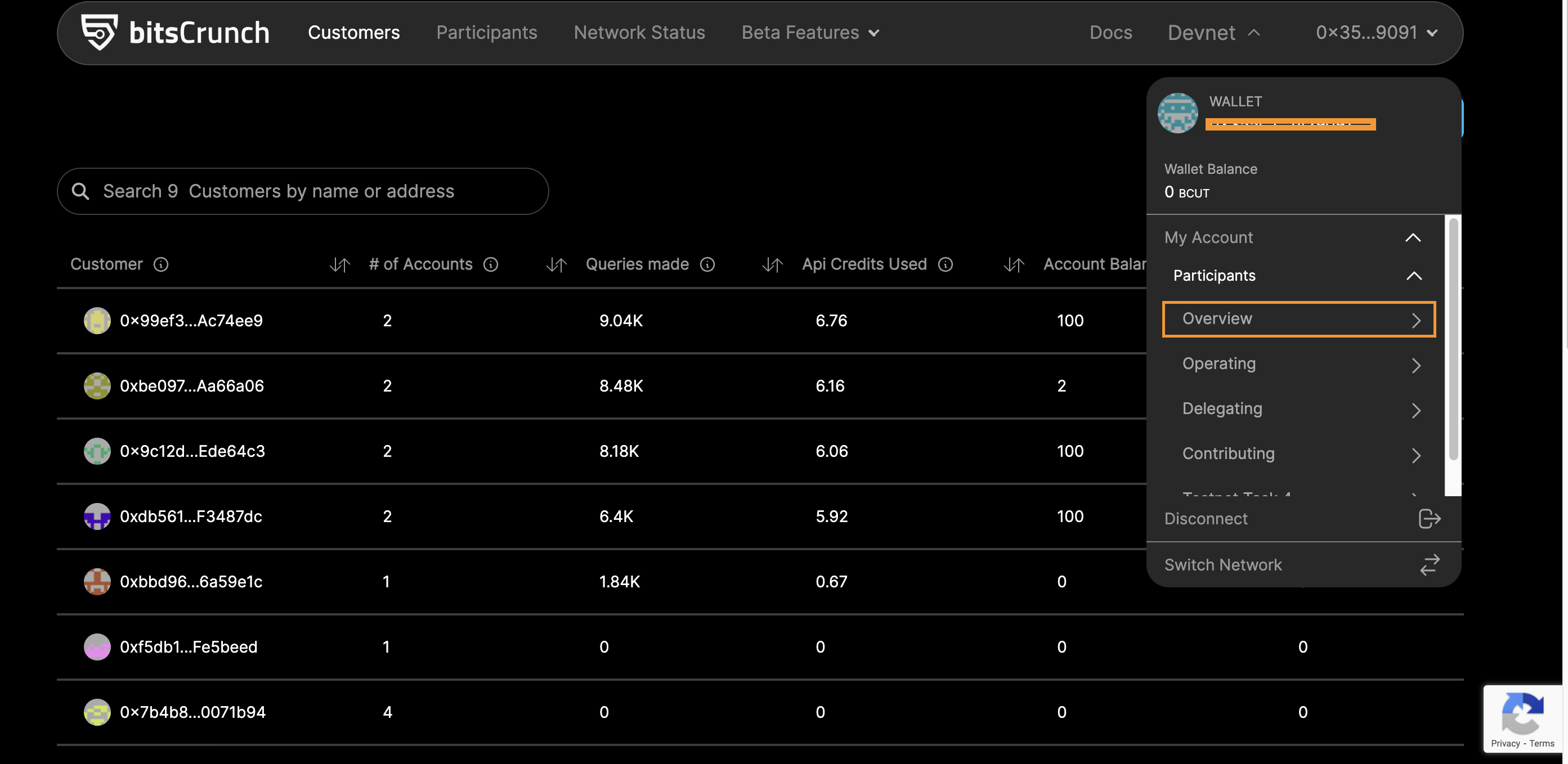
- Overview page will appear if the connected wallet is not an active operator
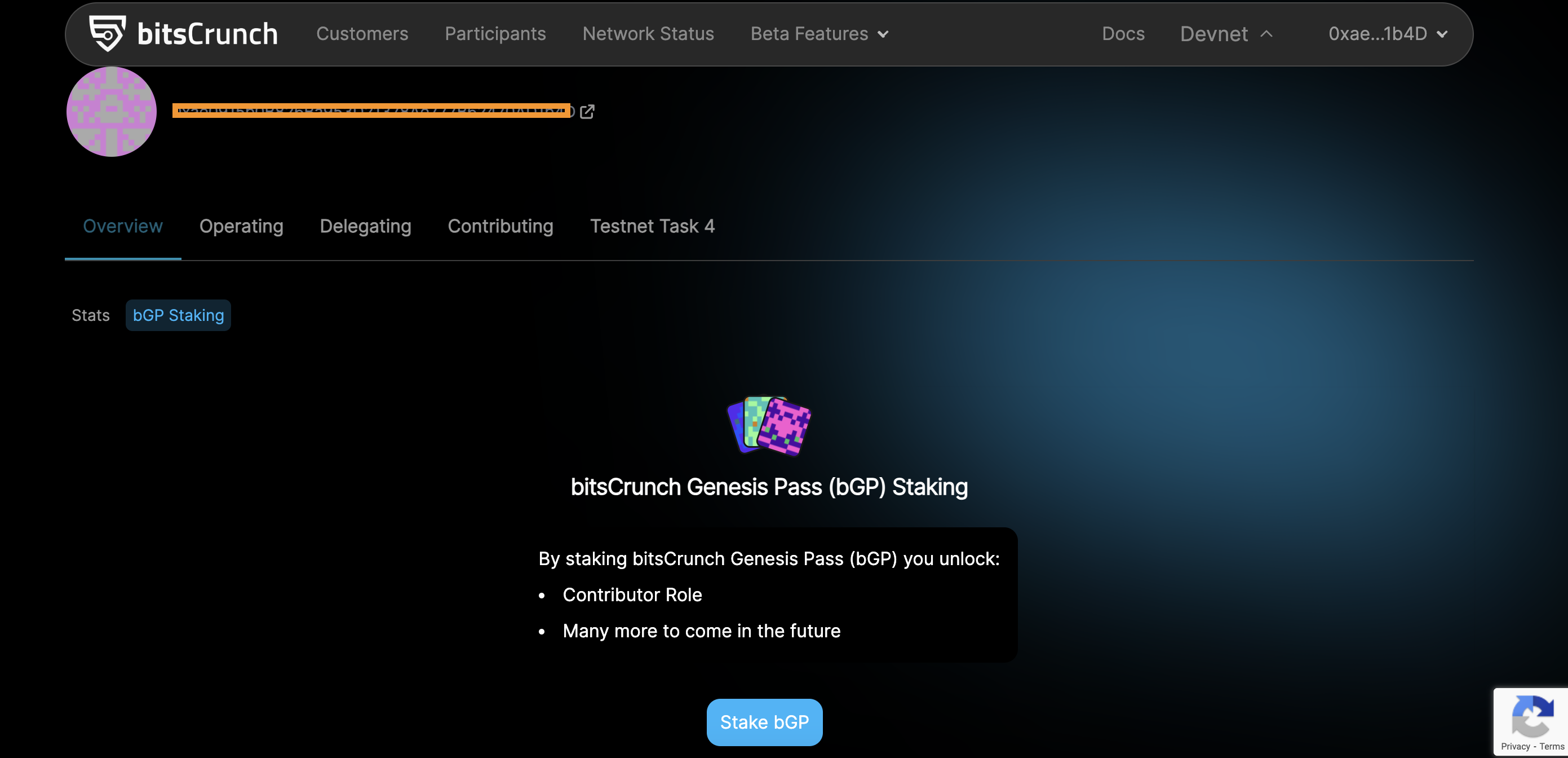
- Click the "Stake" button and proceed staking
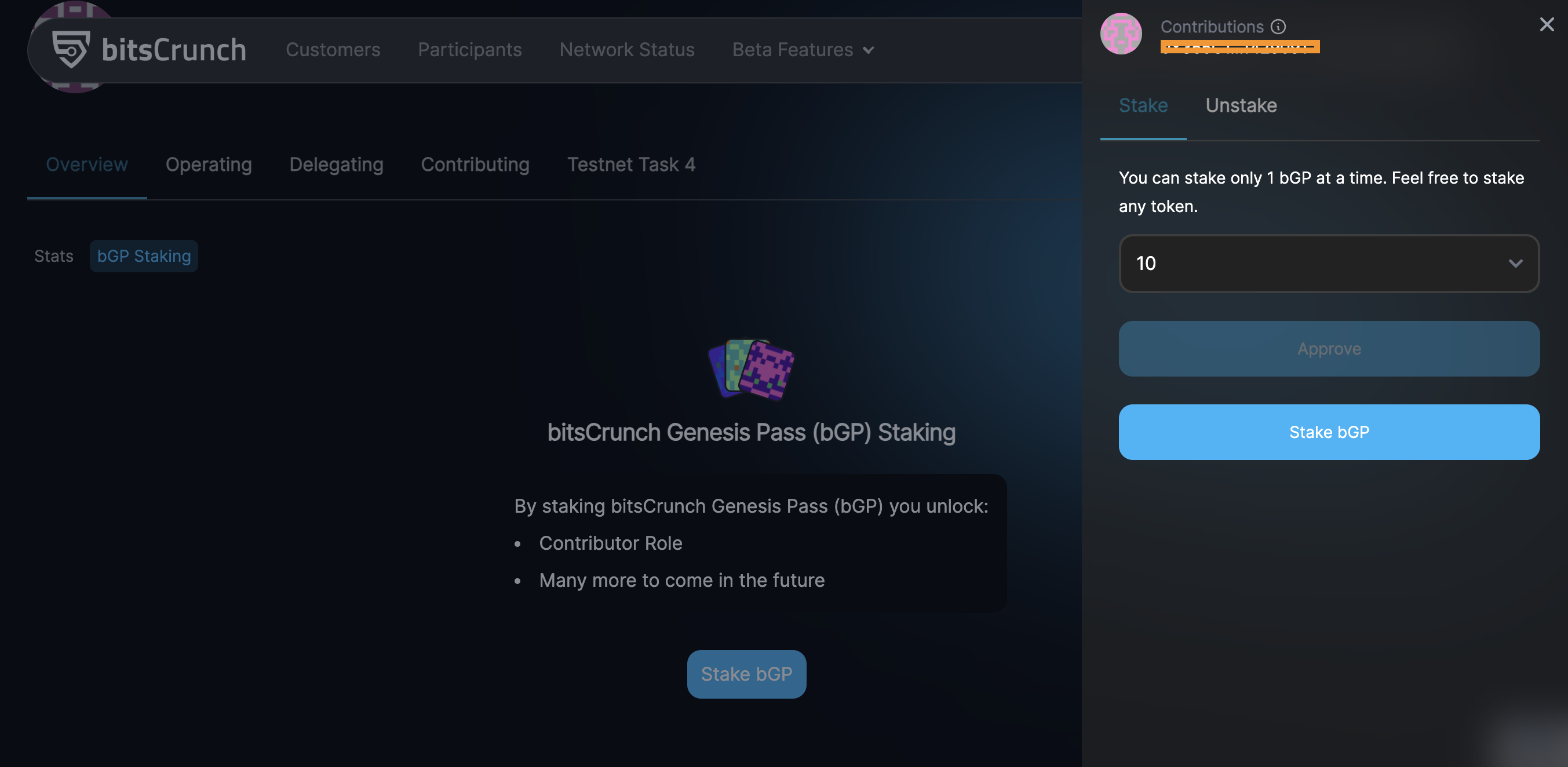
- Accept the wallet popup for token approval
- After which the Stake button is enabled, now click that to stake NFT tokens
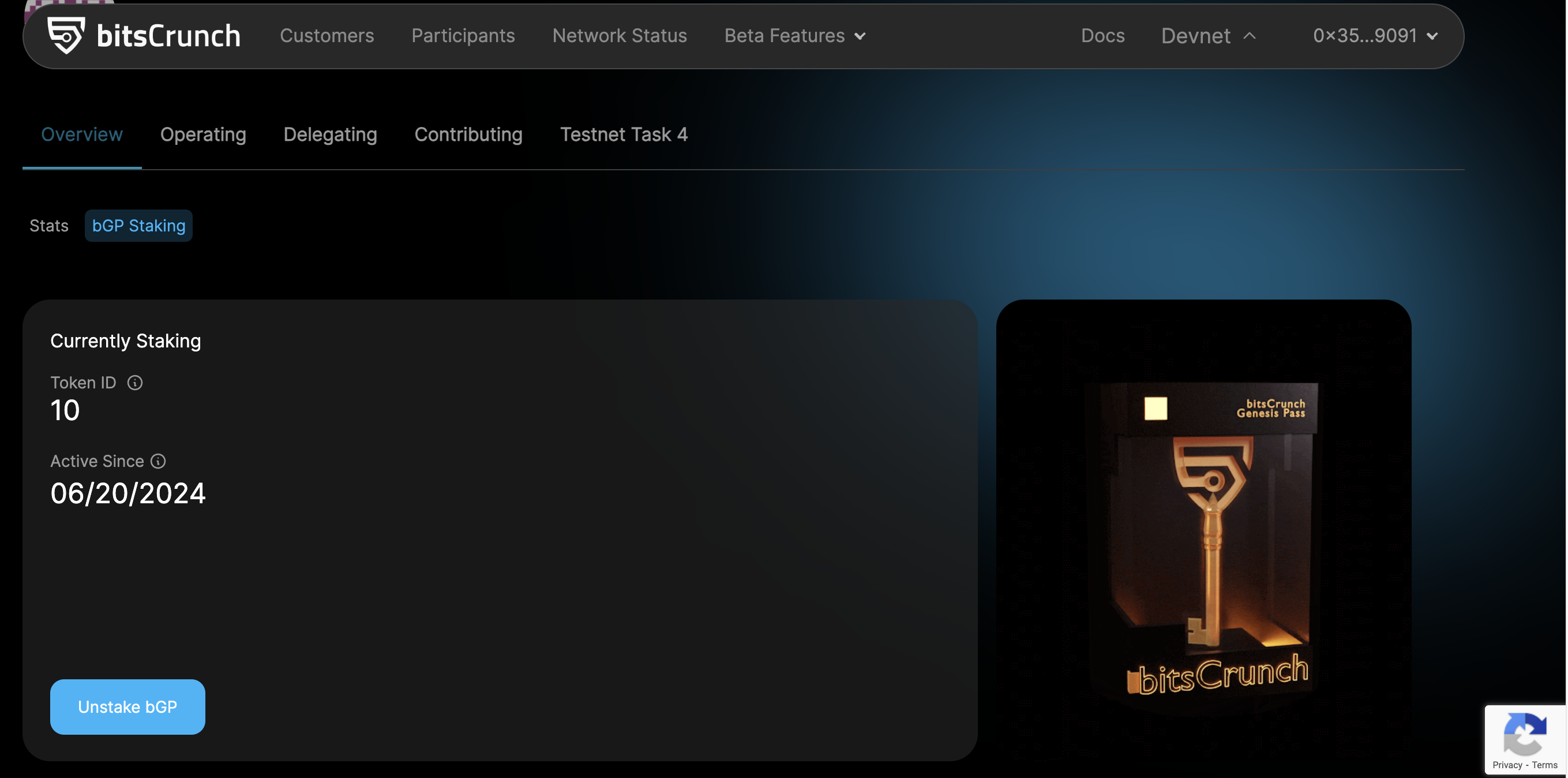
- After successful staking overview page will be loaded with the current contribution information of the connected wallet
Contributing with Address label Proposal
Steps to create a proposal
- Ensure you already followed the steps to become a contributor
- Select the "Contributing" from the MyAccount menu
- Navigate to the Proposal section and select proposal type "Propose Address Labels"
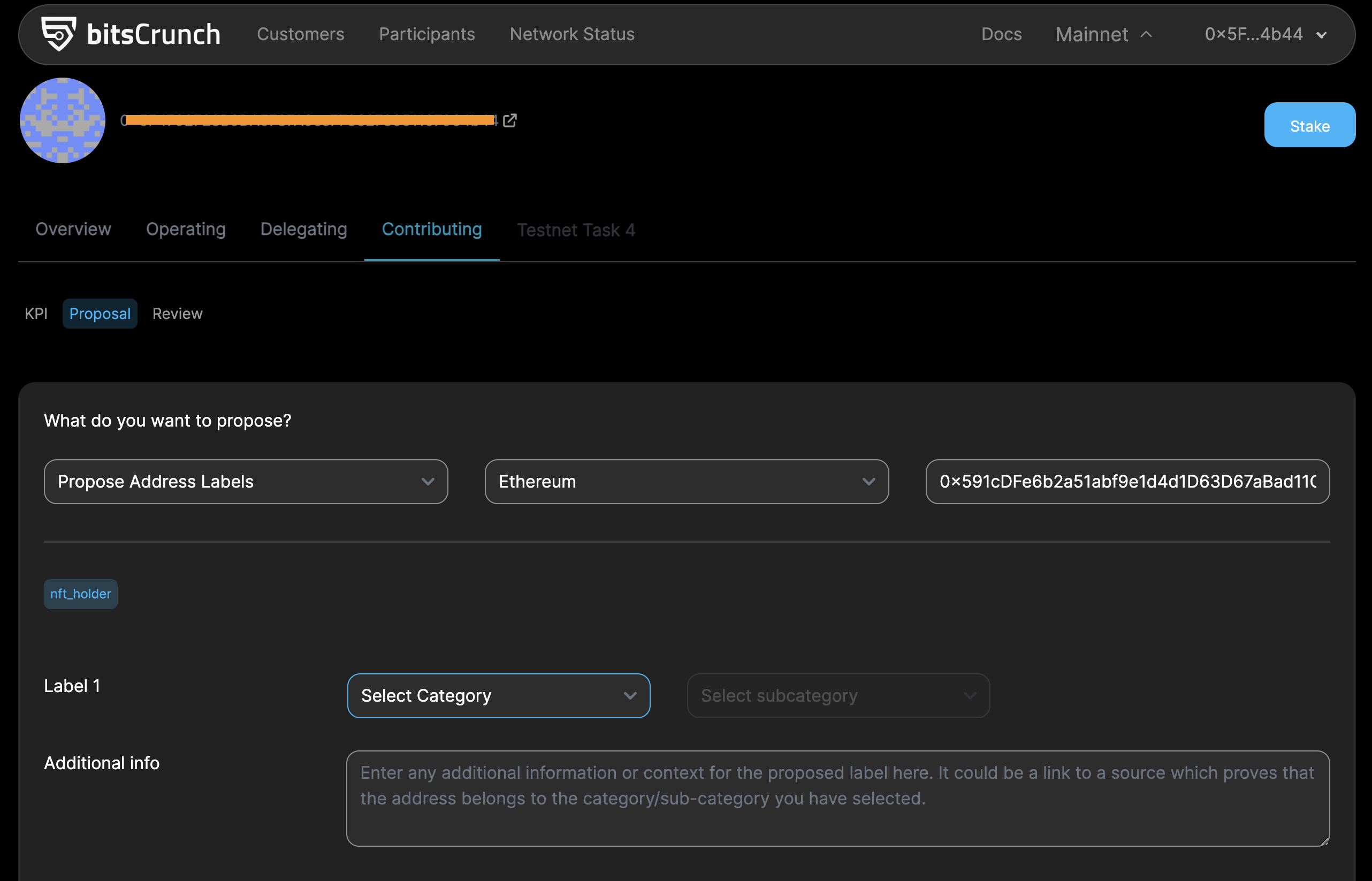
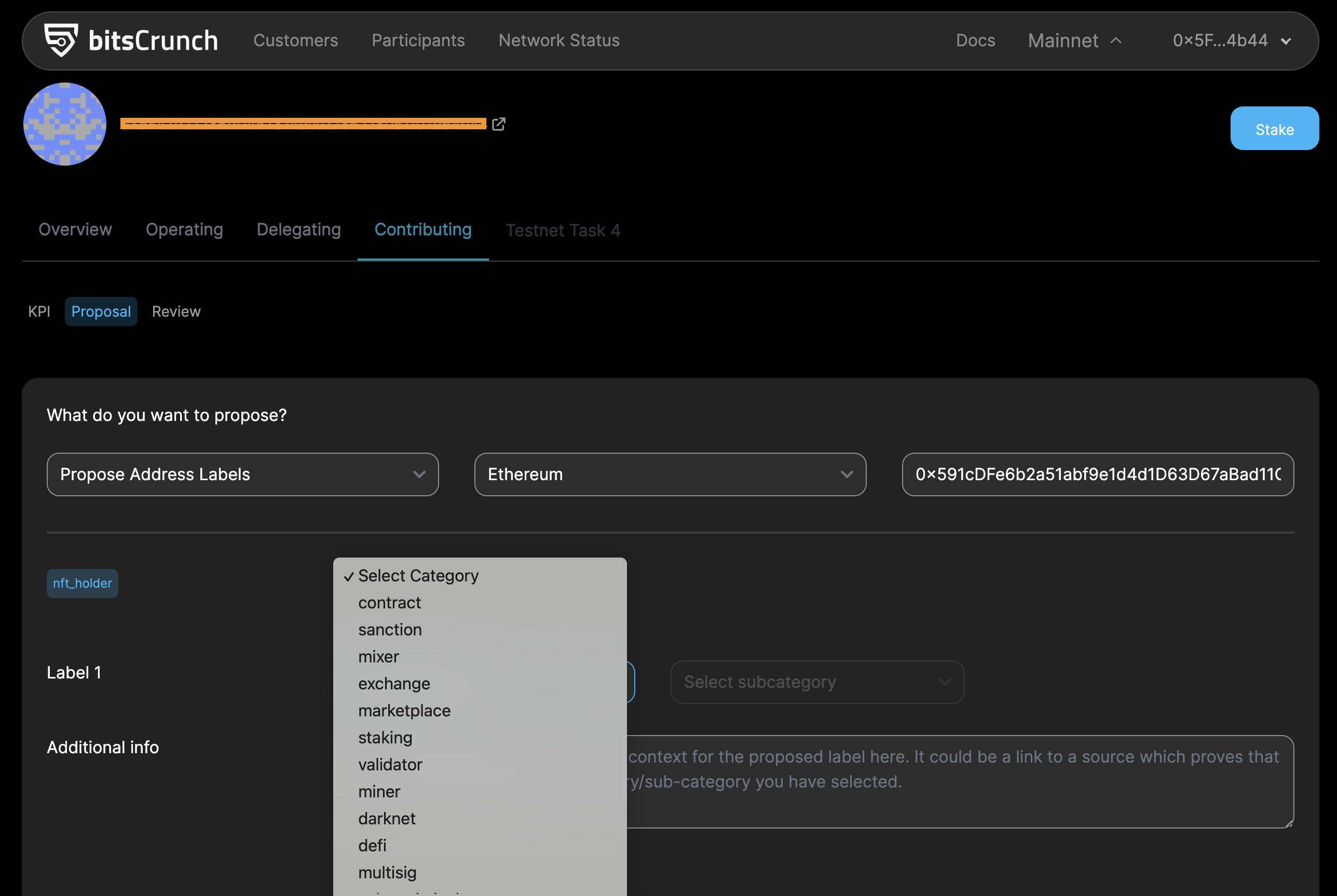
- Select a category and sub-category from the drop-down
- Add additional information that helps the proposal review. It could be a link to a source which proves that the address belongs to the category/sub-category you have selected.
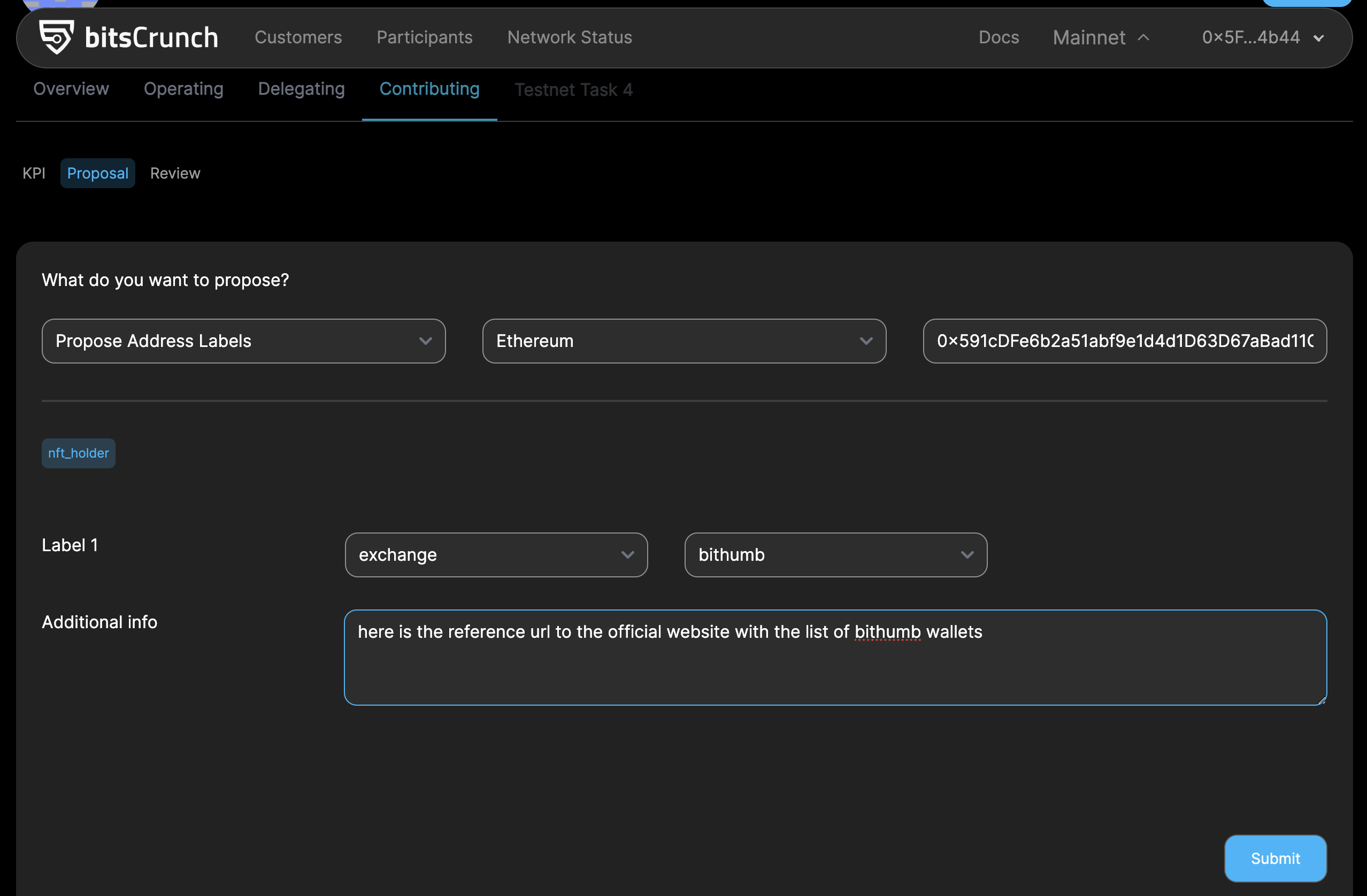
- Follow the instructions and submit the proposal
Contributing with Address Label with Associate Entity Proposal
Steps to create a Address Label with Associate Entity proposal
- Add a New Proposal
- Click the "Proposal" button.
- Fill in the required details:
- Type: Enter the Address Labels.
- Blockchain: Select a Blockchain.
- Address: Enter the Address for Proposal.

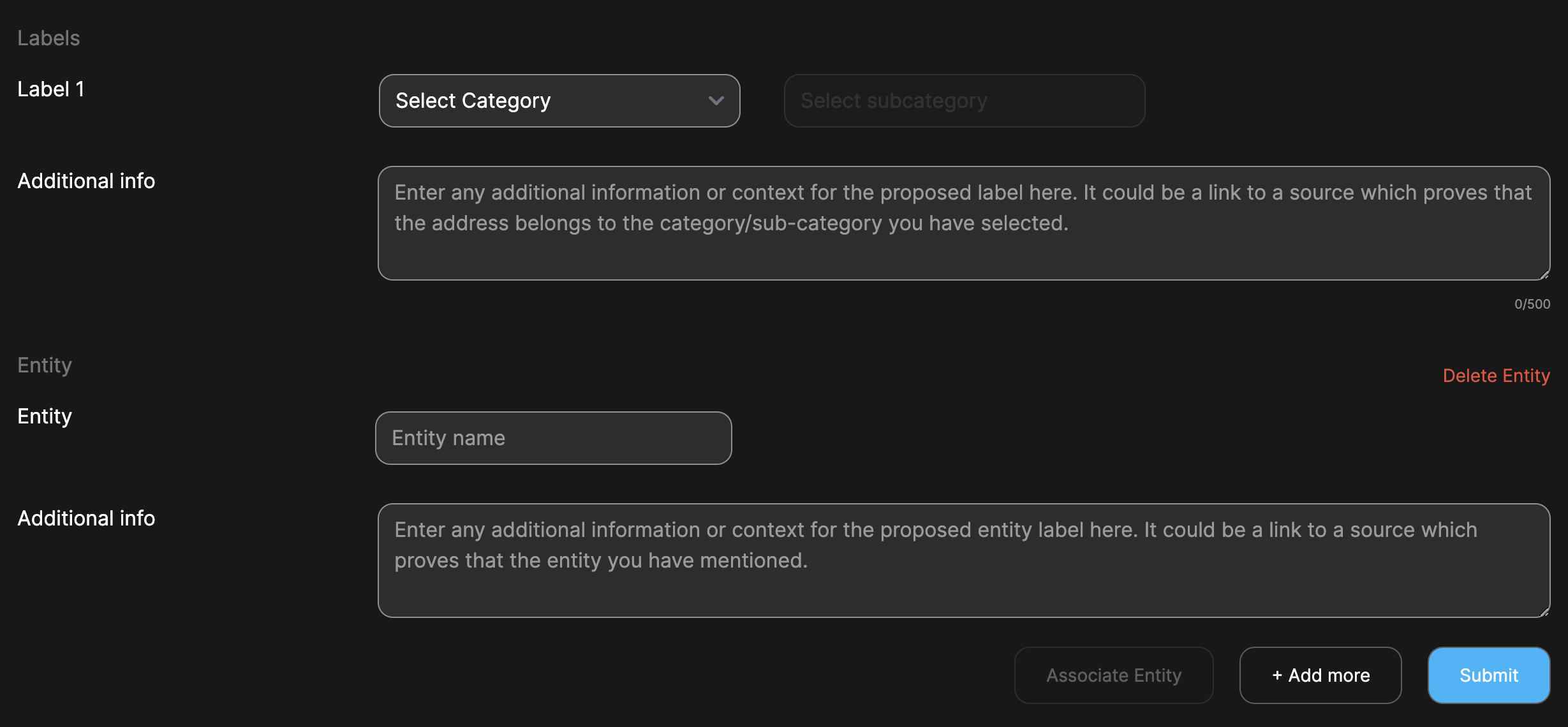
- Configure Address Label Details
- category : Select a category and sub-category from the drop-down menu.
- Additional info : Enter any additional information or context for the proposed label here. It could be a link to a source which proves that the address belongs to the category/sub-category you have selected.
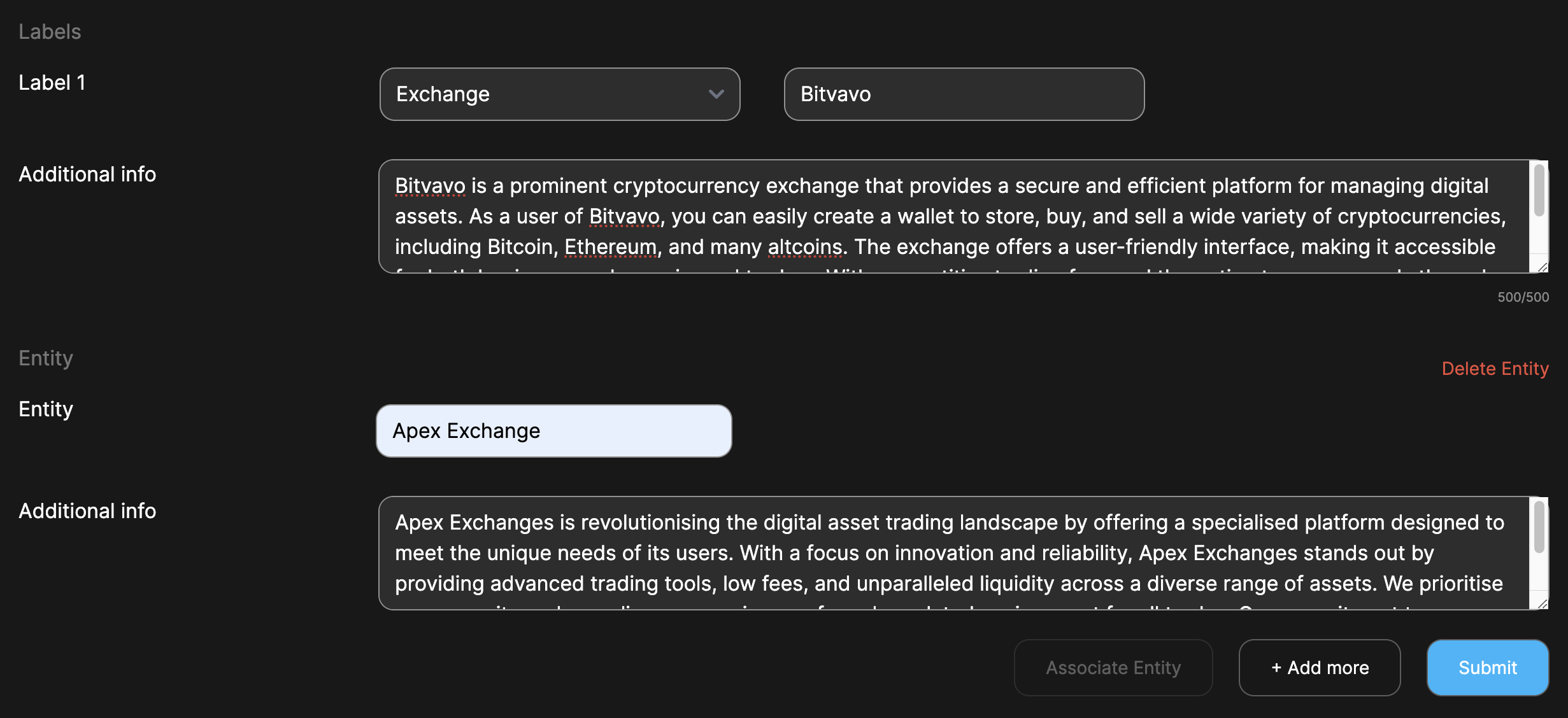
Click the 'Associate Entity' button to create Entity proposal
- Configure Associate Entity Details
- Entity : Enter the Entity Name.
- Additional info : Enter any additional information or context for the proposed entity label. It could be a link to a source which proves that the entity you have mentioned.
- Save and Submit
- Review all the entered details to ensure accuracy.
- Click the "Submit" button to add the proposal for review.
Contributing with Address Entities Proposal
Steps to create a Address Entities proposal
- Add a New Proposal
- Click the "Proposal" button.
- Fill in the required details:
- Type: Enter the Address Entities.
- Blockchain: Select a Blockchain.
- Address: Enter the Address for Proposal.

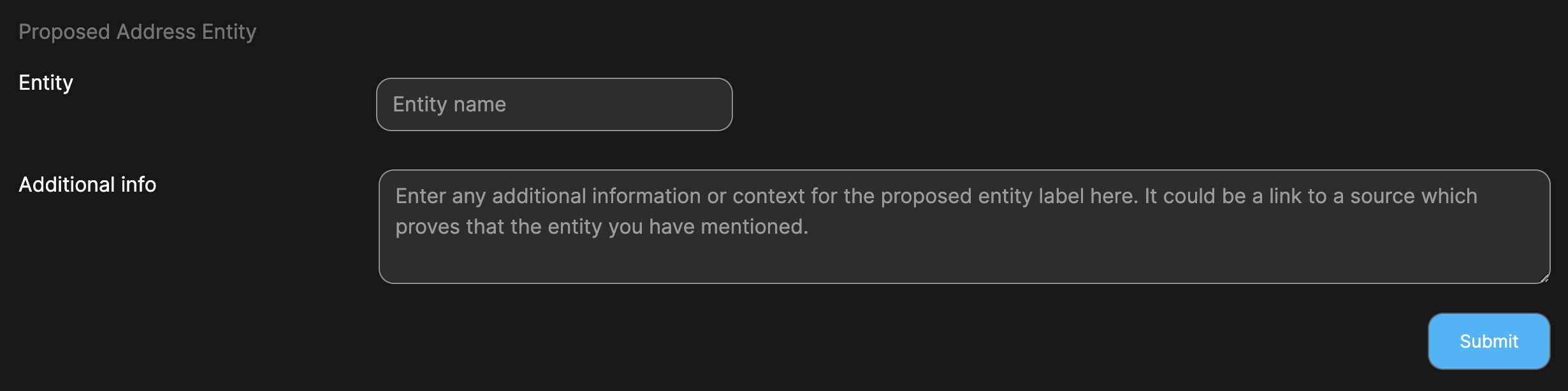 2. Configure Address Entities Details
- Entity : Enter the Entity Name.
- Additional info : Enter any additional information or context for the proposed entity label. It could be a link to a source which proves that the entity you have mentioned.
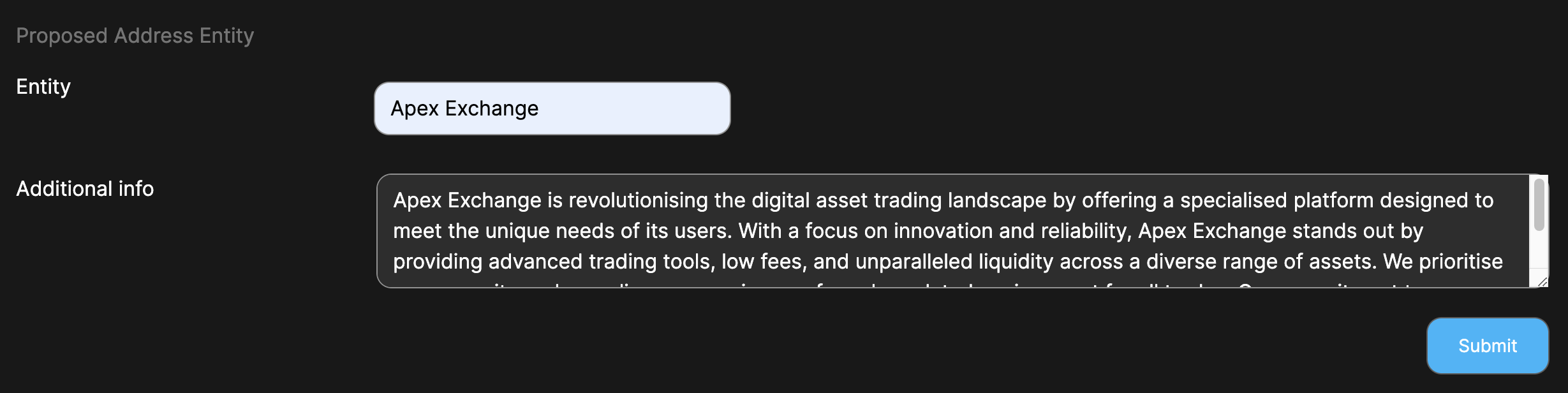
- Save and Submit
- Review all the entered details to ensure accuracy.
- Click the "Submit" button to add the proposal for review.
Contributing with Gaming Proposal
Steps to create a gaming proposal
- Add a New Proposal
- Click the "Proposal" button.
- Fill in the required details:
- Type: Enter the Game Metadata.
- Blockchain: Select a Blockchain.
- Address: Enter the Address for Proposal.
- Game Name: Enter the Game Name (As mentioned in the marketplace)
- Click the “Check” button

In the absence of the game details within the database, a form will be presented for manual entry.
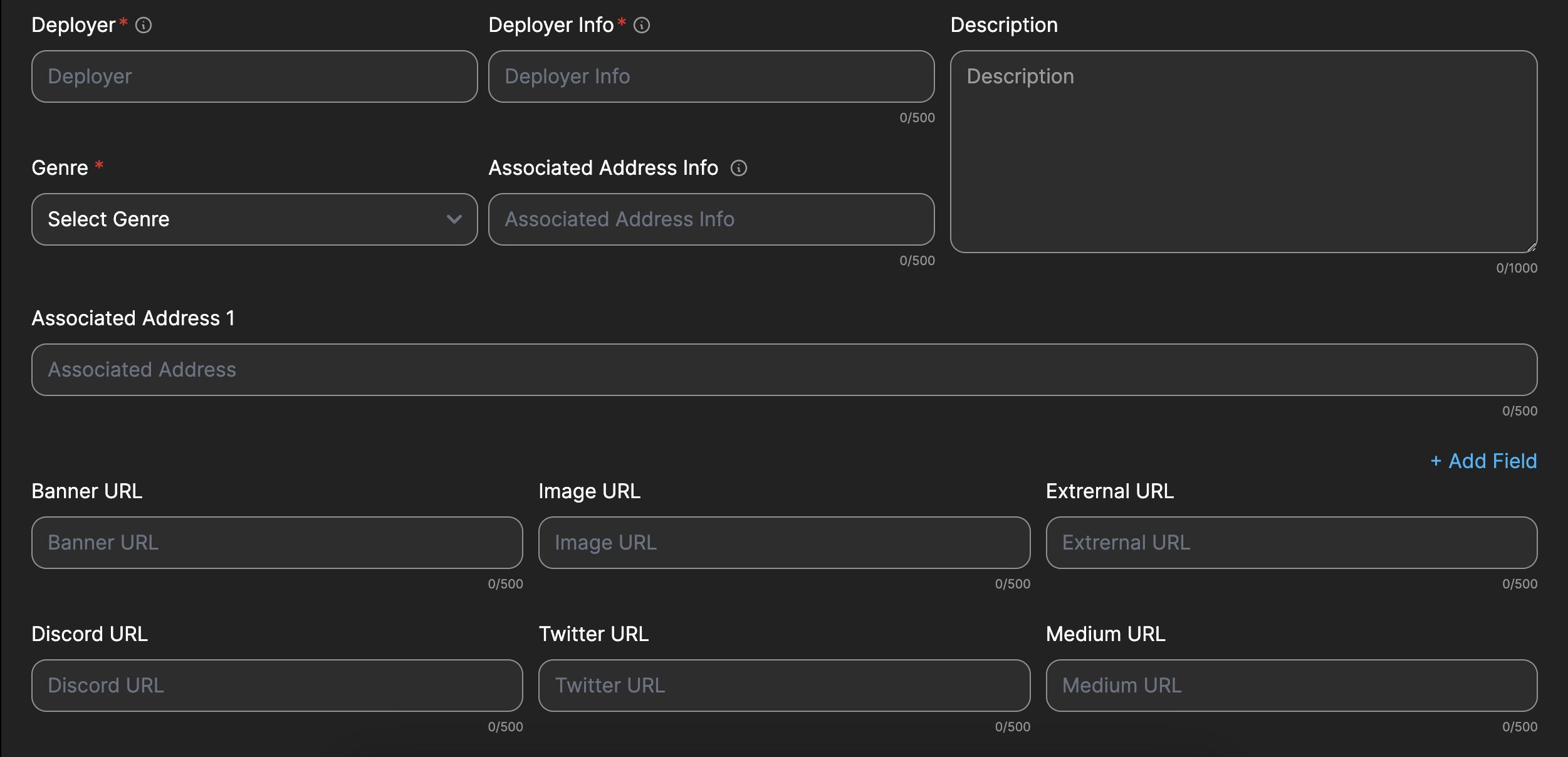 2. Configure Game Details
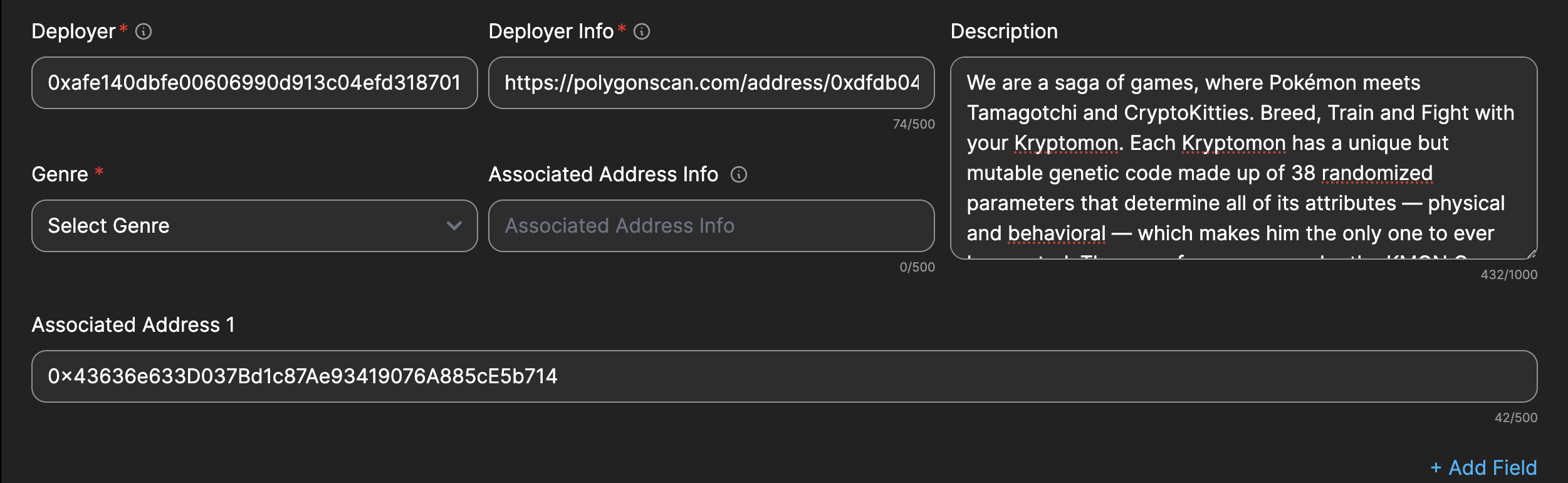
- Deployer : Address of the deployer of the game
- Deployer Info : Link/Info to verify the deployer.
- Genre : Select the category that describes the game.
- Associated Address Info : Link/Info for the associated addresses.
- Descriptions : Description of the game as given in the website.
- Associated Address 1: Provide relevant addresses associated with the game contract.
- Add Field : To add more associated address, click “Add Field”
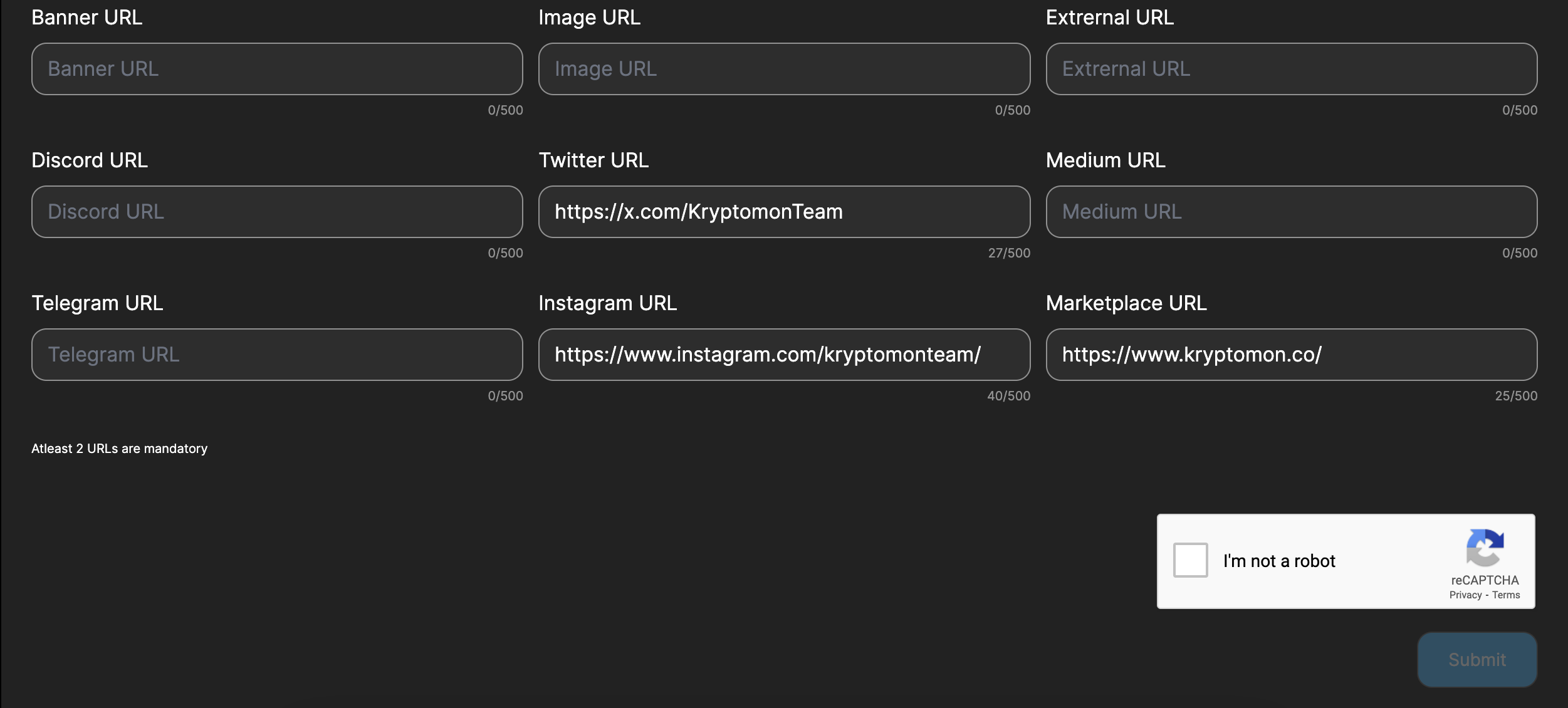
- URLs: Add relevant urls to help find the game.(At Least 2 urls mandatory)
- Banner URL
- Image URL
- External URL
- Discord URL
- Twitter URL
- Medium URL
- Telegram URL
- Instagram URL
- Marketplace URL
- Save and Submit
- Review all the entered details to ensure accuracy.
- Enter the captcha.
- Click the "Submit" button to add the proposal for review.
Contributing with NFT metadata Proposal
Steps to create a proposal
- Ensure you already followed the steps to become a contributor
- Select the "Contributing" from the MyAccount menu
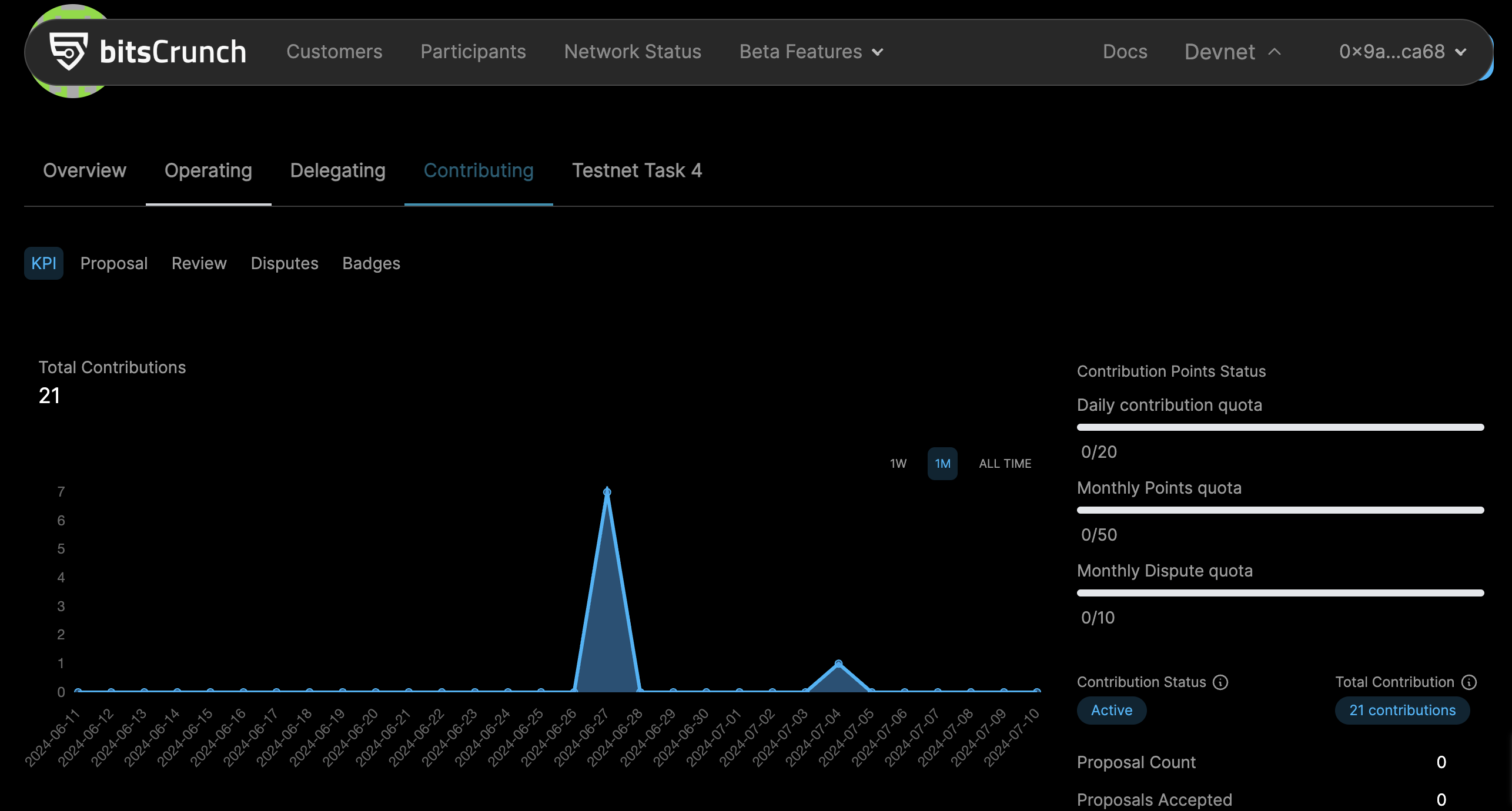
- Get the NFT Contract Info from UnleashNft that you want to update
- Navigate to https://unleashnfts.com/
- Search the desired collection
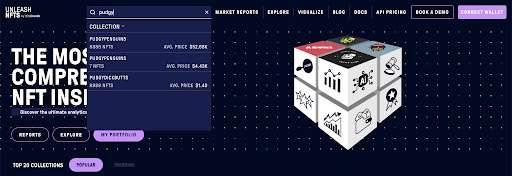
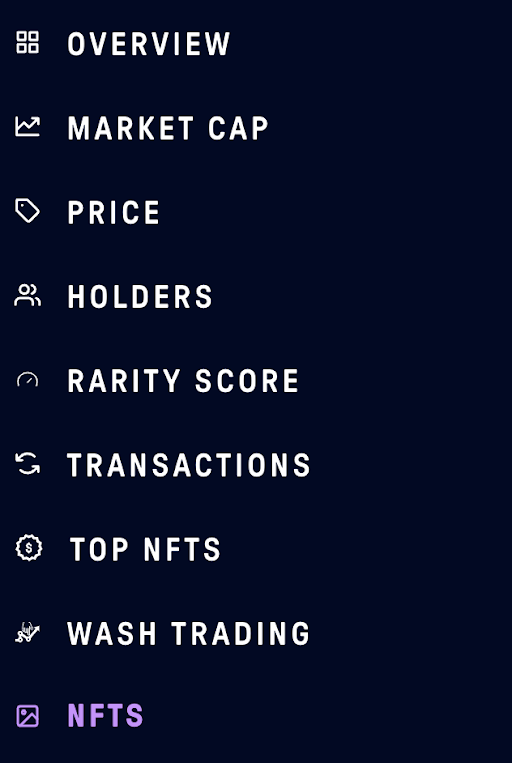
- Go to NFT Section
- Check for the data mismatch
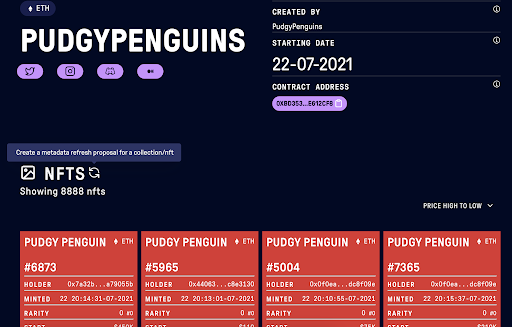
Navigate back to bitsCrunch Network
Navigate to the Proposal section
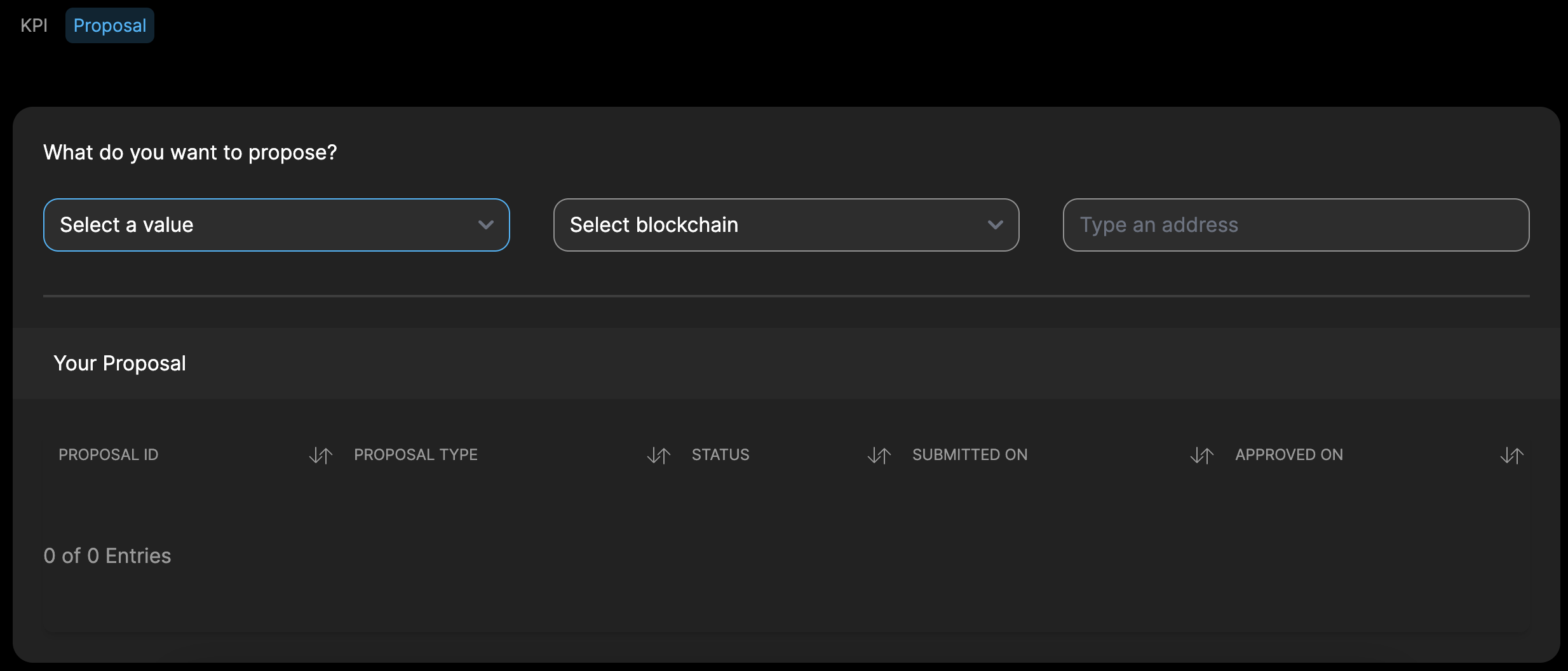
- Select a type of proposal you want to create
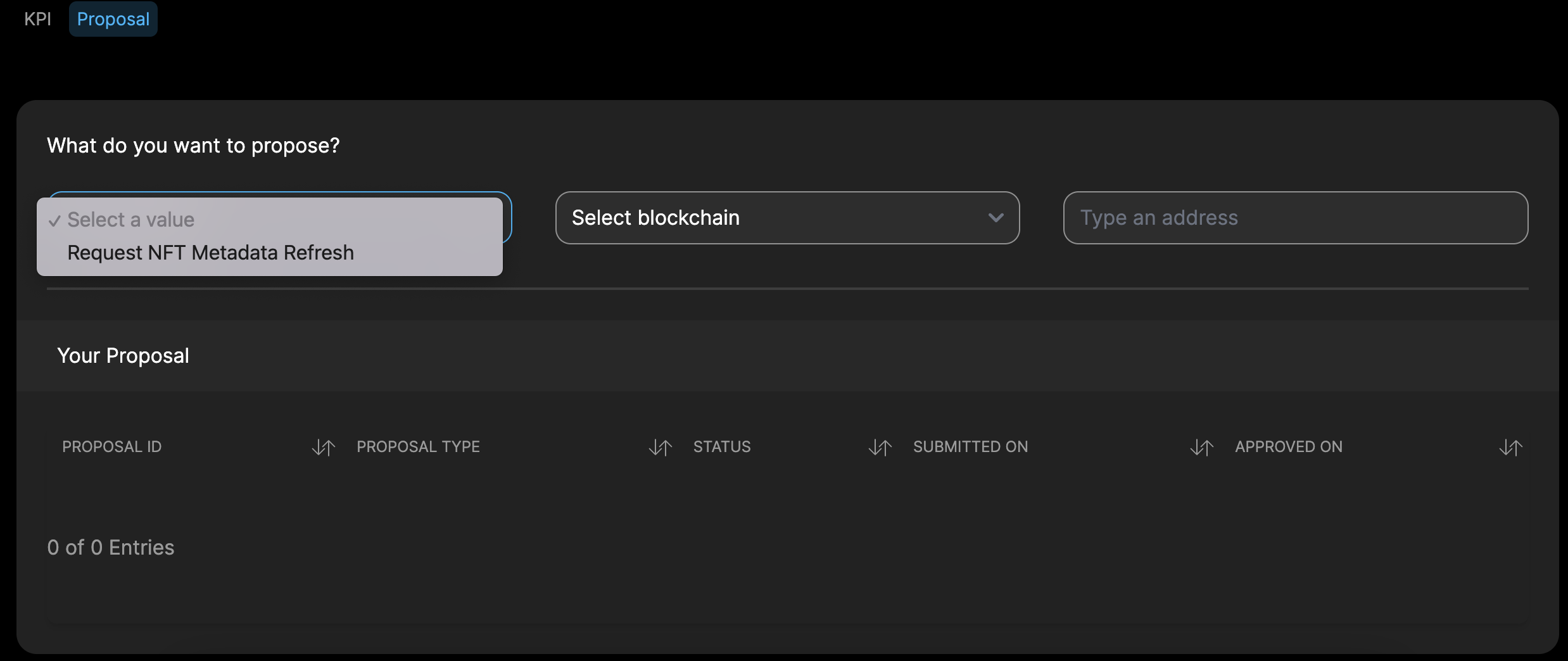
- Select the blockchain this proposal is for and type in or paste the address
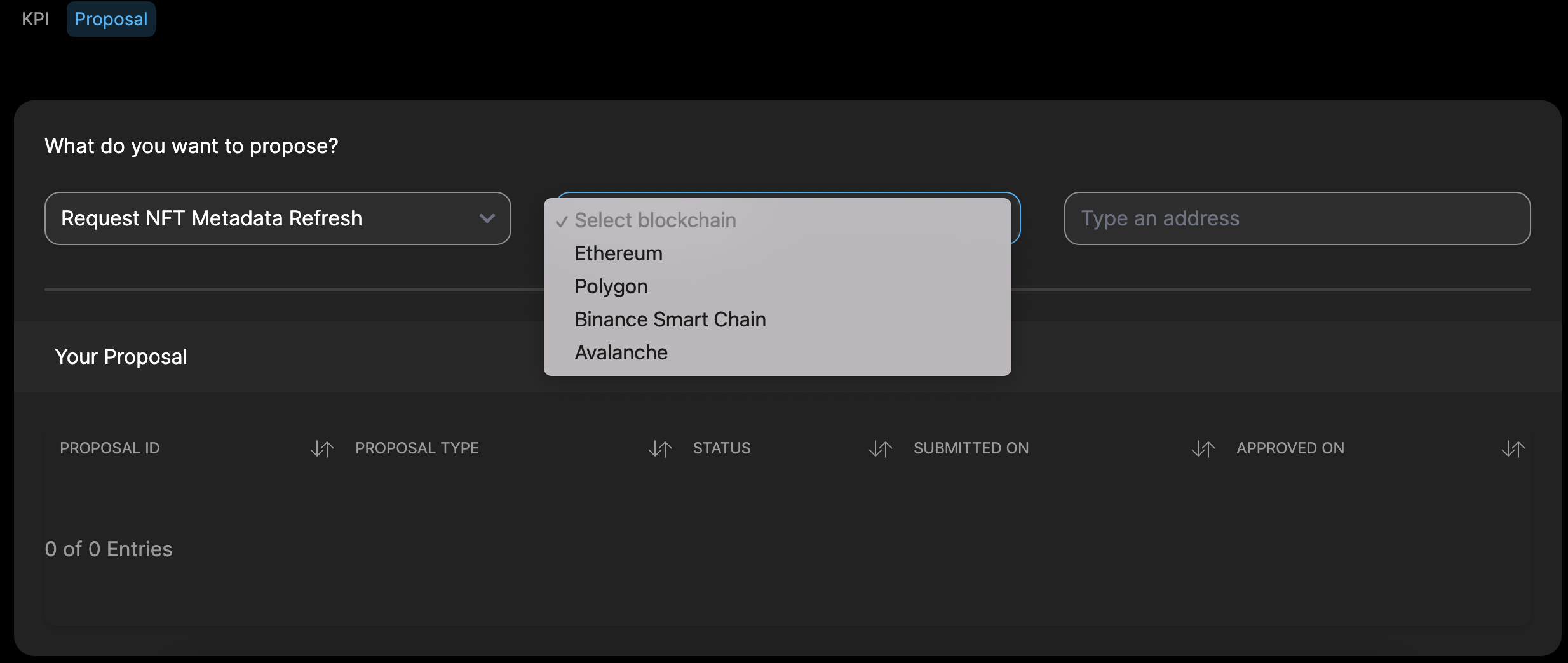
- Follow the instructions in the screen to fininsh the proposal submission
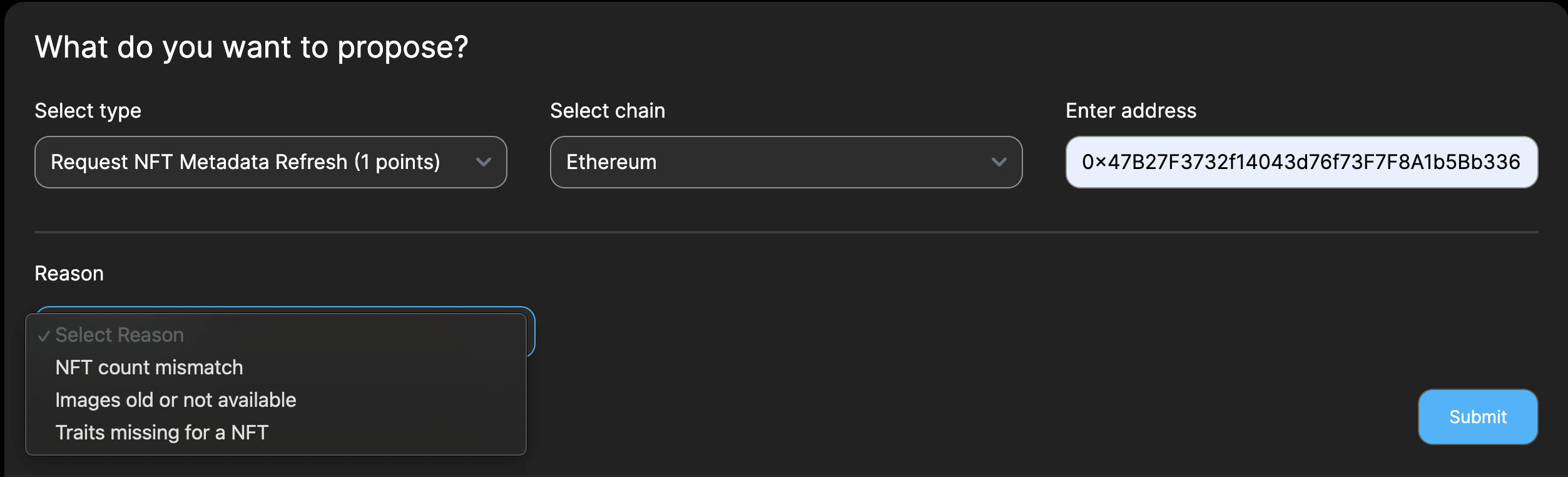
Contributing with Collection NFT Metadata Proposal
Steps to create a collection NFT metadata proposal
- Add a New Proposal
- Click the "Proposal" button.
- Fill in the required details:
- Type: Enter the Collection NFT Metadata.
- Blockchain: Select a Blockchain.
- Address: Enter the Address for Proposal.

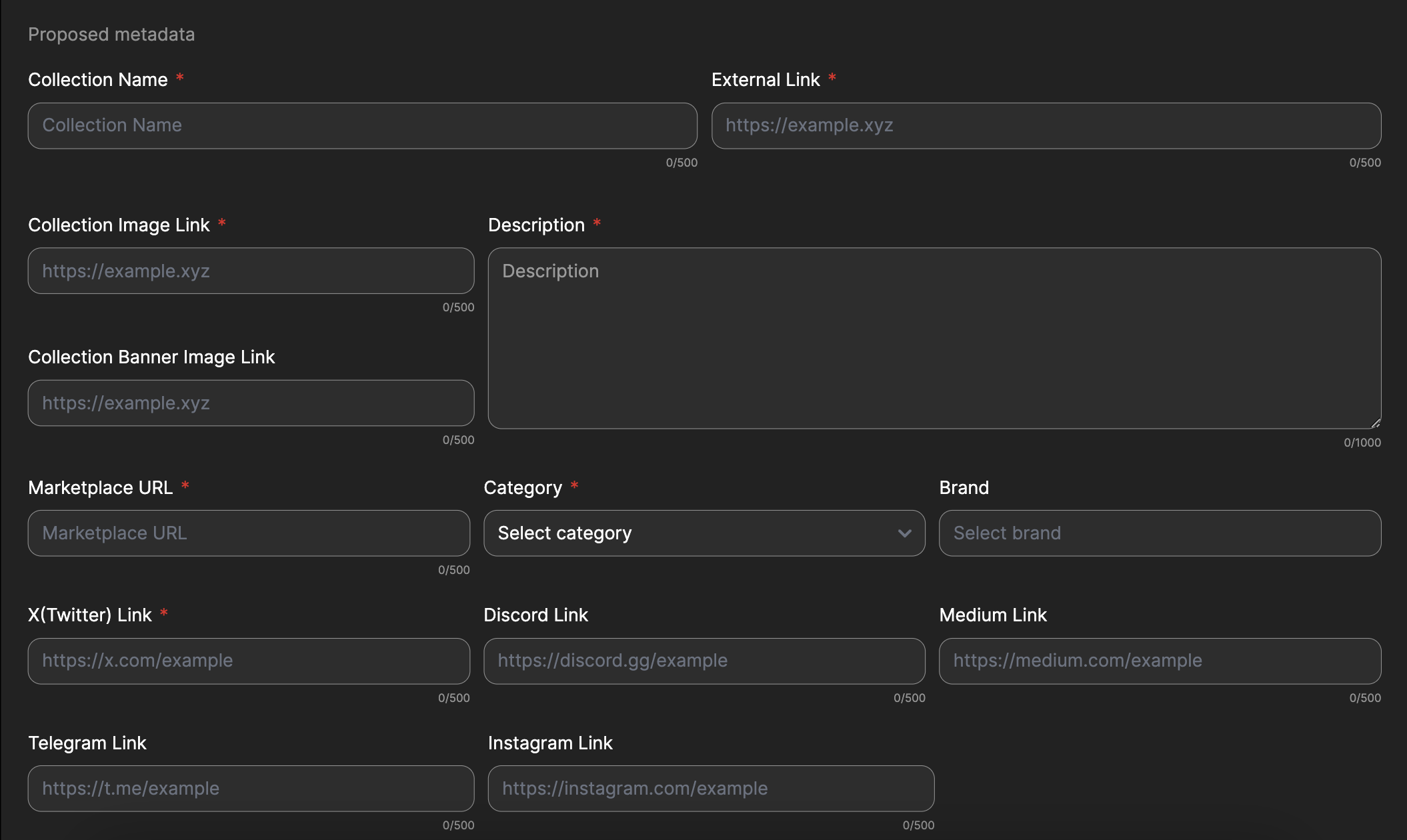 2. Configure Collection Details
- Collection Name: Enter the Collection Name
- Description : Description of the collection, to verify by the reviewer.
- Category : Select the category from the drop-down menu.
- Brand : Select the brand from the drop-down menu.
- Links: Add relevant Links of the collection.
- External Link
- Collection Image Link
- Collection Banner Image Link
- Marketplace URL
- Twitter Link
- Discord Link
- Medium Link
- Telegram URL
- Instagram URL
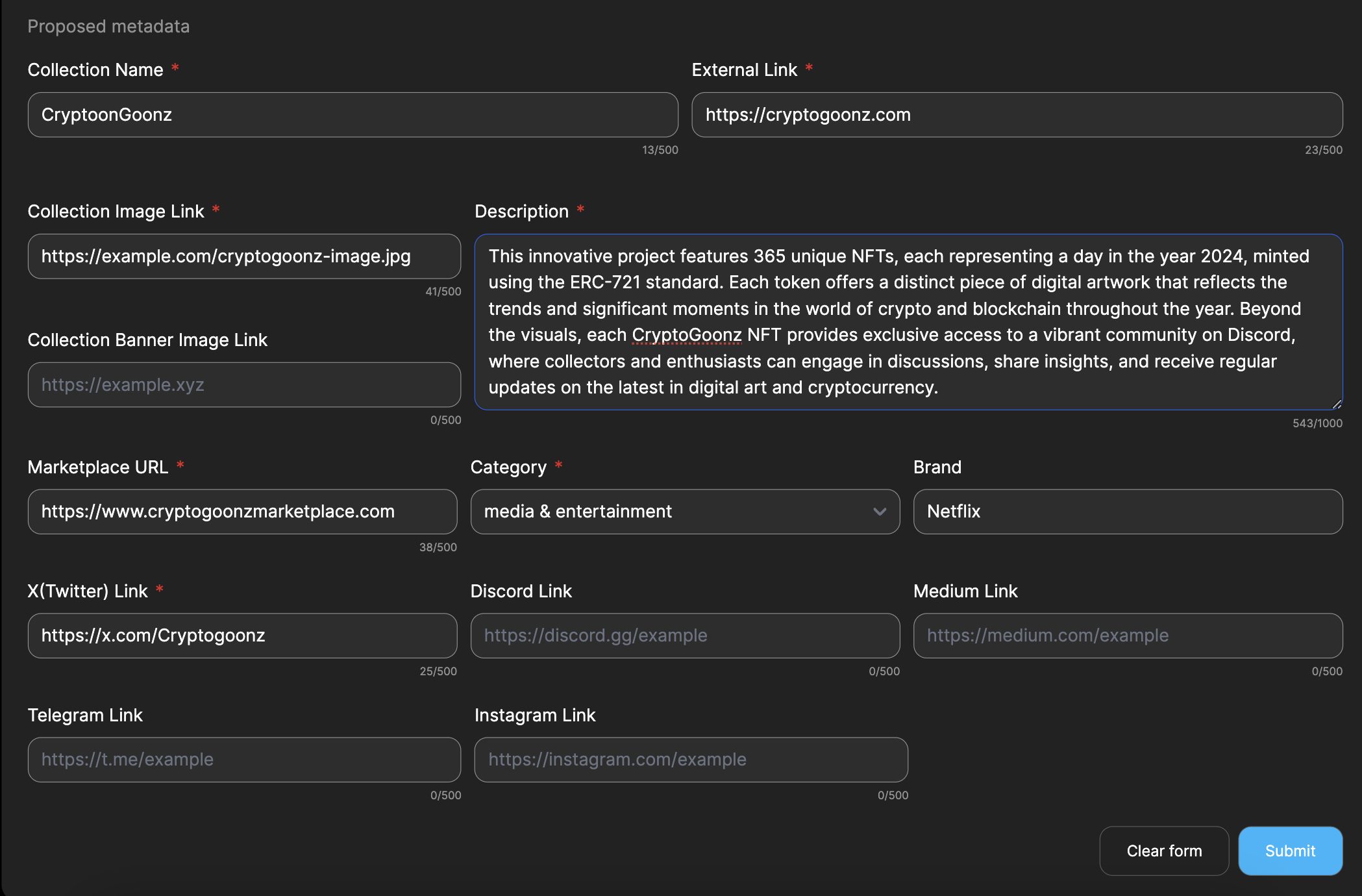
- Save and Submit
- Review all the entered details to ensure accuracy.
- Click the "Submit" button to add the proposal for review.
Contributing with Entity Metadata Proposal
Steps to create a entity metadata proposal
- Add a New Proposal
- Click the "Proposal" button.
- Fill in the required details:
- Type: Enter the Entity Metadata.
- Entity Name: Enter the Entity Name.
- Click the “Check” button

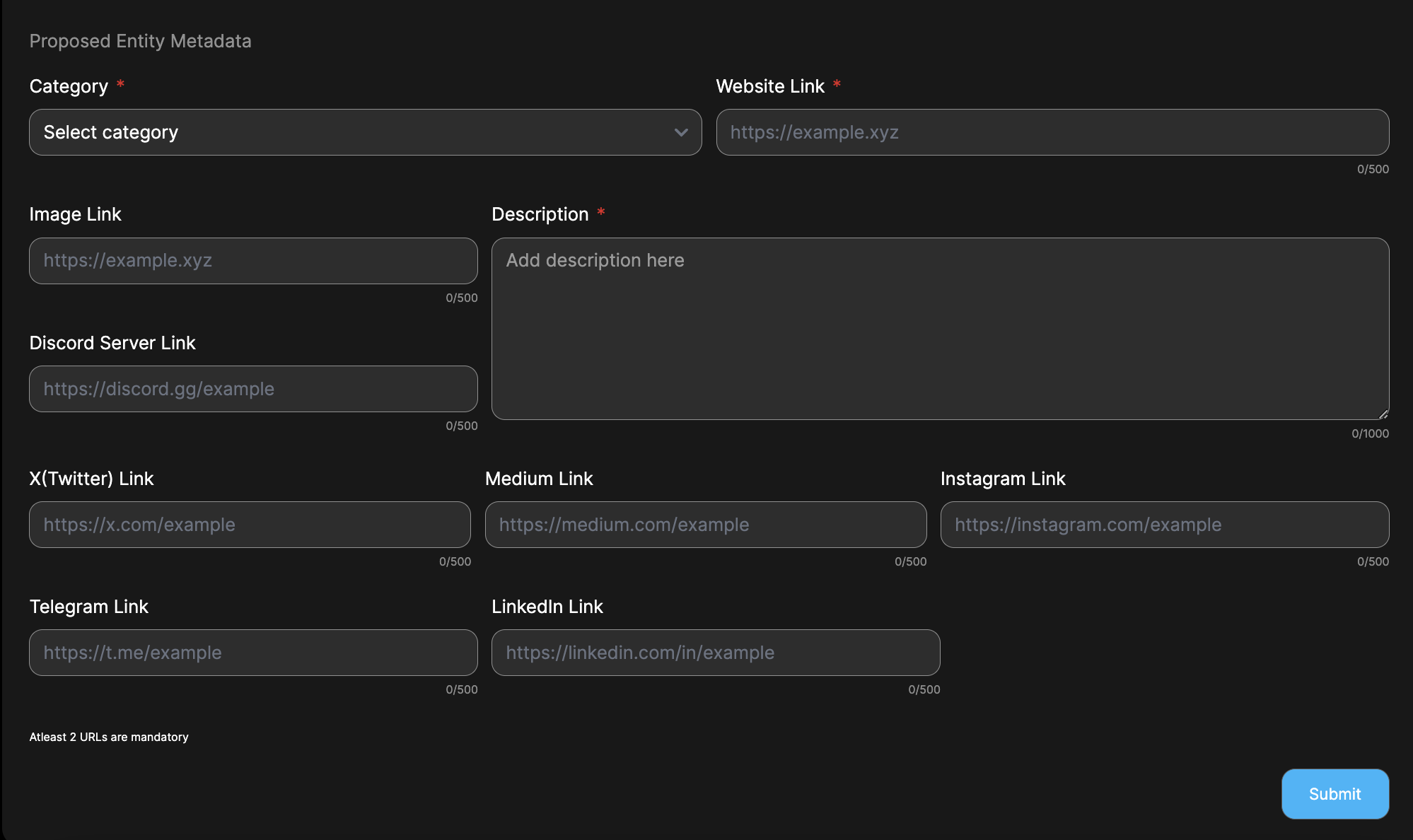 2. Configure Entity Details
- Category : Select the category from the drop-down menu.
- Description : Description of the entity, to verify by the reviewer.
- Links: Add relevant Links of the Entity.(At Least 2 urls mandatory)
- Website Link
- Image Link
- Discord Server Link
- Twitter Link
- Telegram URL
- Medium Link
- LinkedIn Link
- Instagram Link
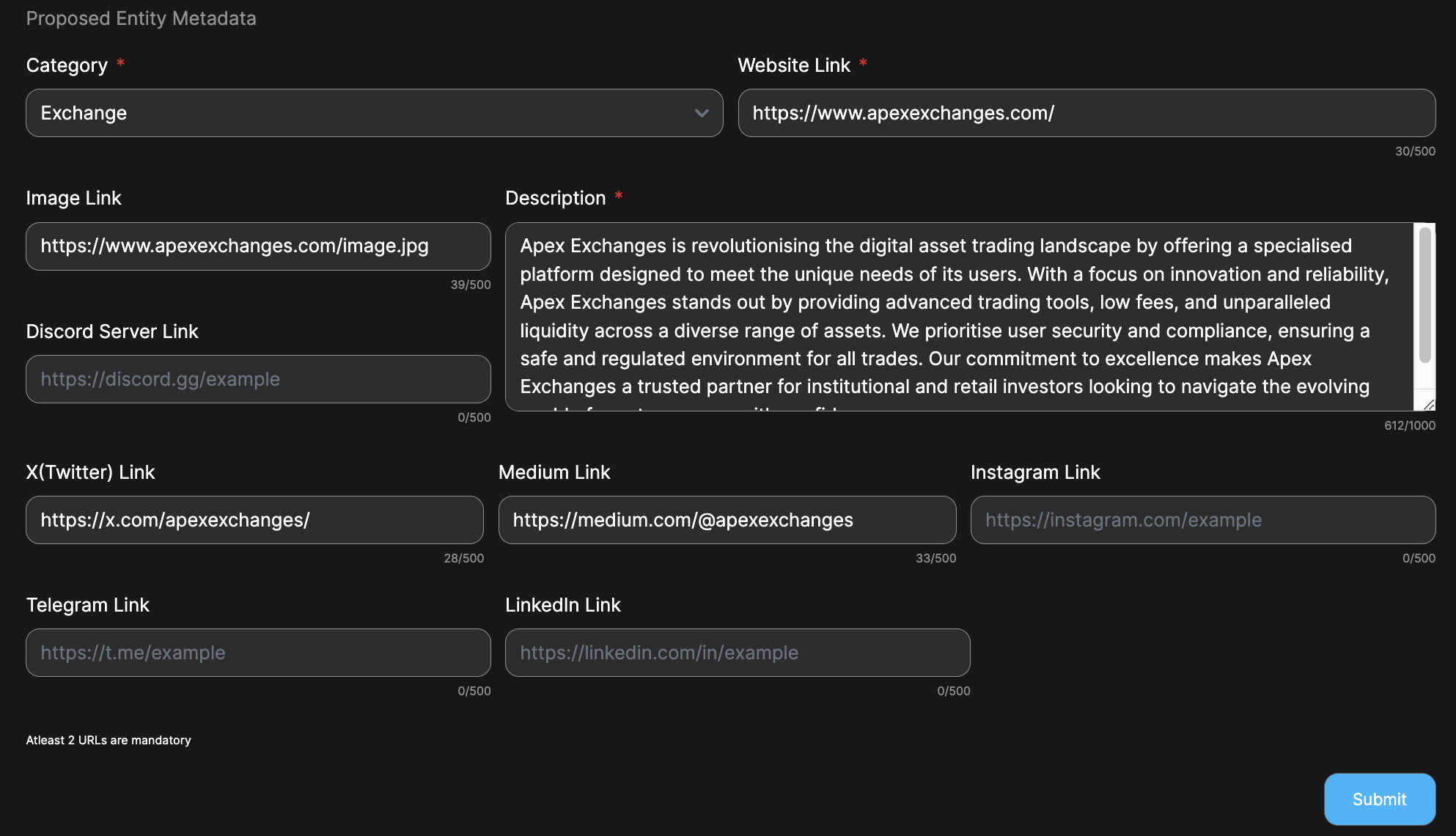
- Save and Submit
- Review all the entered details to ensure accuracy.
- Click the "Submit" button to add the proposal for review.
Contributing with Token Metadata Proposal
Steps to create a token metadata proposal
- Add a New Proposal
- Click the "Proposal" button.
- Fill in the required details:
- Type: Enter the Token Metadata.
- Blockchain: Select a Blockchain.
- Address: Enter the Address for Proposal.

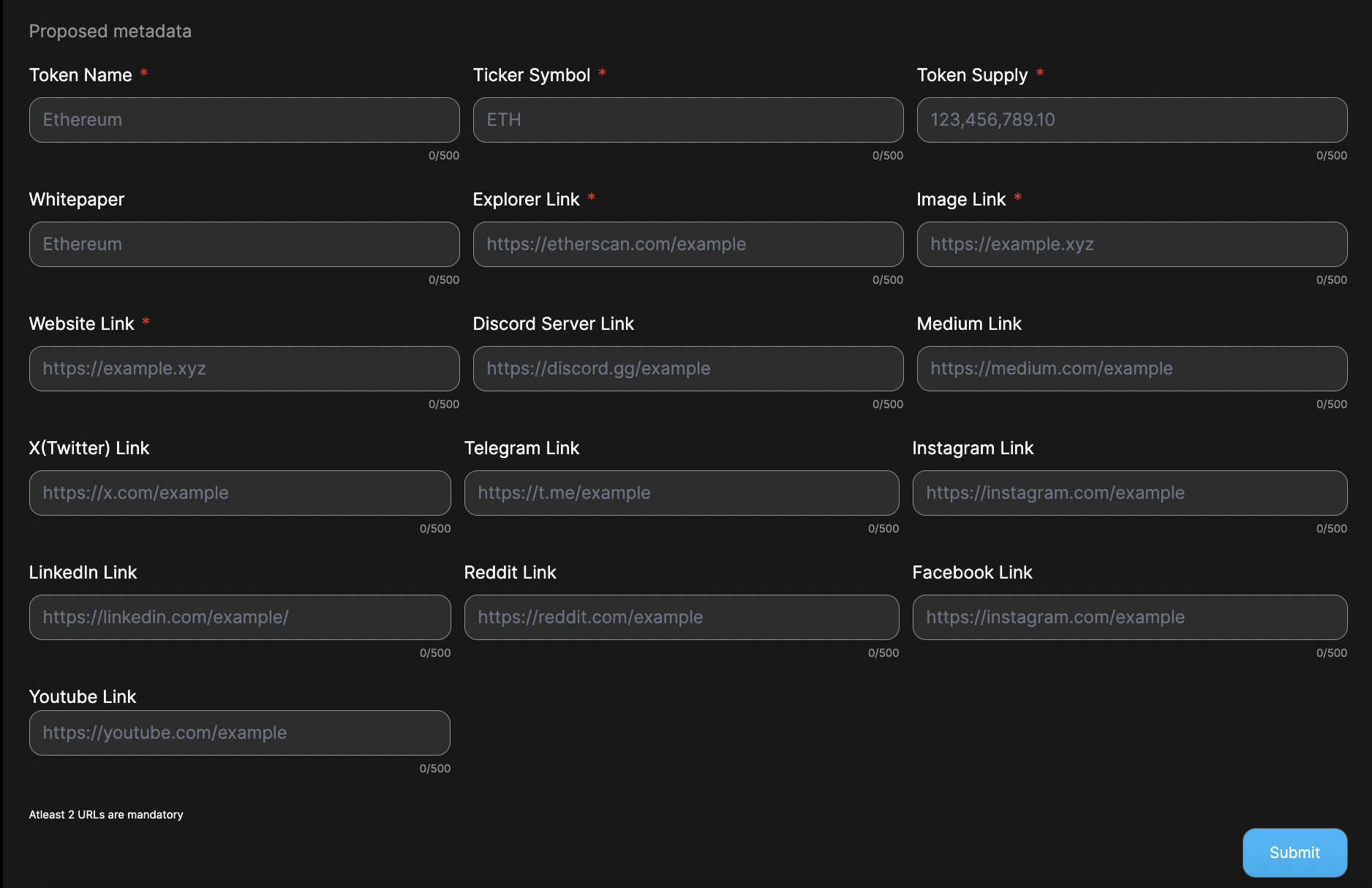 2. Configure Token Details
- Token Name: Enter the Token Name.
- Ticker symbol: Enter the Ticker Symbol.
- Token supply: Enter the Token Supply.
- Whitepaper: Enter the Whitepaper URL.
- Links: Add relevant Links of the Token.(At Least 2 urls mandatory)
- Explorer Link
- Image Link
- Website Link
- Discord Server Link
- Medium Link
- Twitter Link
- Telegram URL
- Instagram URL
- LinkedIn URL
- Reddit Link
- Facebook Link
- Youtube URL
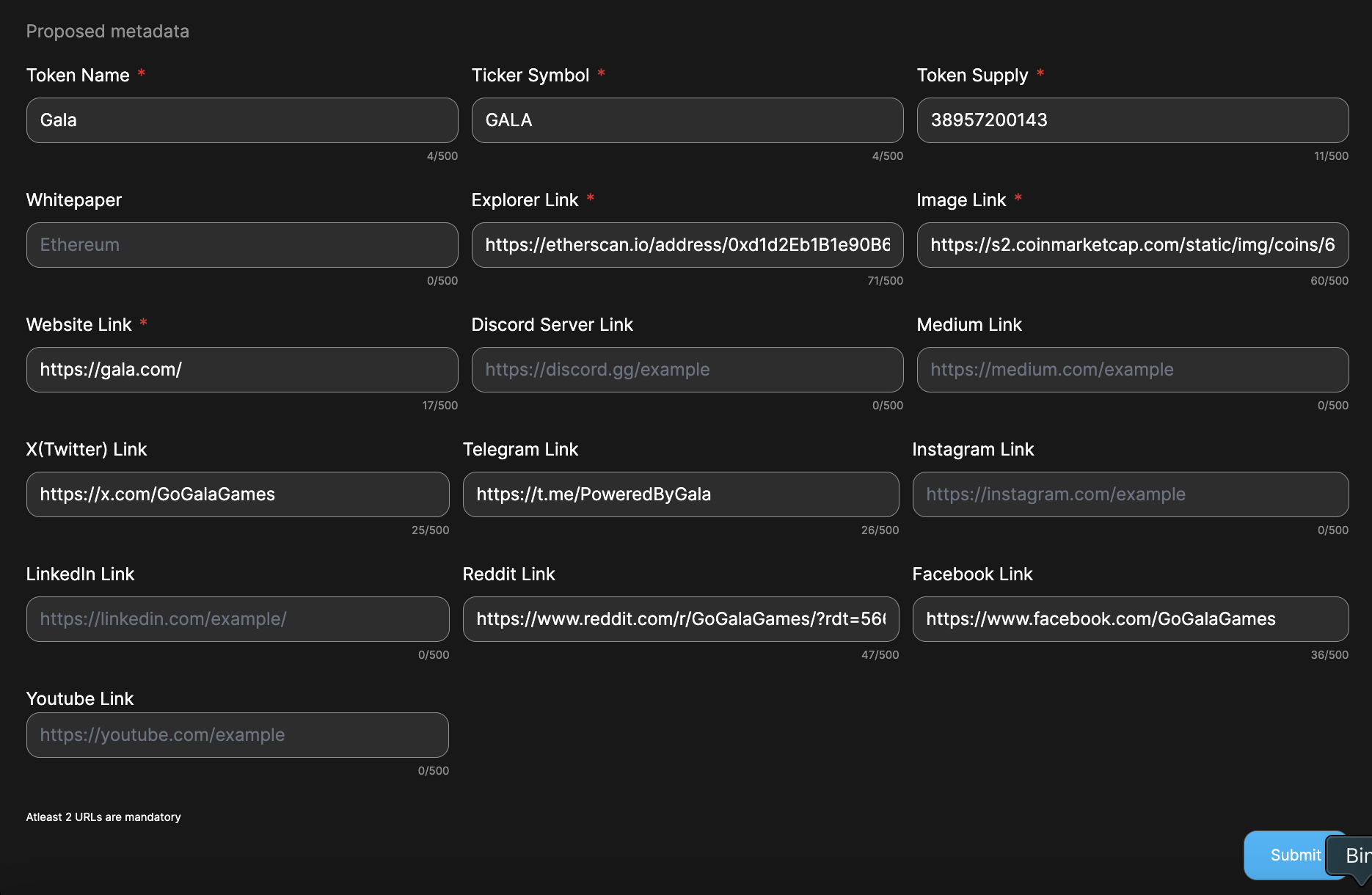
- Save and Submit
- Review all the entered details to ensure accuracy.
- Enter the captcha.
- Click the "Submit" button to add the proposal for review.
Reviewing IP Infringement Proposal
Watch the detailed tutorial here: YouTube Tutorial
- Steps to review the proposal
- Ensure you already followed the steps to become a contributor
- Select the "Contributing" from the MyAccount menu
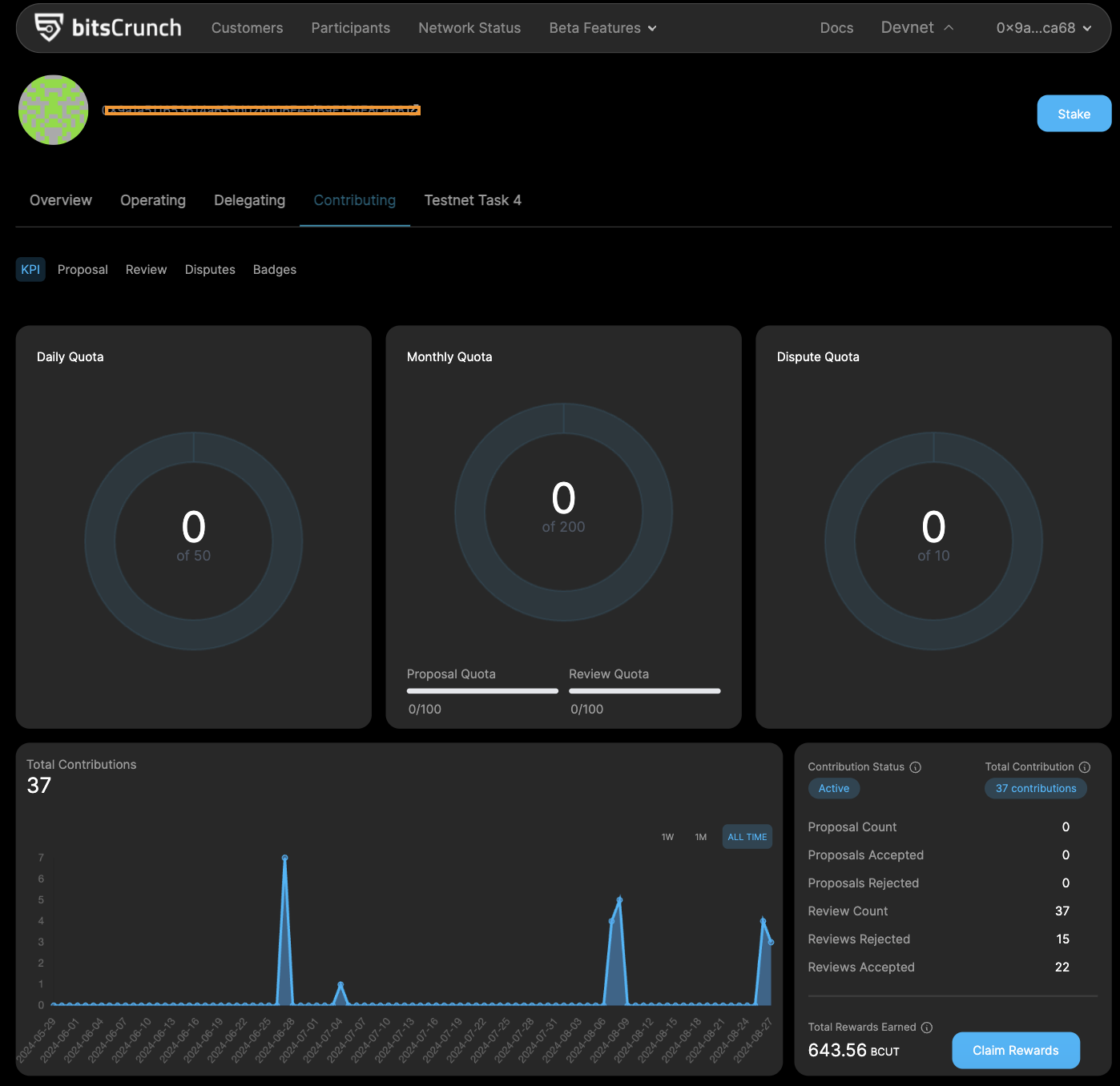
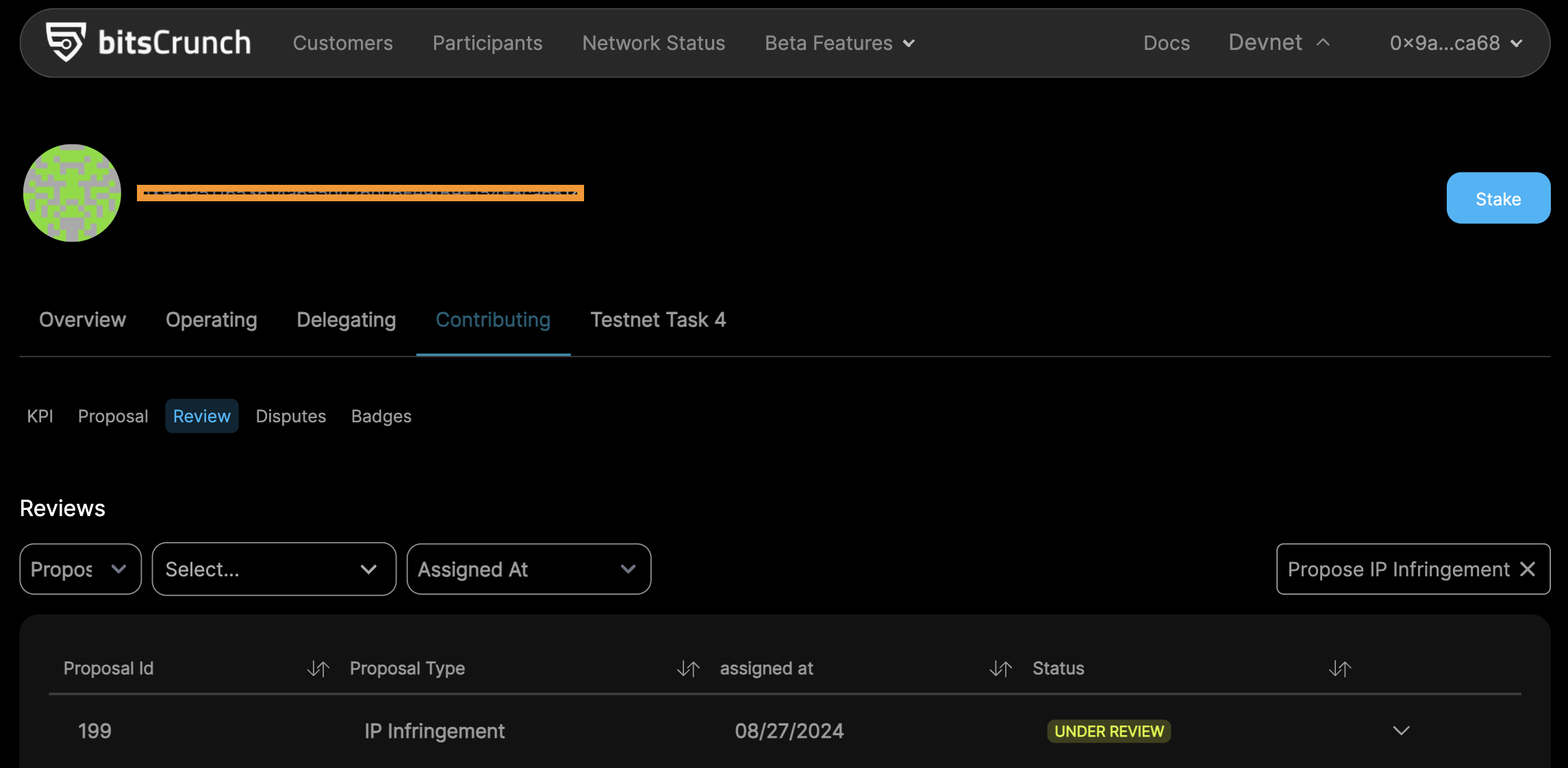
- Click on the "Review" tab to see the IP Infringement proposals that are under review.
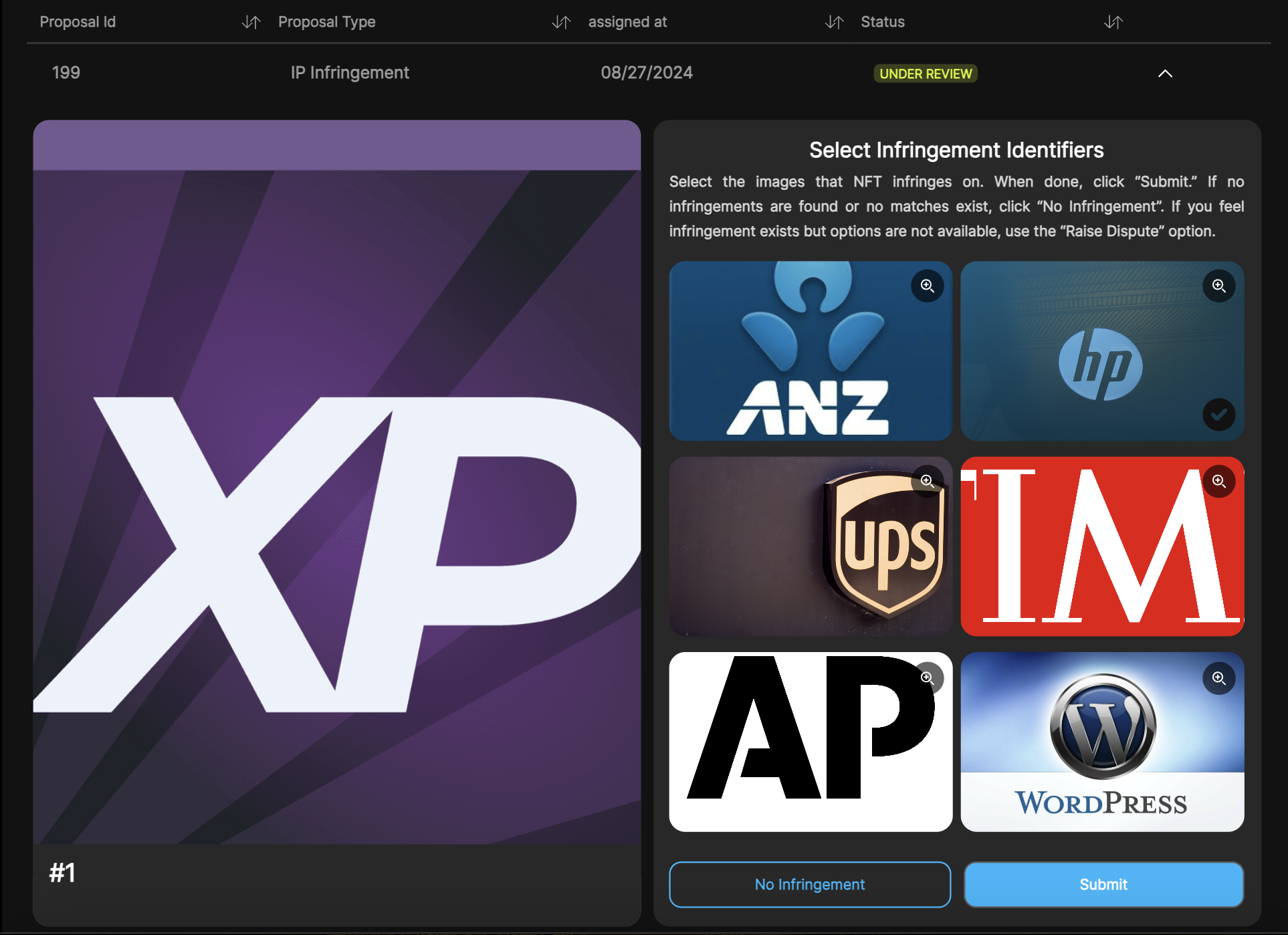
- Review the Proposal
- Select the images that NFT infringes on.
- Click "Submit" button if there is an infringement.
- If no infringements are found, click "No Infringement" button.
- Complete the Review
- Ensure your selection is correct before submitting.
Create Dispute For Proposals
- For Rejected Proposals :
Steps to Review a Rejected Proposal :
Ensure you have completed the steps to become a contributor.
From the My Account menu, select Contributing.
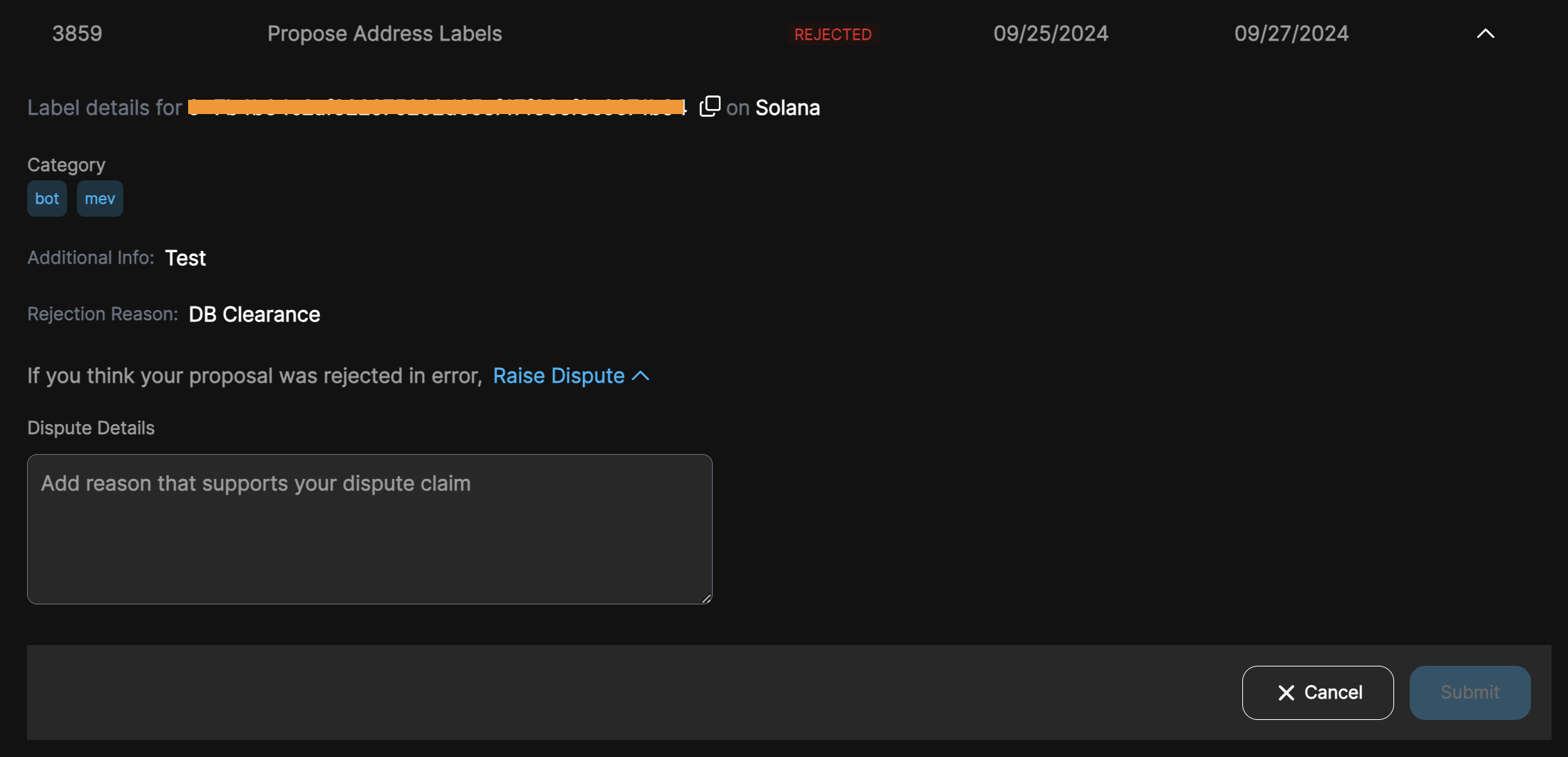
Click on the "Proposal" tab to view the REJECTED proposals.
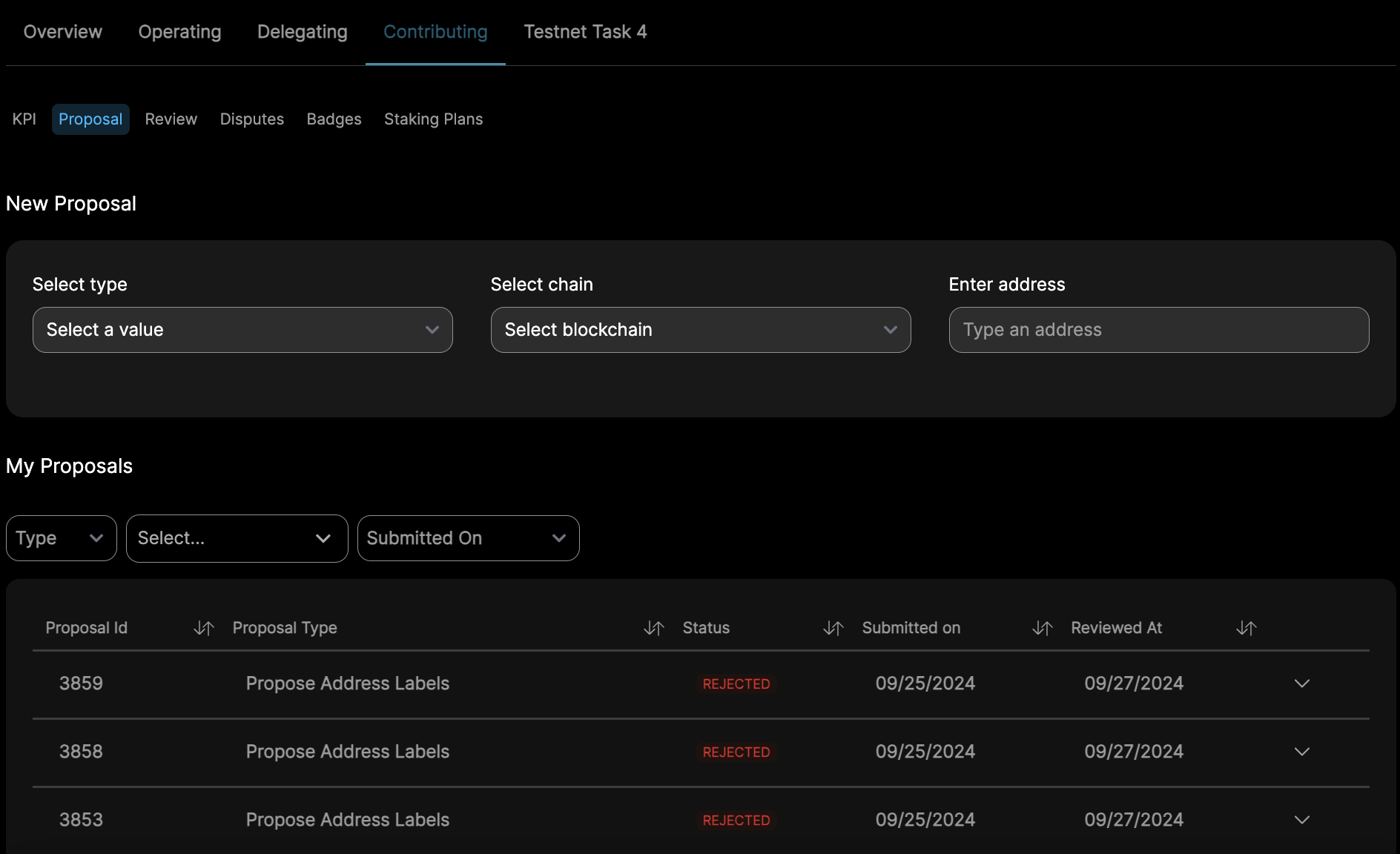
If you think your proposal was rejected in error, you can raise a dispute
Enter the dispute details and click Submit
- For Accepted Proposals :
Steps to raise a dispute for Accepted Dispute Proposal :
Ensure you have completed the steps to become a contributor.
There are two ways to view the recently accepted proposals :
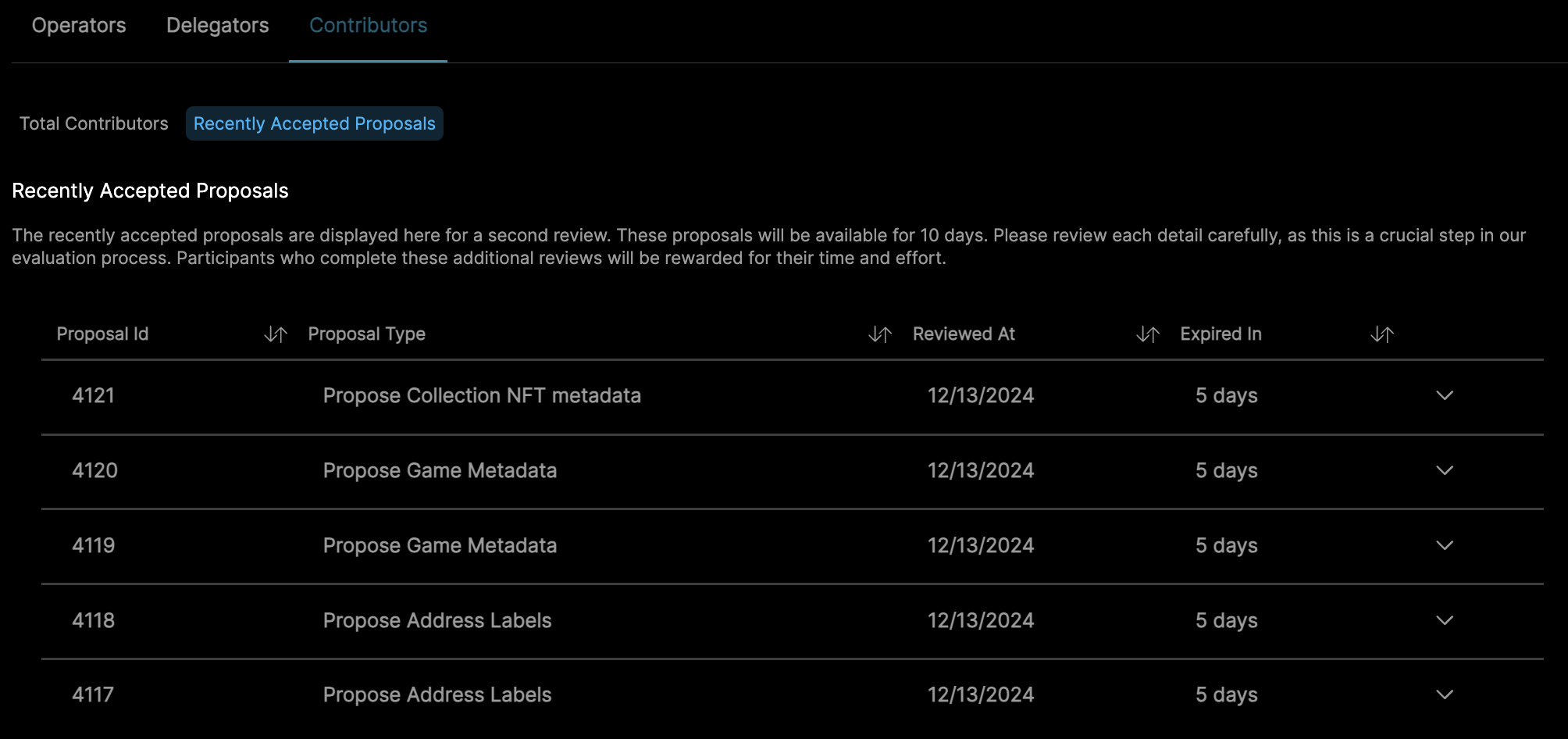
- On the main page, click Contributors and select Recently Accepted Proposals.
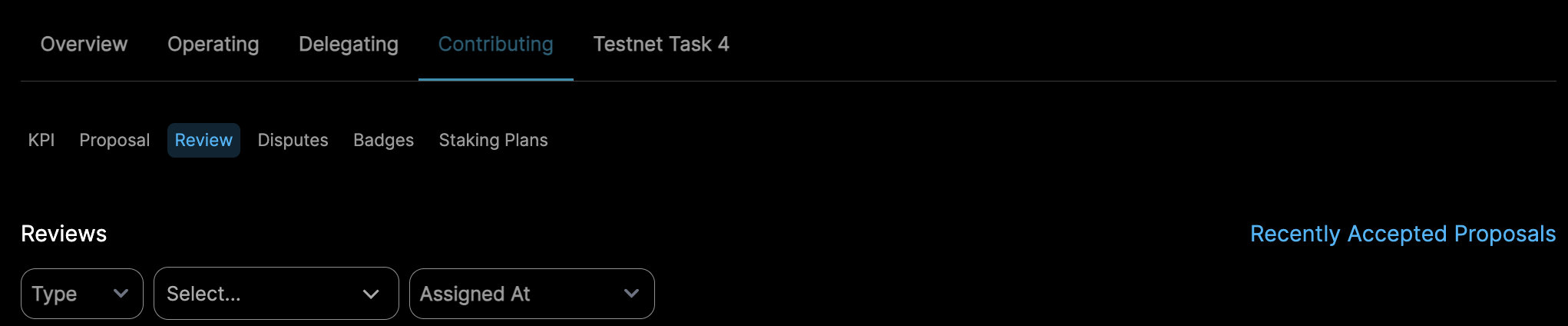
- Alternatively, from the My Account menu, select Contributing and click on the Review
tab. You’ll find recently accepted proposals in the top-right corner.
- On the main page, click Contributors and select Recently Accepted Proposals.
Recently accepted proposals will be displayed for a second review.
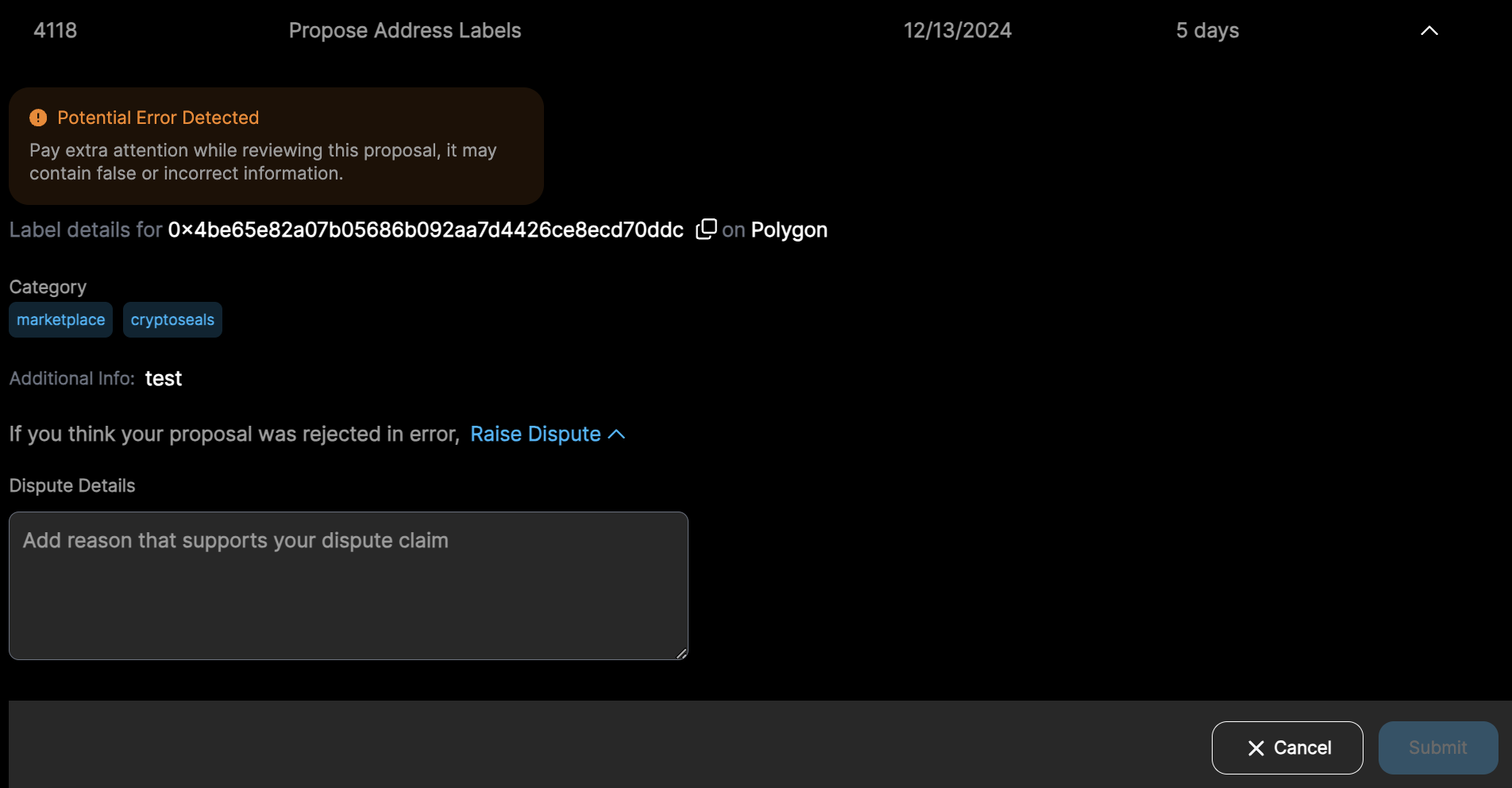
If you think any proposal in that list was accepted in error, you can raise a dispute
Enter the dispute details and click Submit
Suggested Proposal
A Suggested Proposal focuses on retrieving metadata for known categories or identifiers. In many cases, we already have key pieces of information such as a category label or a token address but lack the associated metadata that provides full context or descriptive detail about the entity it belongs to.
The goal is to develop a reliable process for mapping known inputs (e.g., token addresses or category types) to their corresponding metadata, such as names, symbols, descriptions, or other relevant attributes.
This process:
- Enhances data completeness
- Supports downstream applications
- Improves overall usability
Create Suggested Proposals
- Steps to create Suggested Proposals
- Make sure you've completed the steps to become a contributor.
- Go to My Account menu and select the "Contributing" section.
- Select the Proposal tab and click on Suggested Proposal.
- You will see a list of suggested proposals.
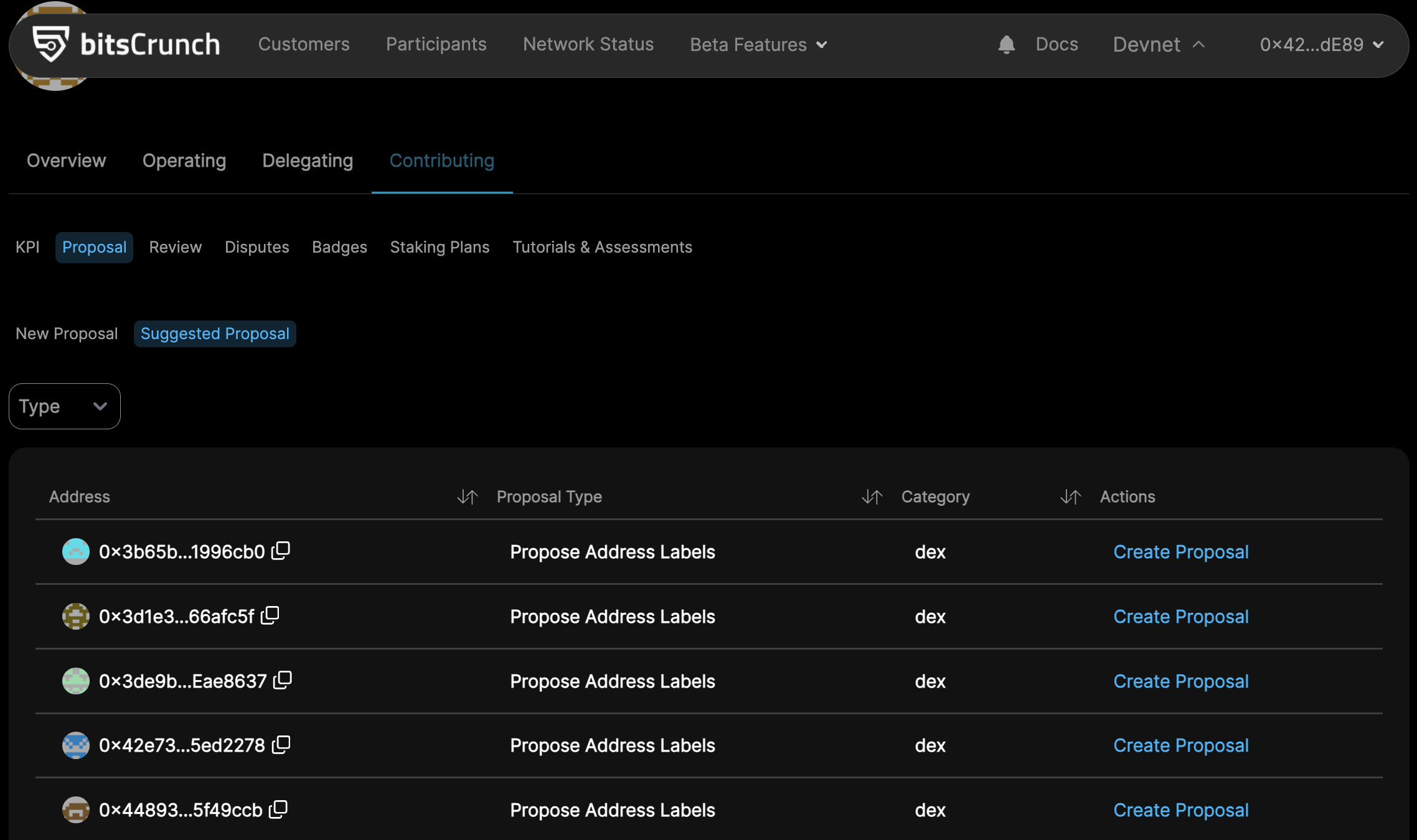
- Under the Actions column, click on Create Proposal for the type and category you want to create.
- You’ll see a pre-filled form with the type, chain, and address.
- Note: If you edit them, the system will treat it as a new proposal, not a suggested one.
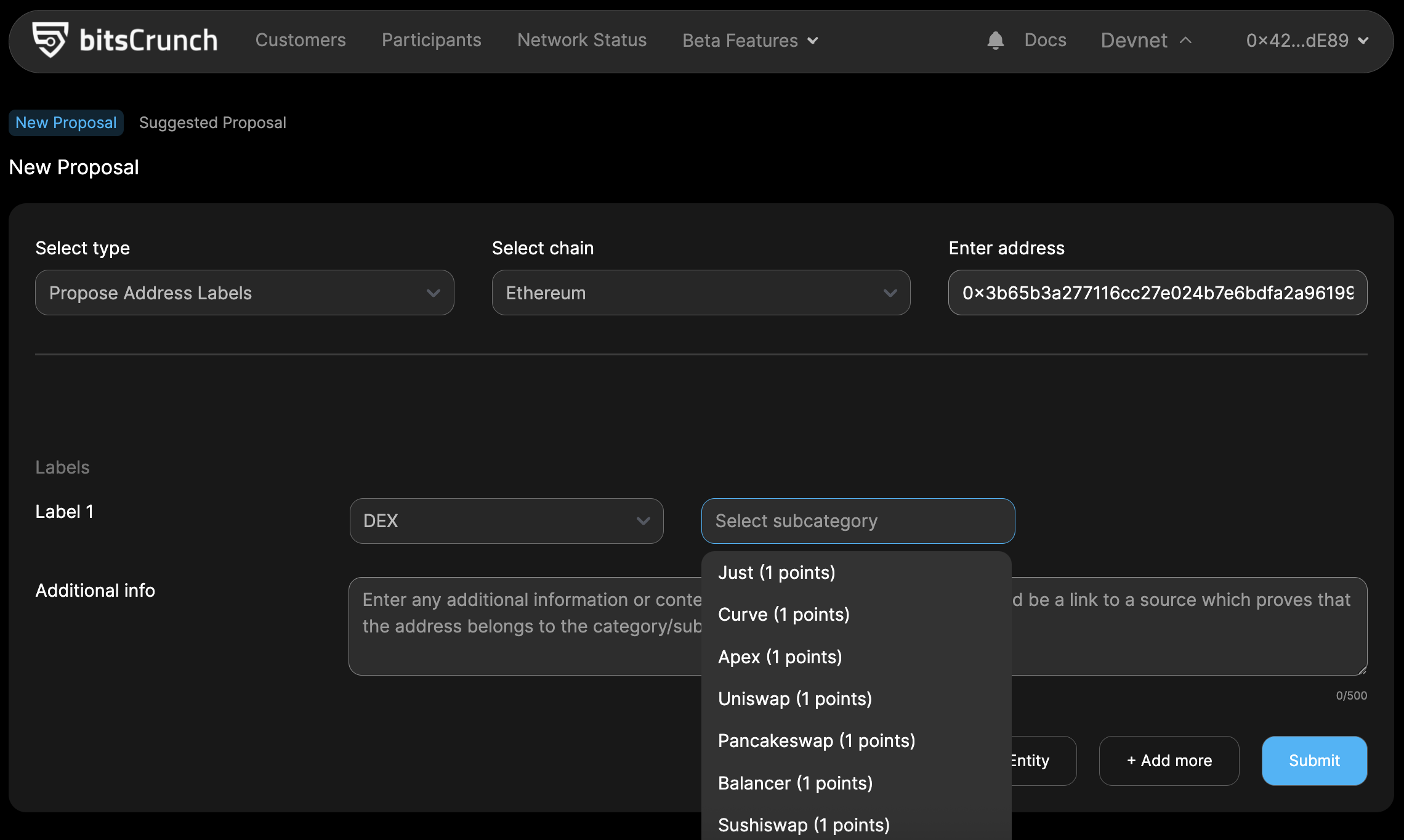
- Select the correct Subcategory under the given label.
- Add additional information that helps the proposal review. It could be a link to a source which proves that the address belongs to the category/sub-category you have selected.
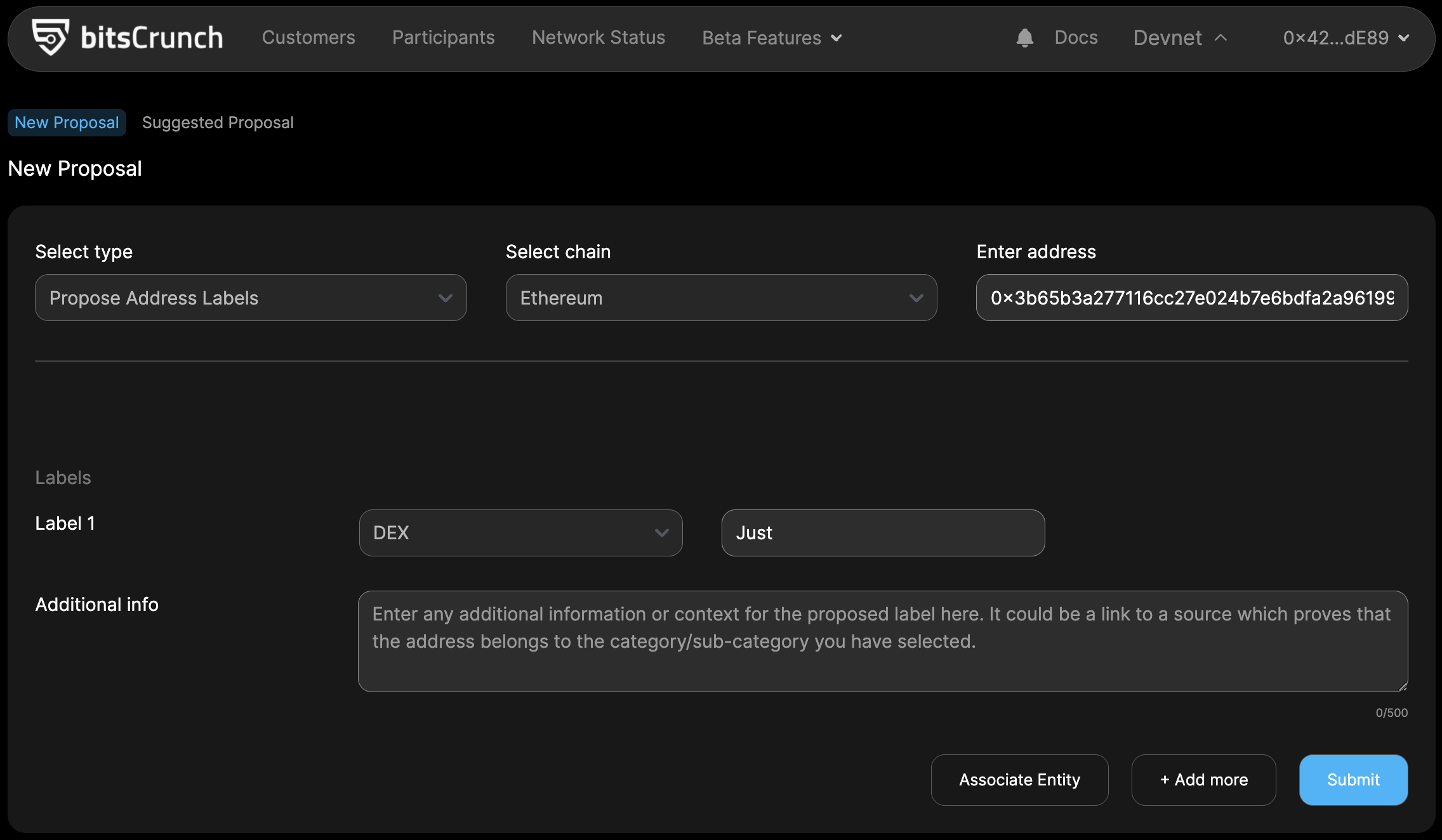
- Save and Submit
- Review all the entered details to ensure accuracy.
- Click the "Submit" button to add the proposal for review.