Operating
In the network, operators serve as node operators responsible for providing query processing services in phase 1, with plans to expand their role to data enrichment in subsequent phases. They are compensated with query fees and network rewards for processing queries. Both the query fees and rewards are distributed proportionally, based on the volume of queries each operator processes.
How to Guides
Run the Query Processor Node
a.k.a lite node
Let's Setup bitsCrunch Decentralization Network in less than 10 minutes.
System Requirements
- 64-bit Linux/Unix distribution (Ubuntu 22.04 recommended) / Mac
- 2 x CPUs
- 4GB RAM
- Connection to Internet
- Docker v20.10+ - https://docs.docker.com/get-docker/
- Docker Compose - https://docs.docker.com/compose/install/
NOTE ⚠️ : Please make sure you take extra measures and strengthen your host machines. We are not responsible for data loss and system failure.
Prerequisite
Existing staked operators
if you already have access-key and BCUT token are staked , please proceed to Step 4 section
Steps
Login to https://app.bitscrunch.com/ and connect your wallet. It will redirect you to an authentication tab. Finish the login process
Go to My Account → Operating → Onboard Me and follow the steps
Step 1: Create profile
Step 2: Stake BCUT
Step 3: Create Access Key
Step 4: Setup and Configure Node for Mainnet
Before you proceed make sure you are in correct directory where access-key is present and no active lite node docker container are running
Open terminal and Create a docker-compose.yml file in keep access-key file in same location where we are creating this file
version: "3.9"
services:
  bitscrunch-network-manager-mainnet:
    image: bitscrunch/node-lite:bitscrunch-latest
    platform: linux/amd64
    container_name: bc-network-manager-mainnet
    restart: unless-stopped
    volumes:
      - /var/run/docker.sock:/var/run/docker.sock
      - ./access-key.json:/srv/access-key.json
    environment:
      ACCESS_KEY: ${PWD}/access-key.json
      NETWORK: "mainnet"
      PUBLIC_PORT_FORWARD: "true"  # 👈 enables use of 0.0.0.0 instead of 127.0.0.1
    command: ["/srv/node"]
    networks:
      - bitscrunch-network

networks:
  bitscrunch-network:
    name: bitscrunch-network
    driver: bridge
Run docker-compose pull && docker-compose up -d to start operator node.
For Testnet Users (Optional)
version: "3.9"
services:
  bitscrunch-network-manager-testnet:
    image: bitscrunch/node-lite:aura-latest
    platform: linux/amd64
    container_name: bc-network-manager-testnet
    restart: unless-stopped
    volumes:
      - /var/run/docker.sock:/var/run/docker.sock
      - ./access-key.json:/srv/access-key.json
    environment:
      ACCESS_KEY: ${PWD}/access-key.json
      NETWORK: "testnet"
      PUBLIC_PORT_FORWARD: "true"  # 👈 enables use of 0.0.0.0 instead of 127.0.0.1
    command: ["/srv/node"]
    networks:
      - bitscrunch-network

networks:
  bitscrunch-network:
    name: bitscrunch-network
    driver: bridge
Run docker-compose pull && docker-compose up -d to start operator node for testnet.
Step 5: Test Node Setup
Steps To Stake BCUT
Onboard as an operator
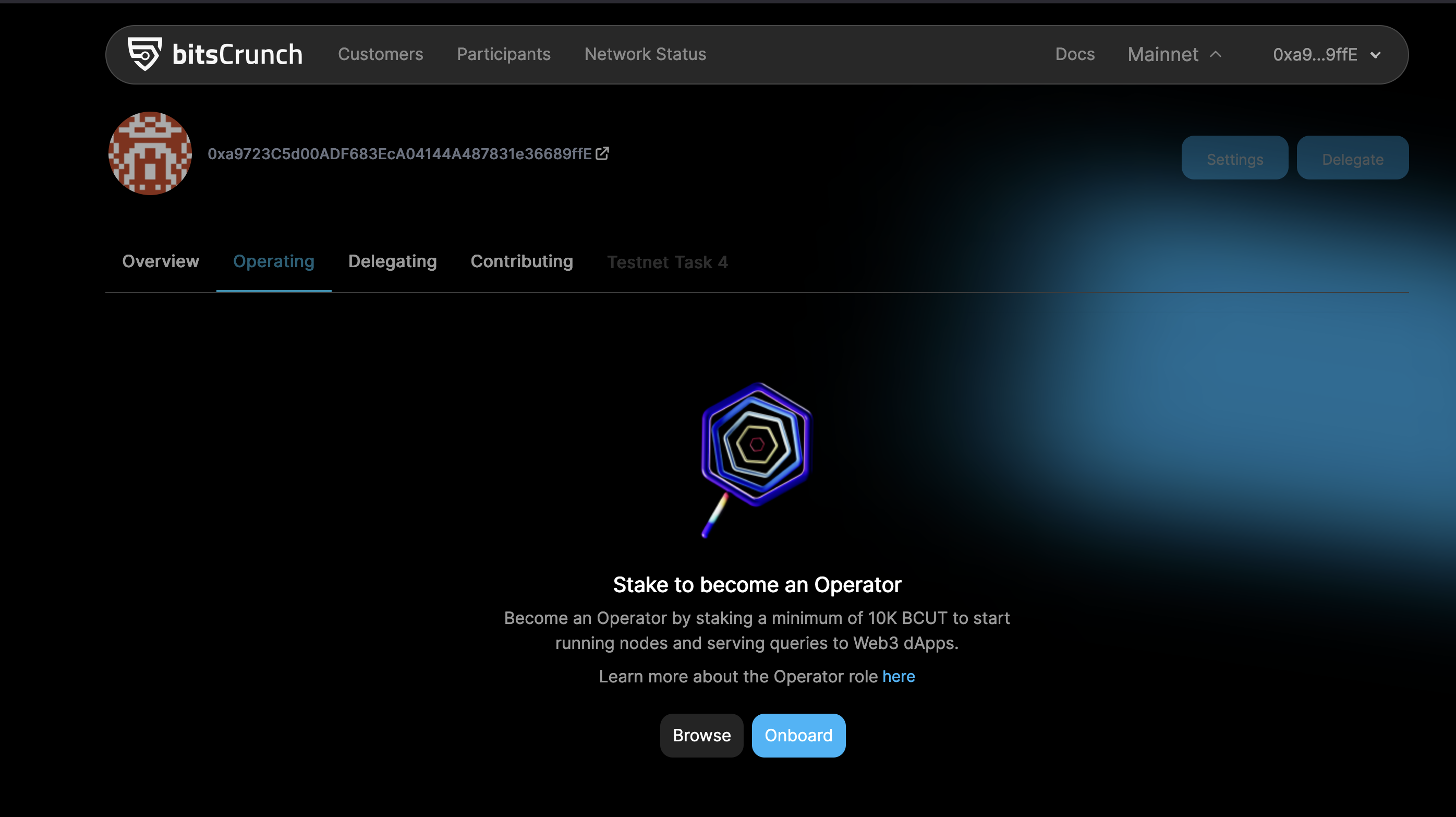
Connect the wallet
Navigate to My Account/Participants/Operating from the dropdown menu
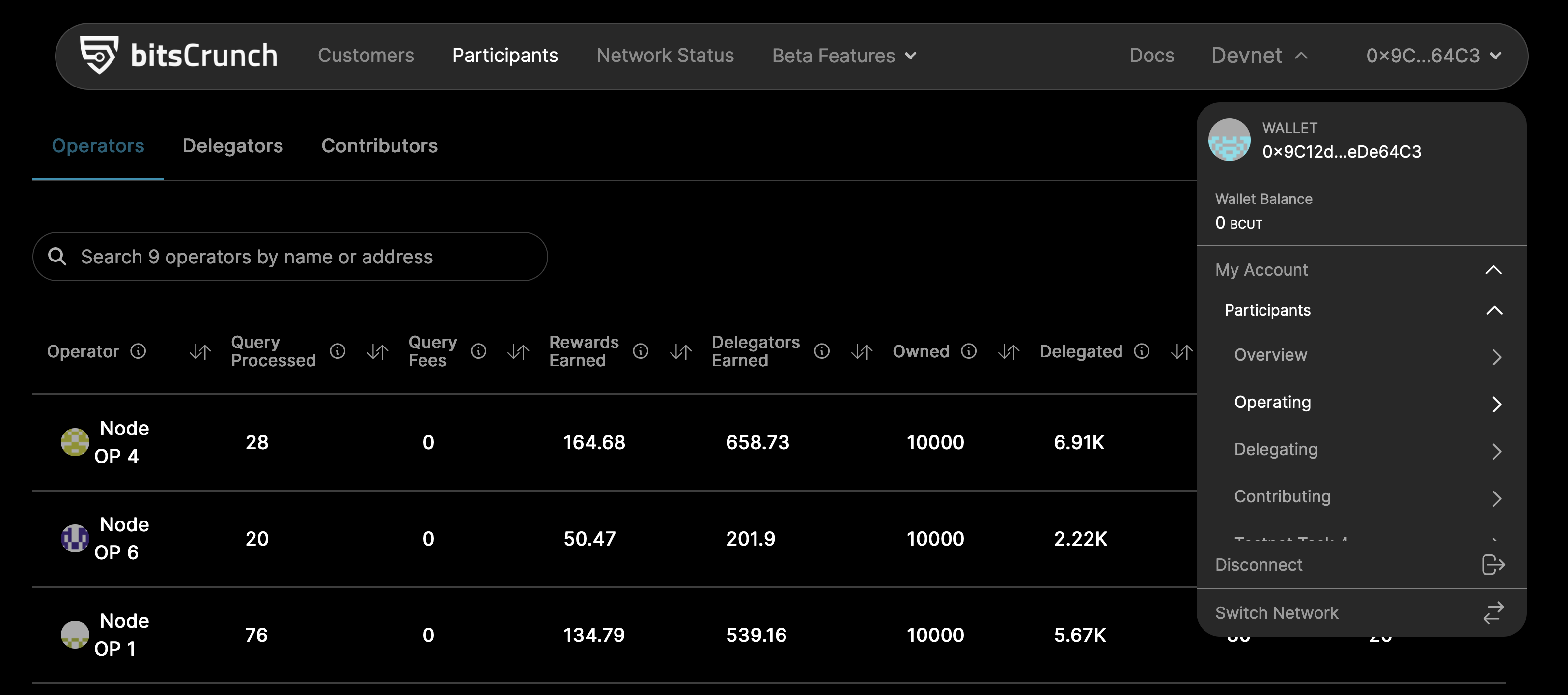
Click on Settings

Navigate to Settlement and Funds tab
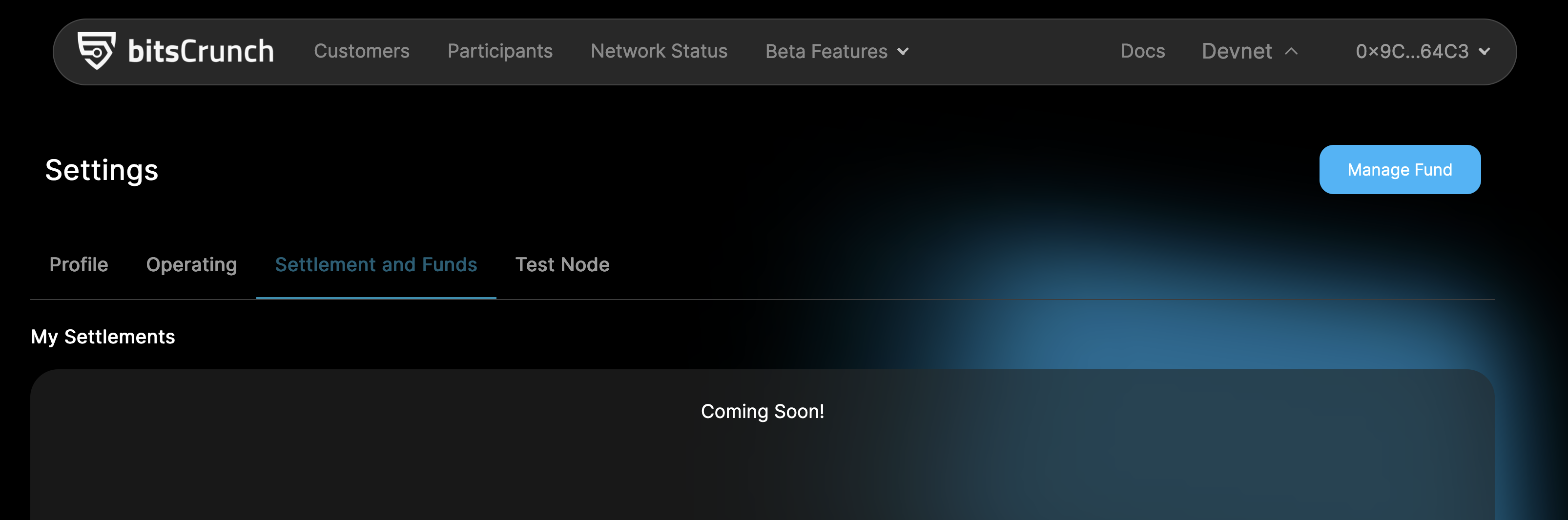
Click on Manage Funds
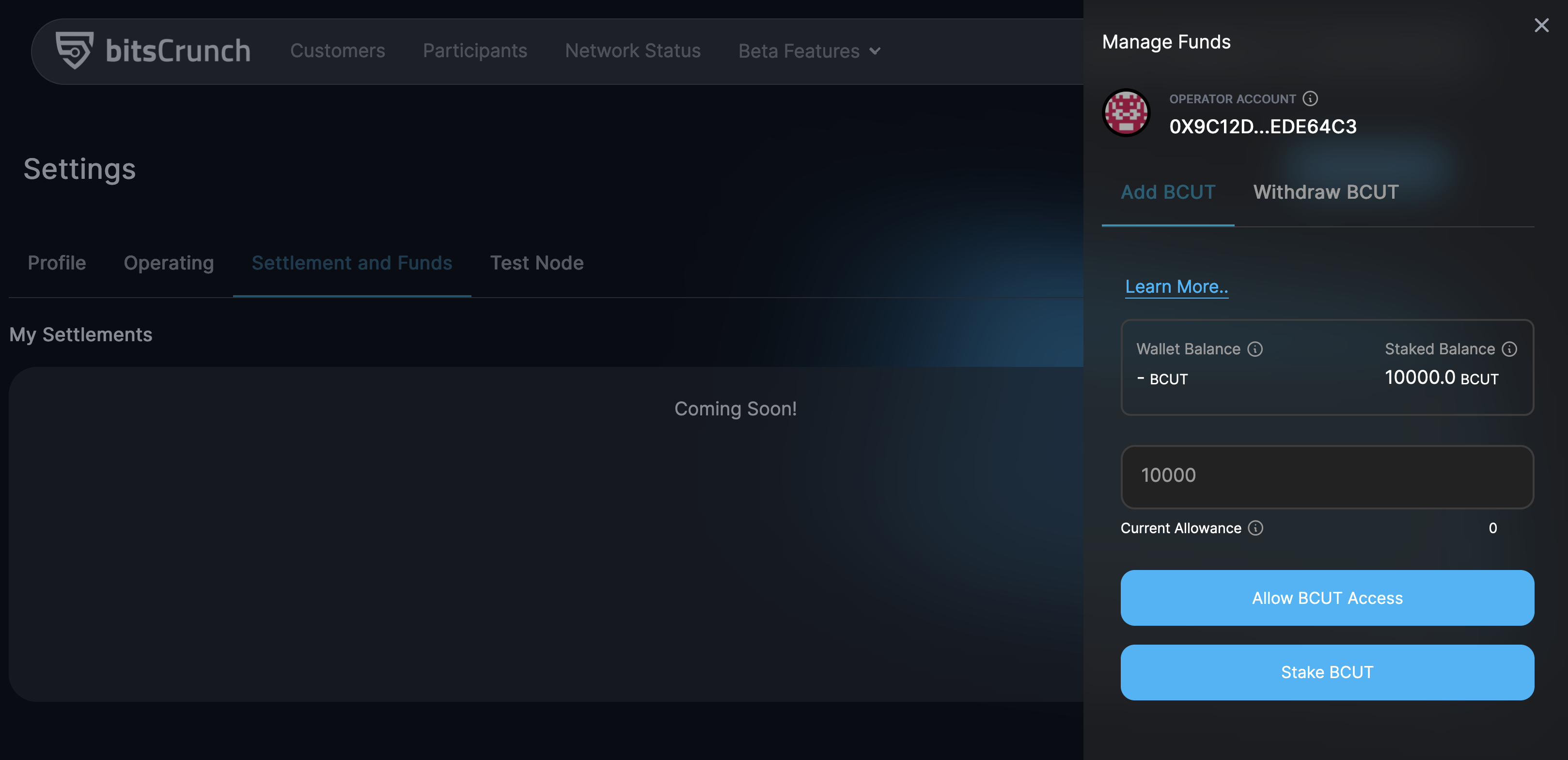
Allow the BCUT and Stake the tokens
Steps To Update Reward / Fee Cut
Onboard as an operator
Connect the wallet
Navigate to My Account/Participants/Operating from the dropdown menu
Navigate to Operating tab
Click on Settings
Click on Manage Fee and Reward Cut
Update the desired value and click confirm
Steps to Claim Rewards
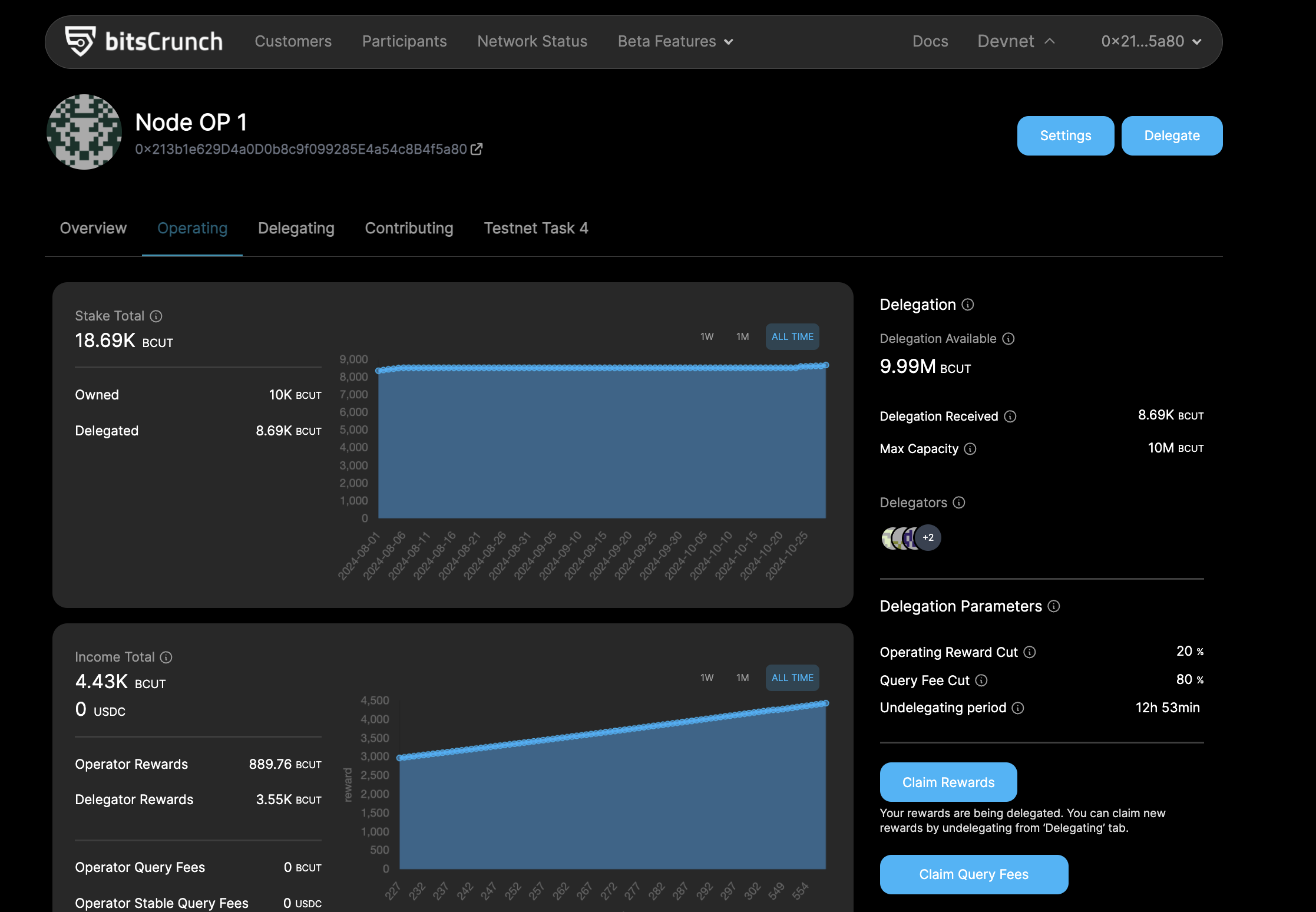
- Claiming Rewards from the Operating Page : Operators can claim their rewards by clicking the "Claim Rewards" button on the operating page.
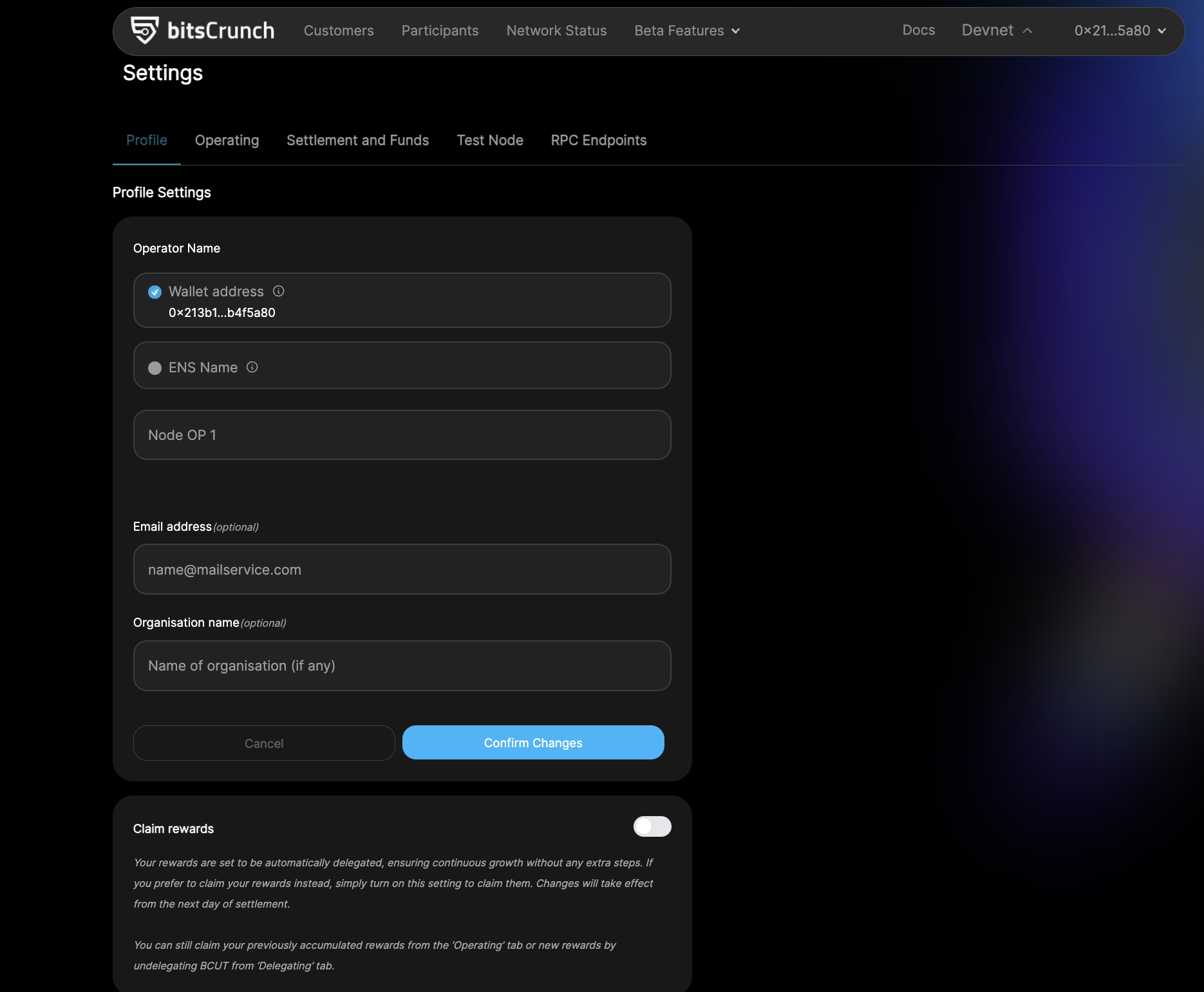
- Delegate Rewards from the Settings Page : Operators can navigate to the settings page and choose to either delegate or claim the rewards.
FAQ
Don't see metamask in login Page
How to check if my node is running ?
I'm not able run docker ps commands
I'm getting "error reading access-key asn1: syntax error: sequence truncated"
I'm getting "Failed connect to Redis Server"
which ports do i need to be open ?
Getting in touch
bitsCrunch Discord Server
The main discussions are happening on our Discord server. To get an invite, send an email to info [at] bitscrunch.com with your name, occupation, a brief explanation of why you want to join the Discord, and how you heard about us.
Report an issue
Our documentation should be easy enough to help you getting start. If you are still stuck, please refer the FAQ Section. If that doesn't help and you need to help us, we are more than happy to assist you. Please provide us following info to understand things better
- OS Type :
- Docker Version :
- node-lite :
- Screenshot of the error msg :
- Possible steps to replicate :
- Wallet Address :