Delegating
Delegators are network participants who delegate (i.e., "stake") BCUT to one or more Operators. Delegators contribute to securing the network without running a Node themselves.
By delegating to an Operator, Delegators earn a portion of the Operator's query fees and rewards.
How to Guides
- Delegate to an operator
- Undelegate
Delegate to an operator
Steps to delegate to an operator
- Goto bitsCrunch network interface, https://app.bitscrunch.com/
- Connect your wallet (supported: Metamask, not tested for other wallets)
- Select the operator to delegate from operators list

- Condition 1 : Operator should have staked the minimum stake amount (10000 BCUT)
- Condition 2 : Operator should not have received more than maximum delegation (3000000 BCUT)
- Click on operator address, Navigate to operating tab

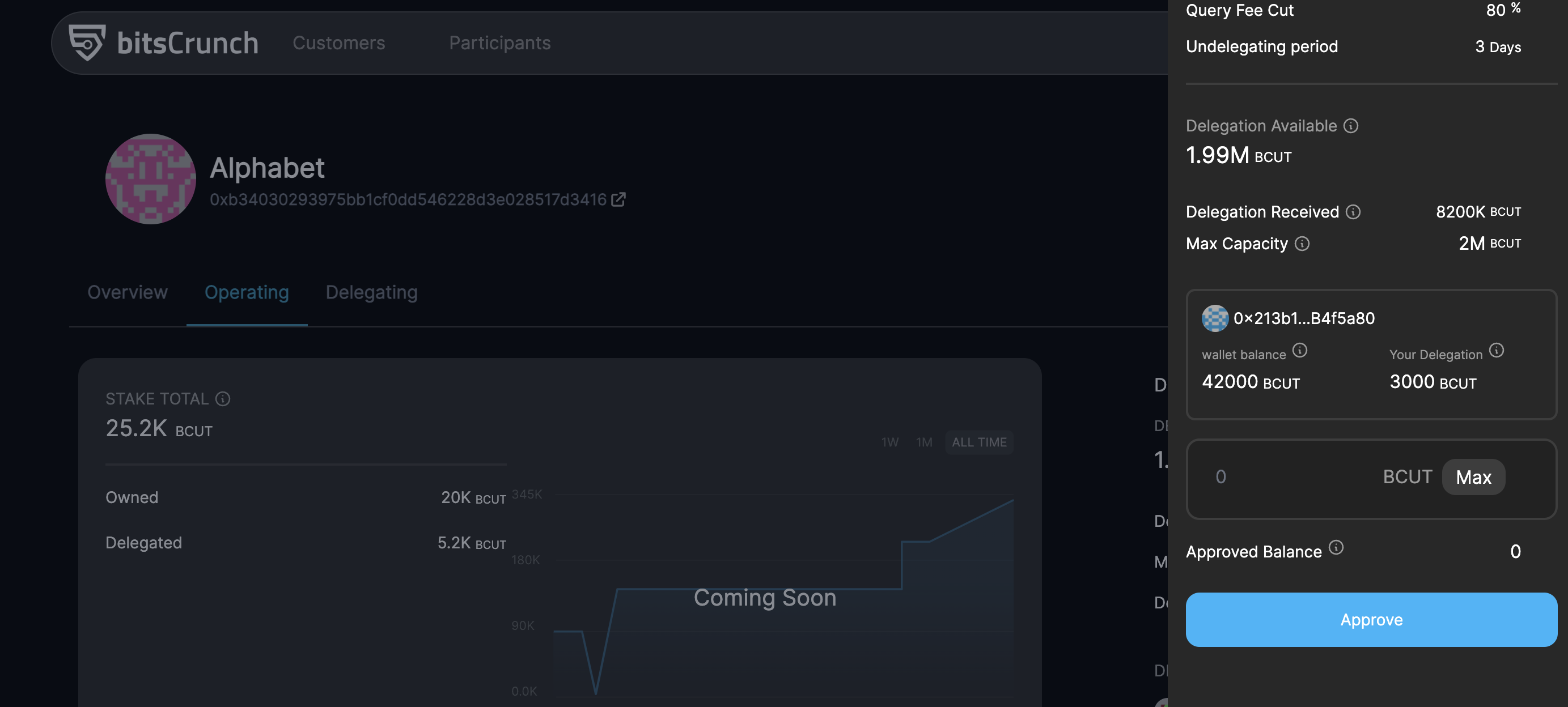
- Click on "Delegate" button

- Make sure to have enough BCUT balance
- Enter desired amount to delegate and click approve
- Follow the metamask transaction popup

- Two approvals will be needed one for the allocation and the second for actual transfer
- Polygon MATIC token is required to perform these transactions.
- Once the transaction successful, Balance will updated
Undelegate
Steps to Un-delegate from an operator
- Connect your wallet (supported: Metamask, not tested for other wallets)
- Select the operator to who you delegated
- Navigate to operating tab
- Click on "Delegate" button
- Navigate to Undelegate tab
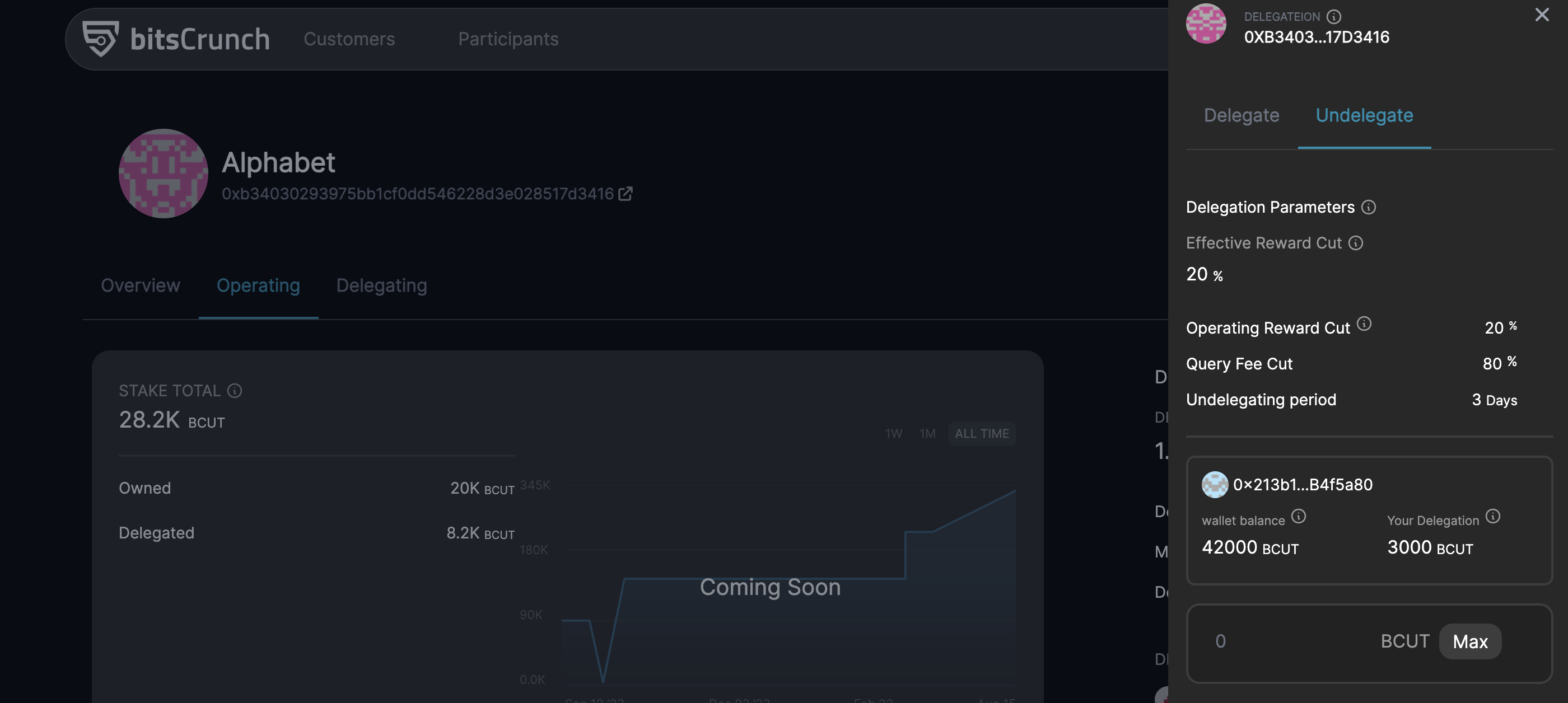
- Make sure the cooldown remaining for undelegation is zero
- Enter desired amount to undelegate and click confirm
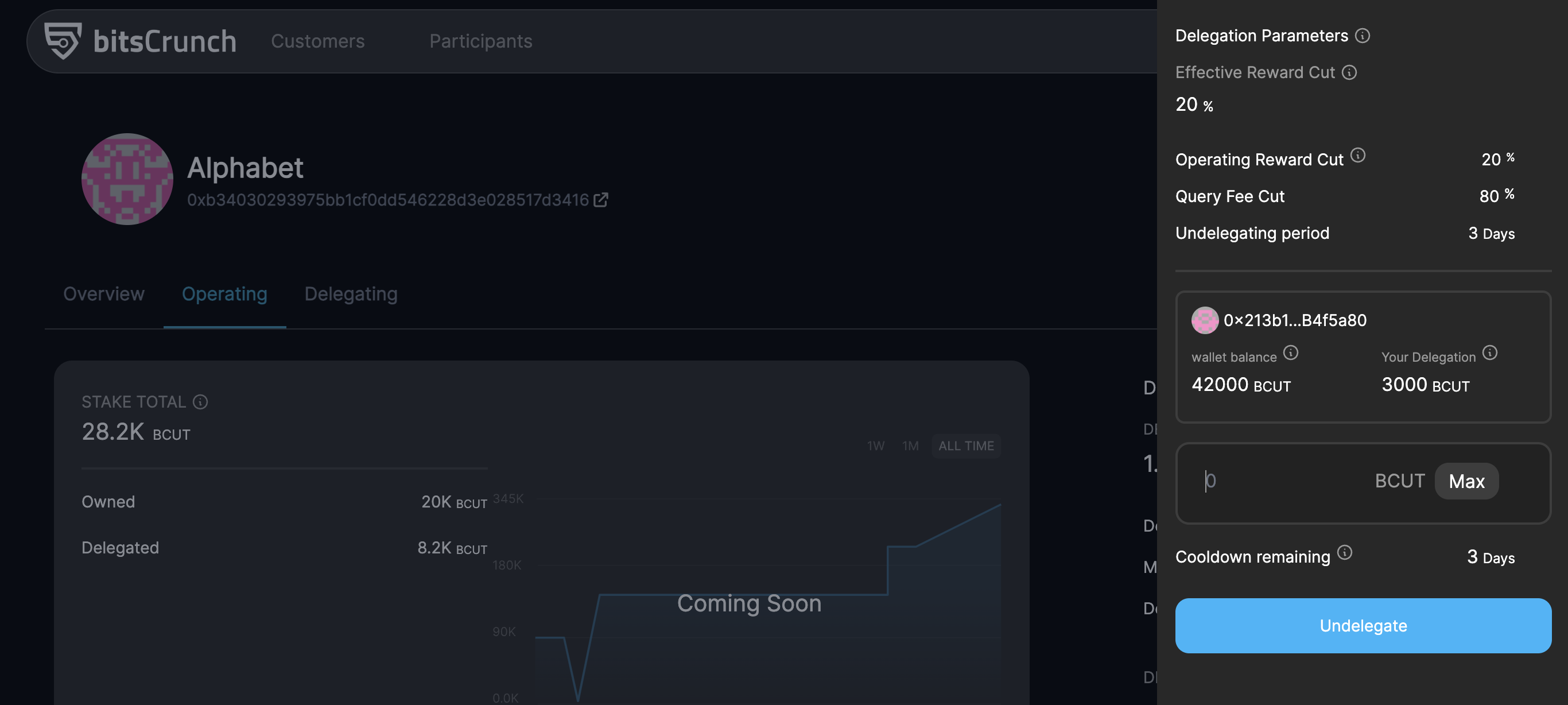
- Follow the metamask transaction popup
- Once the transaction successful, Balance will updated