Customer
Creating a BCUT Billing Account
Follow these steps to create your BCUT billing account:
- Connect Your Wallet
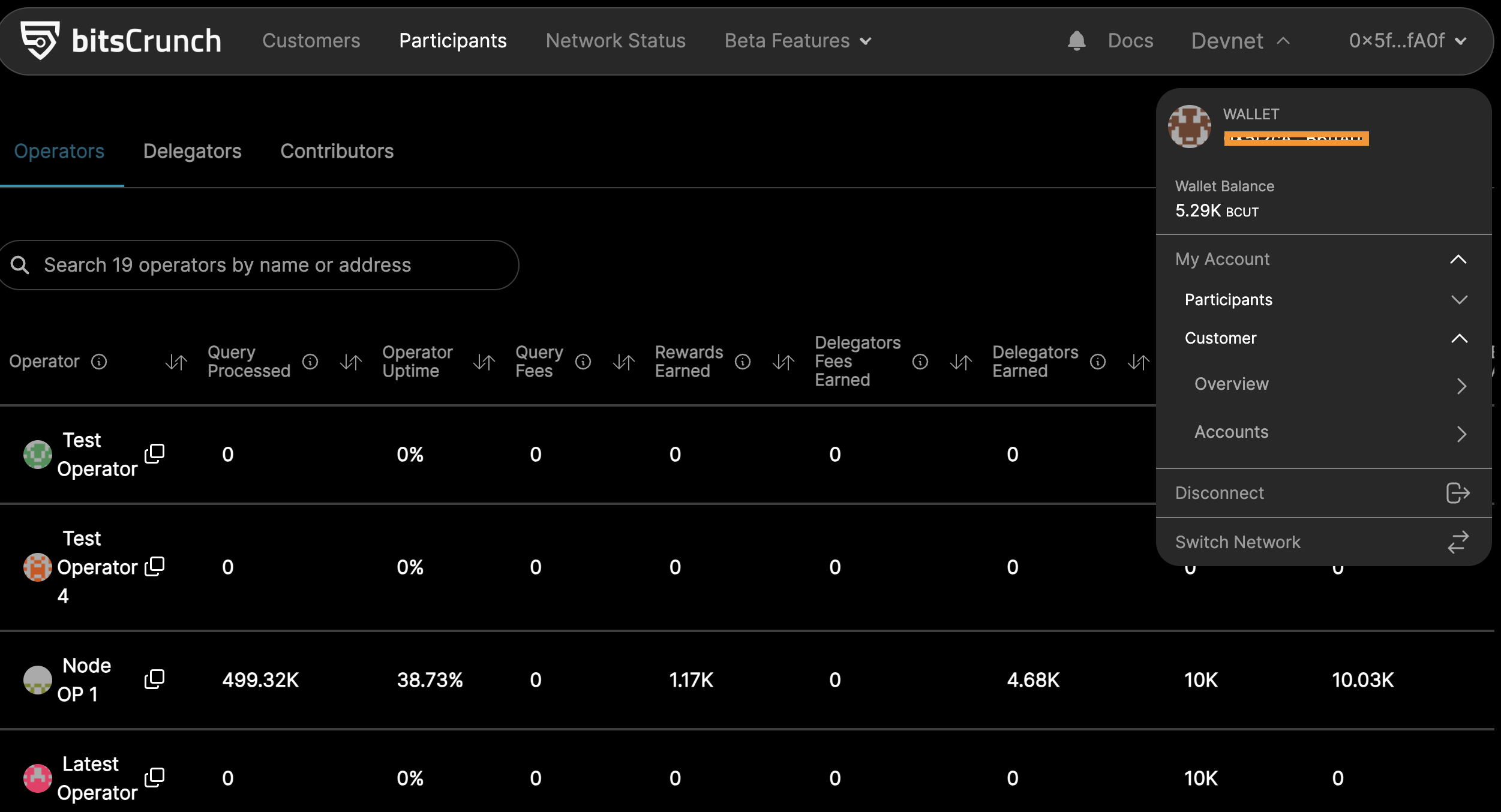
- Navigate to the My Account menu and select Customer - Overview
- Create a New Billing Account
You will be redirected to the Customer Overview page.
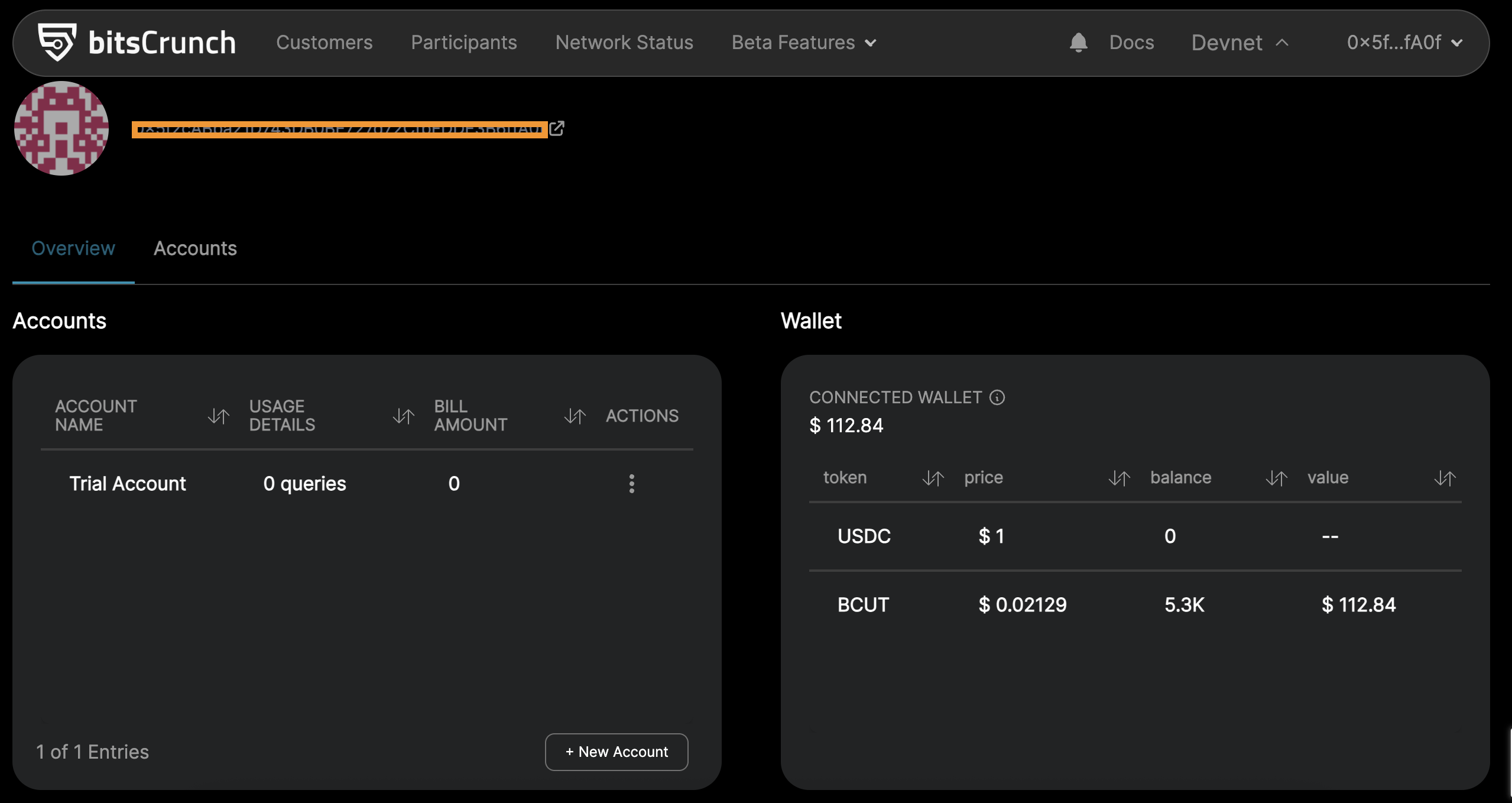
Click the "New Account" button to create a new billing account.
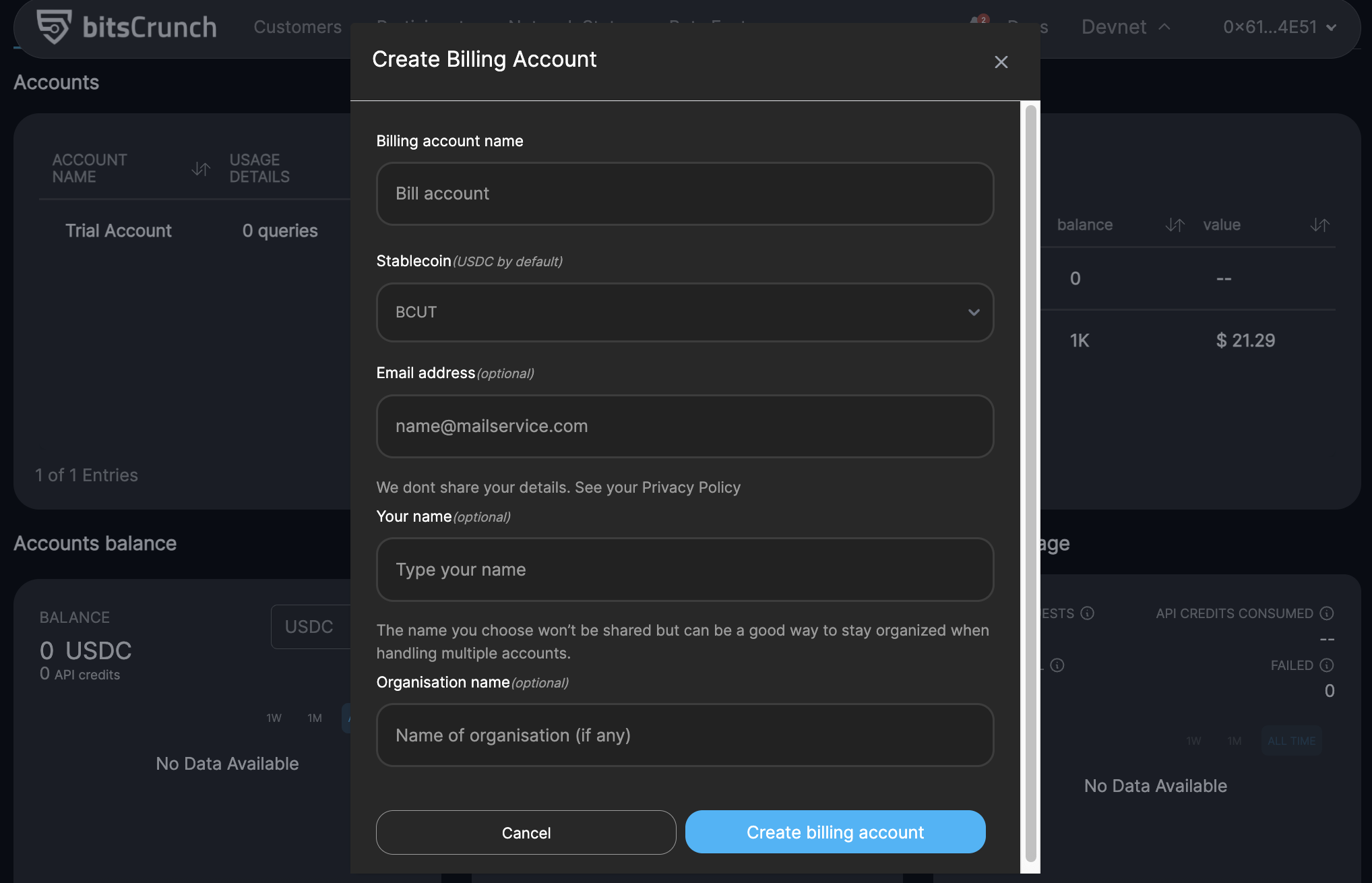
Fill in the required details:
- Billing Account Name : Enter a name for your billing account.
- Stablecoin : Specify the stablecoin to be used.
- Email Address : Provide your email address.
- Name : Enter your name.
- Organization Name : Enter your organization’s name.
After entering all the required details, click Create Billing Account.
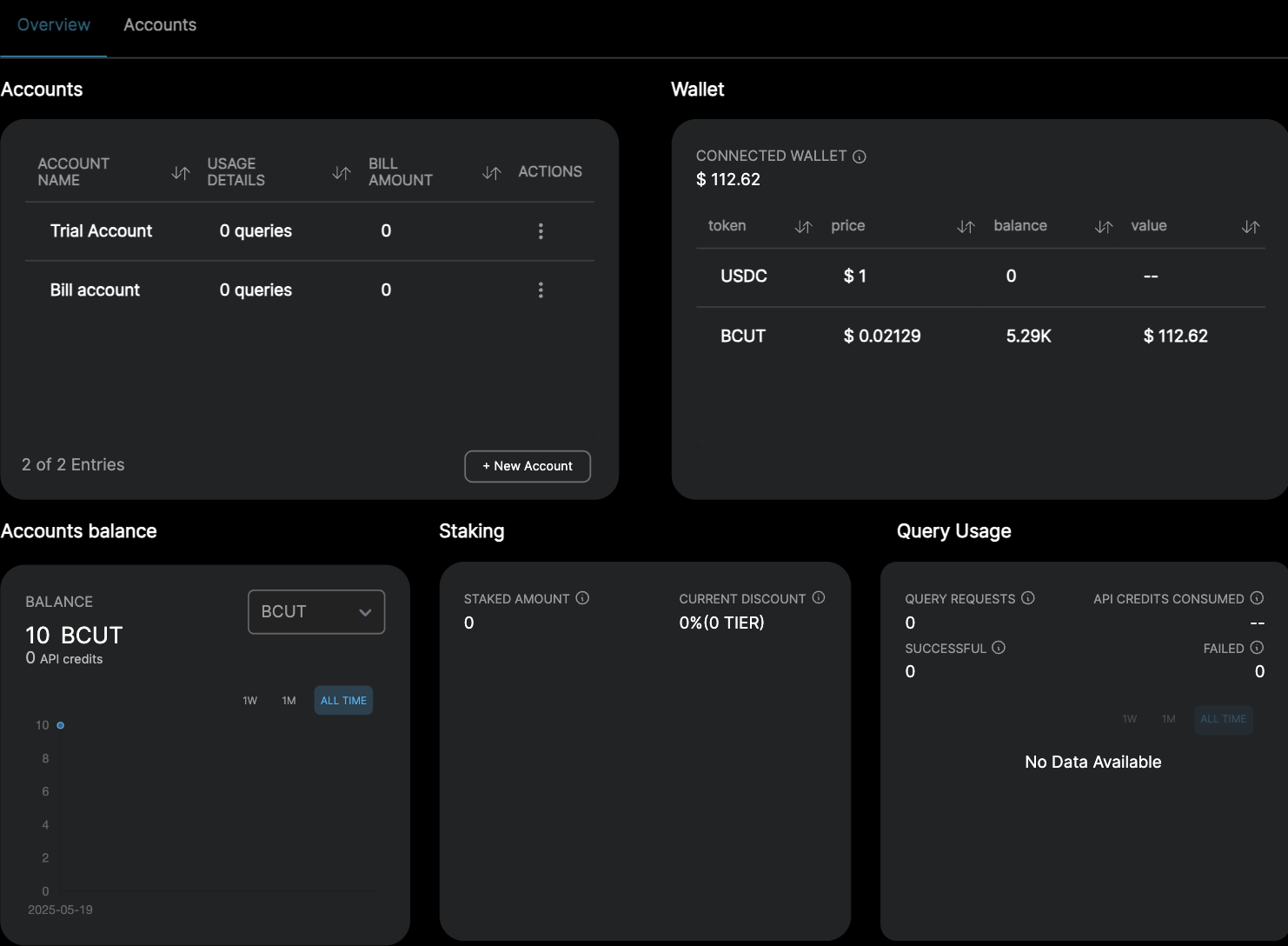
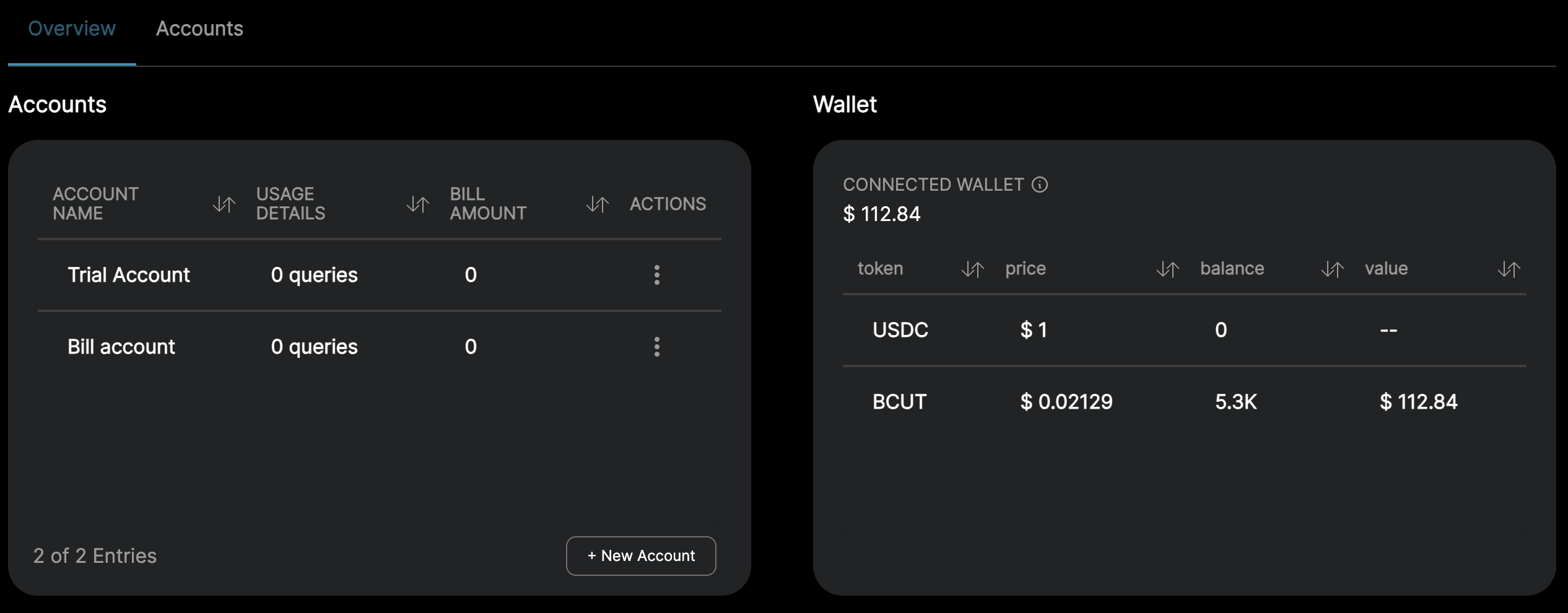
Once created, the account will be visible in the Overview tab.
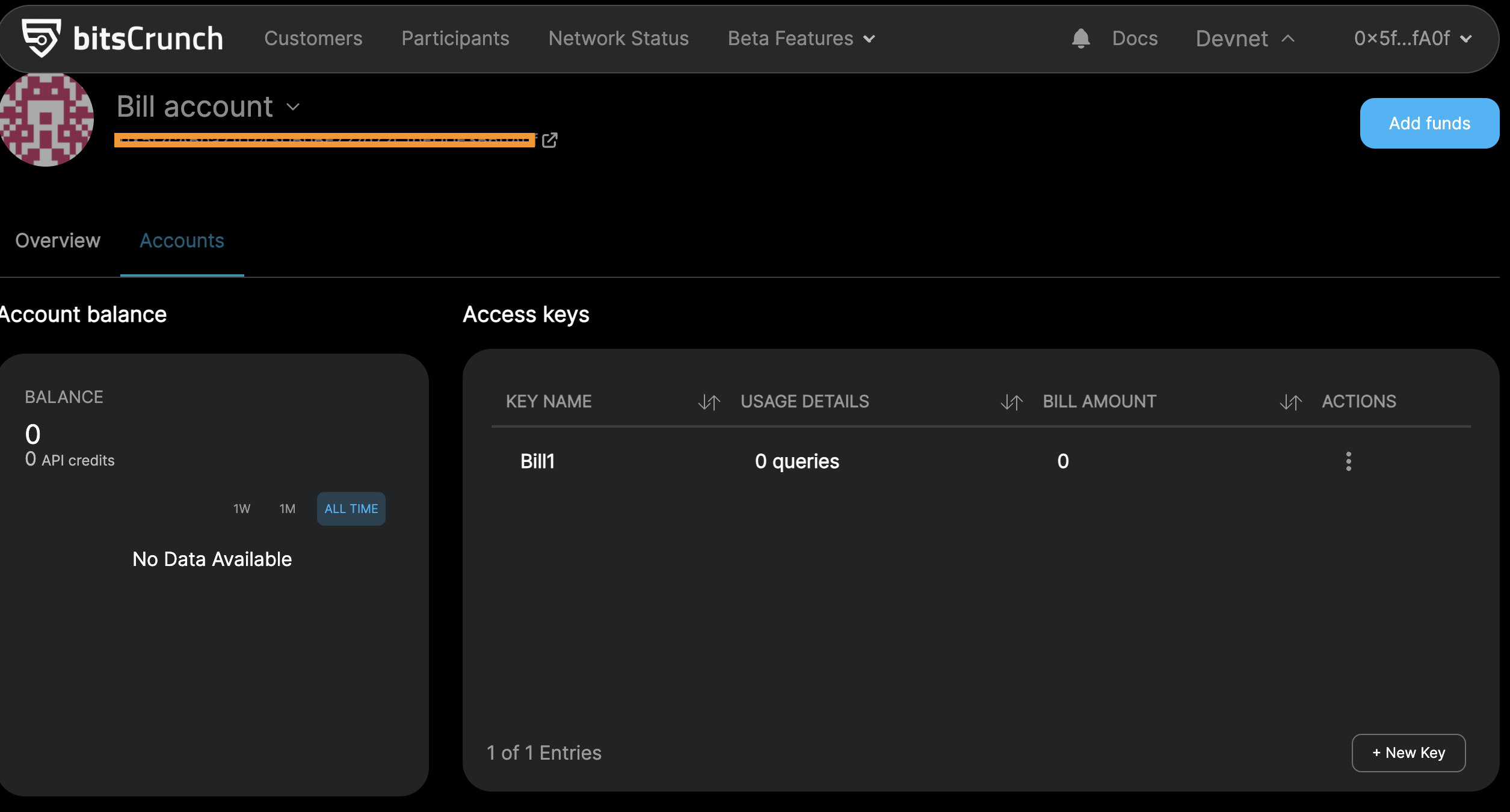
- Check the Accounts Tab
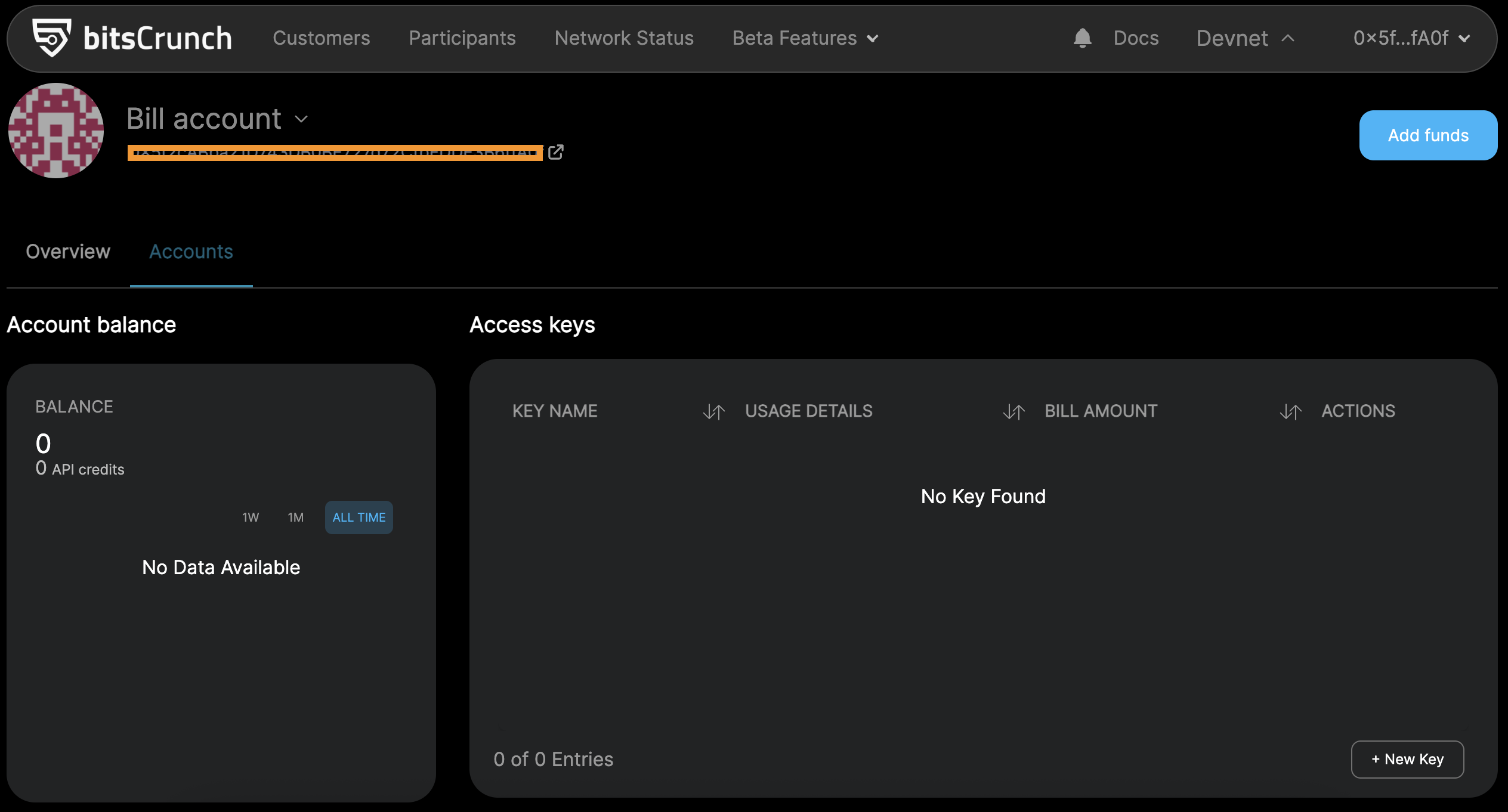
- Go to the Accounts tab to verify your newly created bill account.
- Create a New Access Key
Click the "New Key" button.
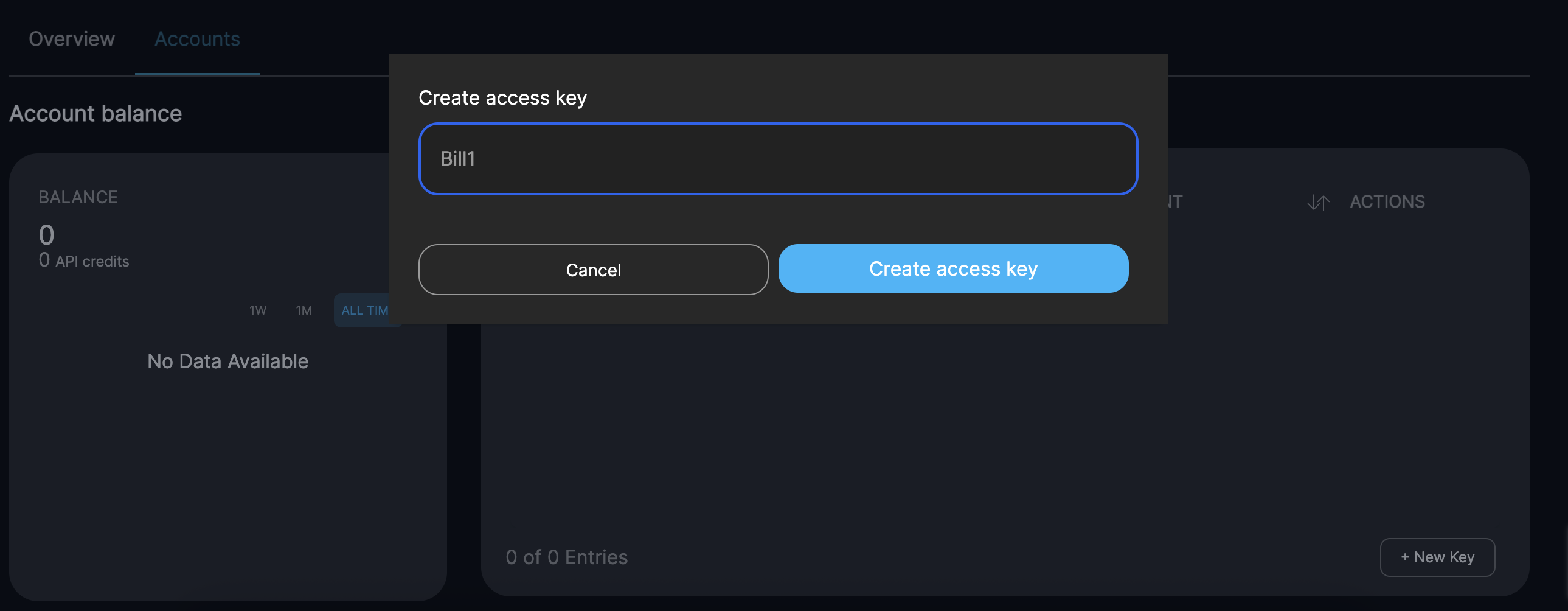
Create a name for your access key.
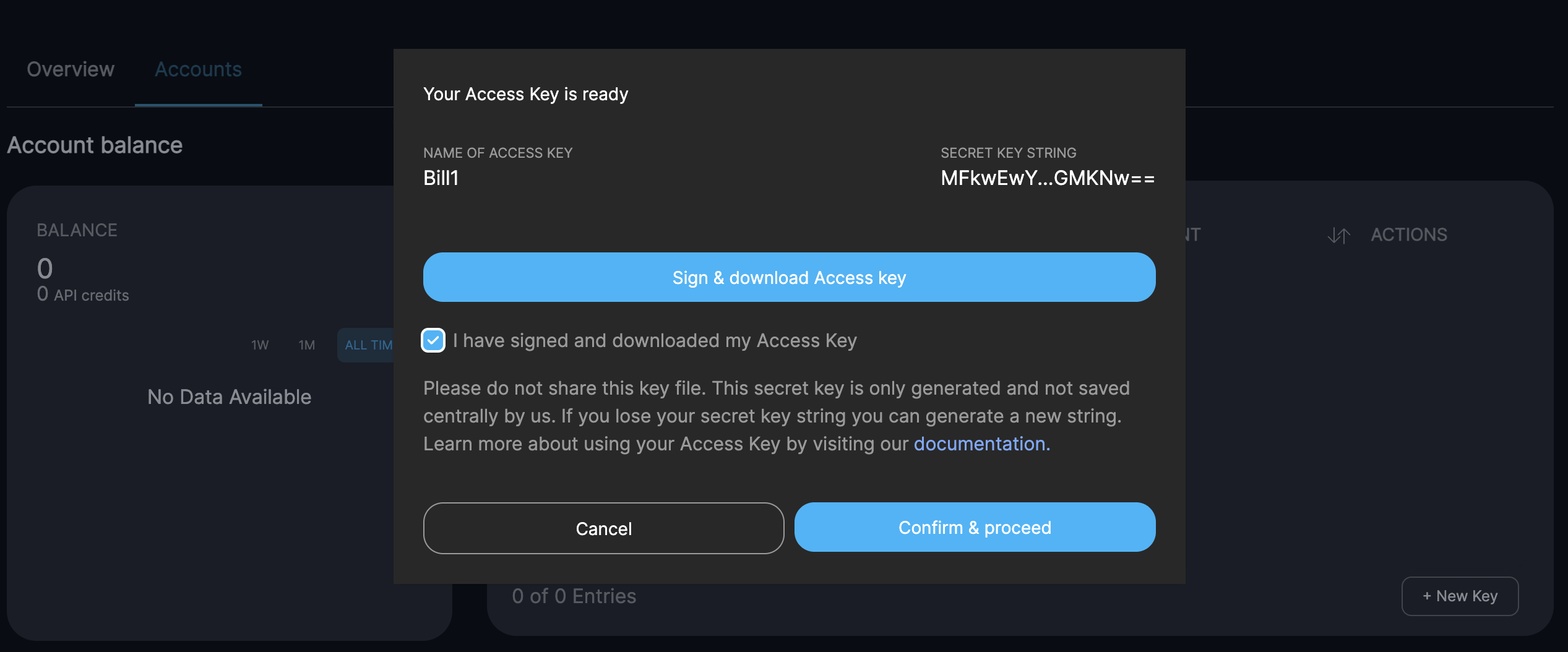
Sign and download the access key.
Click Confirm and proceed.
- Add Funds to Your Billing Account
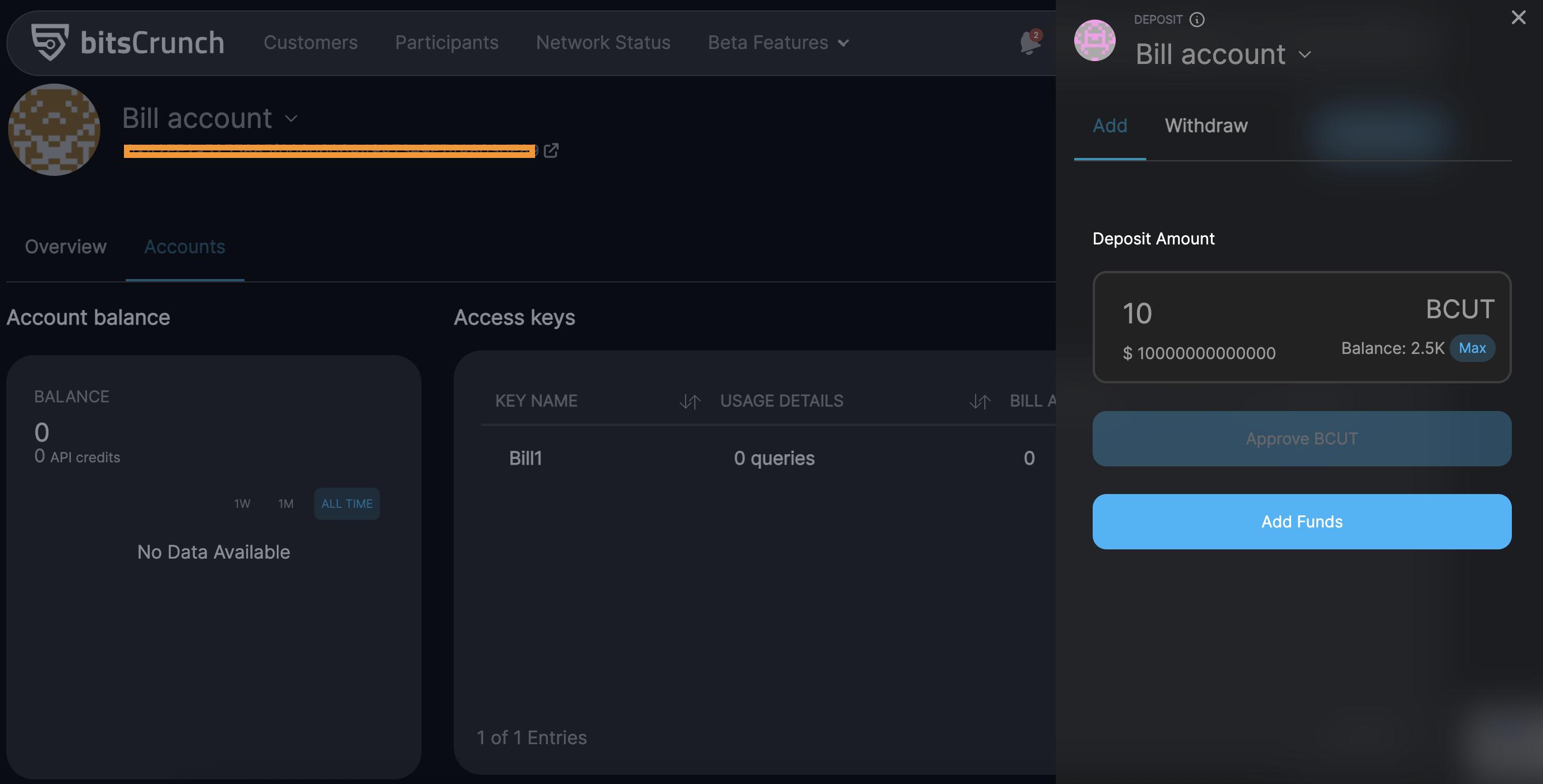
Click Add Funds.
Enter the amount of BCUT tokens to add.
Approve the transaction and add the funds.
Your BCUT balance will now be visible in the Accounts Balance and Overview tabs